CachyOS Launches Package Installer 2.0: Why the x86-64-v4 Gaming Linux Distro No Longer Needs the Terminal
Built from the ground up to squeeze every last drop of performance out of modern processors through x86-64-v3 and x86-64-v4 recompiled packages alongside its BORE kernel scheduler, the gaming-focused Linux distribution CachyOS has long faced a stubborn paradox: its Arch Linux foundation still intimidated players who wanted nothing to do with terminal commands. To tear down that barrier for newcomers migrating from Windows 11, the development team has officially unveiled CachyOS Package Installer 2.0, a complete overhaul of its software manager that brings optimized system repositories, the AUR, and Flatpaks together inside a polished graphical storefront.
Goodbye Octopi and Terminal Anxiety: A Unified Storefront for CachyOS, Arch, AUR, and Flatpak
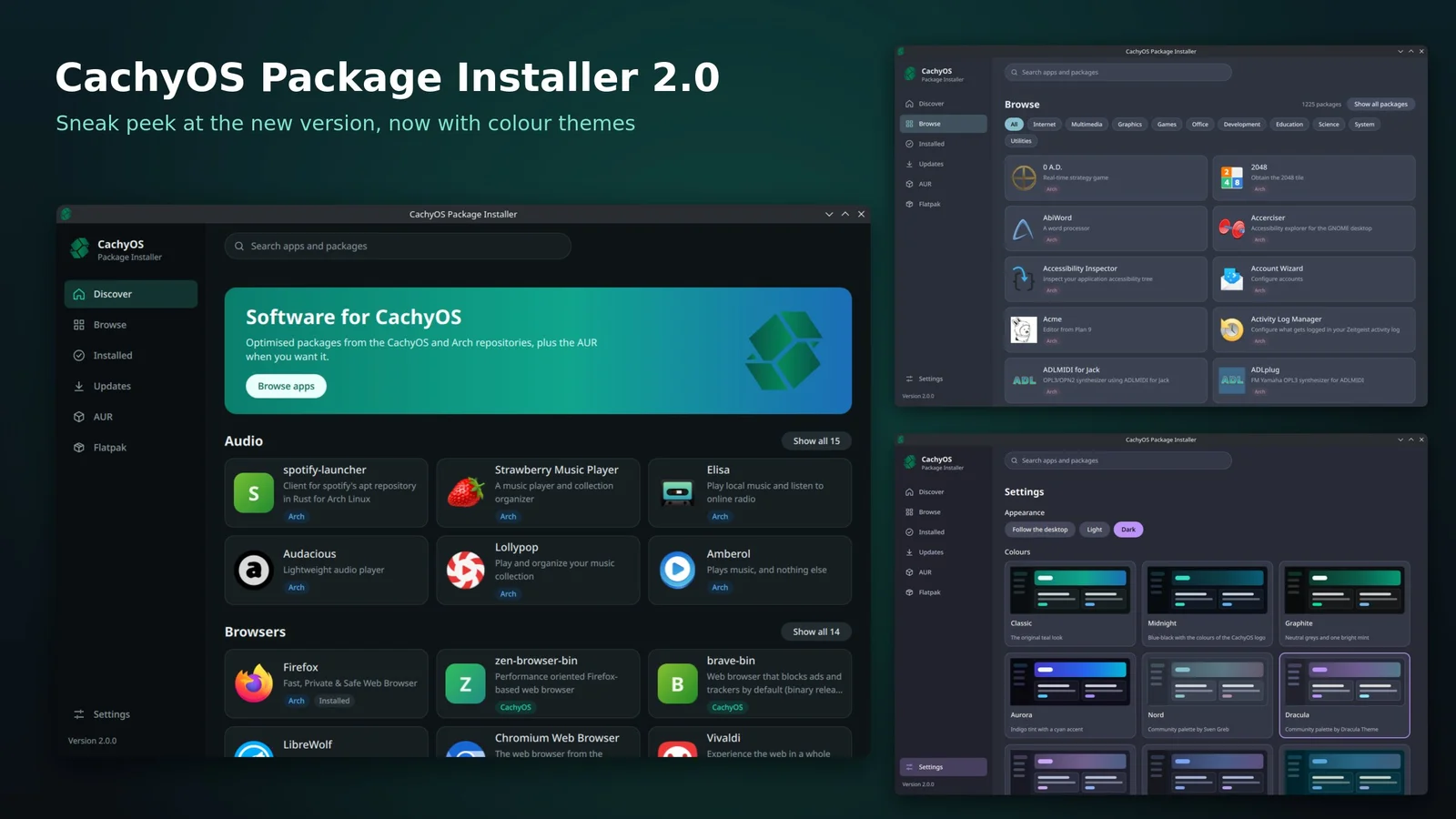
Until now, managing applications on the distribution often meant switching between pacman in the command line, the text-heavy list interface of Octopi, or the transitional Shelly utility. As revealed in the official preview shared by the maintainers via the official CachyOS website and the official CachyOS Package Installer GitHub repository, Version 2.0.0 leaves those utilitarian tables behind in favor of a modern app-store layout reminiscent of Bazaar, the software center popularized by Bazzite.
Instead of exposing raw package management jargon, the new left-hand sidebar organizes everything into six straightforward tabs: Discover, Browse, Installed, Updates, AUR, and Flatpak. On the main Discover screen, a featured banner highlights curated software alongside clean application cards with high-resolution icons, plain-English descriptions, and color-coded source badges. At a glance, users can tell whether an app is pulled from the architecture-optimized CachyOS repository (marked with a green badge, such as zen-browser-bin or brave-bin) or from the standard Arch repository (marked with a blue badge, such as Firefox, 0 A.D., or Strawberry Music Player).
Switching to the Browse tab lets users filter more than 1,225 curated packages across eleven categories (All, Internet, Multimedia, Graphics, Games, Office, Development, Education, Science, System, and Utilities). Even better for Linux newcomers, both the Arch User Repository (AUR) and Flatpak packages sit right in the main navigation menu, removing the need to learn command-line AUR helpers like paru or yay. That usability leap arrives right on time, with Linux surging toward the historic 4% mark in Valve's Steam Hardware Survey as more PC players test alternatives to Windows 11.
Nine Built-In Color Themes at Launch, From Classic and Aurora to Dracula and Catppuccin
Unlike competing app stores such as Bazaar that lock users into a single visual style, CachyOS Package Installer 2.0 ships with native theme customization out of the box. Inside the Settings panel, users can toggle between three appearance modes (Follow the desktop, Light, and Dark) and pick from nine built-in color palettes to match their KDE Plasma, GNOME, or Hyprland desktop setup:
- Four in-house CachyOS palettes: Classic (the original teal look), Midnight (a deep blue-black matching the CachyOS logo), Graphite (neutral greys paired with a bright mint accent), and Aurora (an indigo tint highlighted by cyan accents).
- Five iconic community palettes: Nord (Sven Greb's popular arctic palette), Dracula, Catppuccin, Tokyo Night, and Solarized.
Why x86-64-v3/v4 Binaries and the BORE Kernel Scheduler Matter for PC and Handheld Gamers
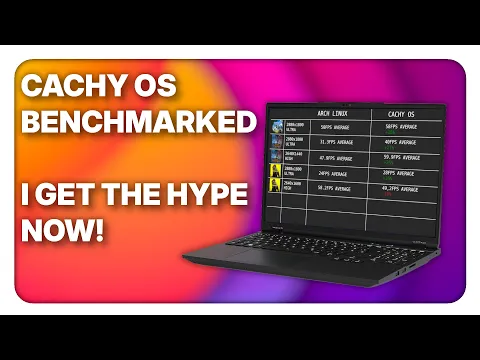
CachyOS has carved out a dedicated following across desktop gaming rigs as well as portable hardware like the Steam Deck, ASUS ROG Ally, and Lenovo Legion Go through its specialized Handheld Edition. While most mainstream Linux distributions still compile packages against baseline x86-64 instructions to maintain compatibility with twenty-year-old CPUs, CachyOS rebuilds its repositories using LTO (Link-Time Optimization) and PGO (Profile-Guided Optimization) for modern x86-64-v3 (AVX2, BMI2, FMA) and x86-64-v4 (AVX-512 on AMD Ryzen 7000 Zen 4, Ryzen 9000 Zen 5, and supported Intel chips) instruction sets.
Paired with the custom linux-cachyos kernel running the BORE (Burst-Oriented Response Enhancer) scheduler by default, the operating system prioritizes interactive gaming threads under heavy CPU load, noticeably tightening frametime pacing and boosting 1% Low FPS. Combined with the one-click cachyos-gaming-meta bundle (which sets up Steam, Lutris, Heroic Games Launcher, MangoHud, GameMode, and Proton-CachyOS) and the official arrival of the Epic Games Launcher on SteamOS and Linux, players now have a high-performance ecosystem that requires far less manual tweaking.
| Feature / Component | Previous Workflow (Octopi / Terminal) | CachyOS Package Installer 2.0 |
|---|---|---|
| User Interface & Discovery | Dense text tables (Octopi, Shelly) or pacman CLI commands | Bazaar-style visual storefront (Discover, Browse, 11 category filters) |
| Supported Package Sources | Fragmented across CLI AUR helpers (paru / yay) and Flatpak | Unified CachyOS (x86-64-v3/v4), Arch, AUR, and Flatpak tabs |
| Repository Source Clarity | Manual repository prefix inspection in terminal output | Color-coded CachyOS (green) and Arch (blue) badges on every card |
| Visual Customization | Basic system widget styling | Light/Dark modes + 9 built-in themes (4 CachyOS + Nord, Dracula, Catppuccin, Tokyo Night, Solarized) |
For PC gamers planning to test the upcoming CachyOS release alongside Windows 11 without risking their main boot partition, installing the distribution on a dedicated second PCIe 4.0 M.2 NVMe SSD remains the cleanest dual-boot approach.
My Take on the Spec Sheet
Whenever I benchmark frametime consistency on a Ryzen 7 7800X3D or Ryzen 7 9800X3D, the architectural edge of CachyOS shows up right where you feel it most: in the 1% Low FPS figures. Between its x86-64-v4 AVX-512 package builds and the responsiveness of the BORE kernel scheduler compared to Windows 11, micro-stutters during heavy shader or background workloads drop noticeably. Yet every time I recommended CachyOS to a friend coming from Windows or Bazzite, the same hesitation surfaced: nobody wants to dig through Octopi's spreadsheet-like rows or memorize pacman and paru flags just to install Discord, OBS Studio, Heroic, or a Flatpak utility. By bringing CachyOS's optimized repos, the AUR, and Flatpak under one clean, Bazaar-style roof with clear repository badges and nine native themes like Catppuccin and Dracula, Version 2.0 removes the biggest usability hurdle of an Arch-based gaming OS. Once the upcoming CachyOS ISO ships with this installer baked in, the distro will finally match its raw kernel speed with true plug-and-play comfort. We have not yet had a physical unit on our desk,if the manufacturer's team would like to send over a review sample so we can put it through our full real-world testing protocol, our lab doors are wide open.

PC hardware enthusiast and competitive gamer, Arthur 'Heimdall' splits his time between France and the UK working in enterprise B2B software solutions. A business school graduate passionate about component benchmarking, he has been building, modding, and tuning PCs since childhood, optimizing every thermal degree and millisecond of display latency. An avid gamer across Assassin's Creed and sandbox titles, he forged his alliance with Grimtag and Chaya during late-night World of Warcraft raids before joining Pro-Gamer.