Q-Code Counter From 00 to 09 and Beta BIOS 2603: How AMD AGESA 1.3.0.1f Patch A Ends the AM5 DDR5 Training Hang Illusion
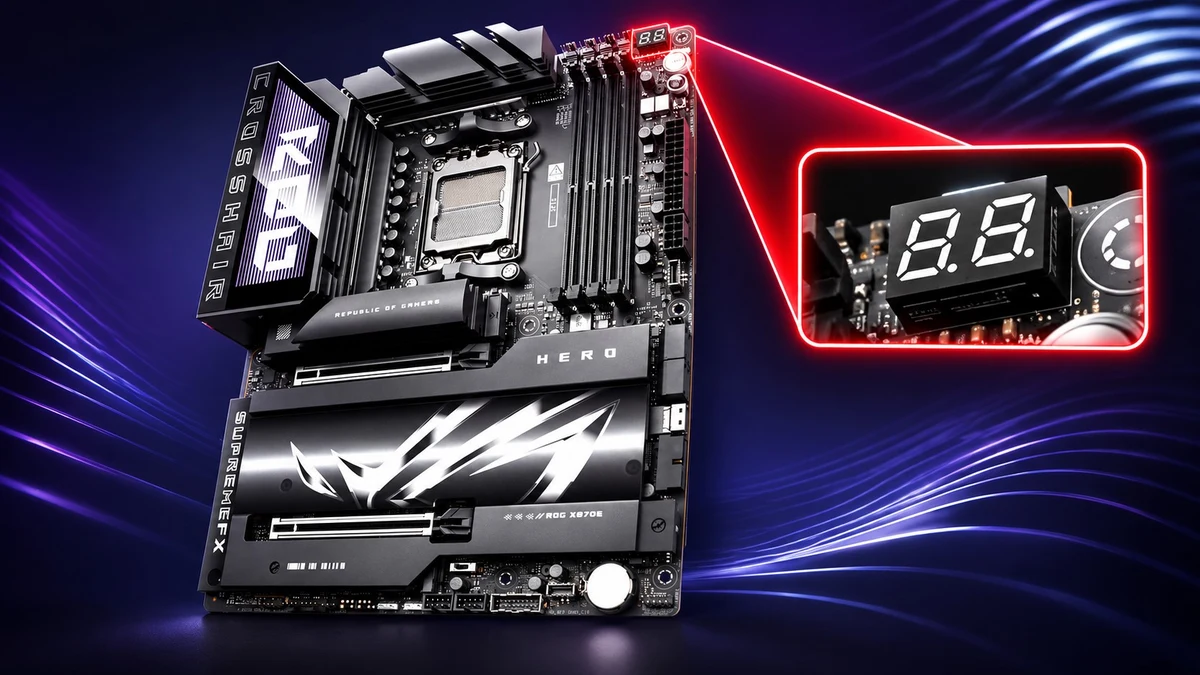
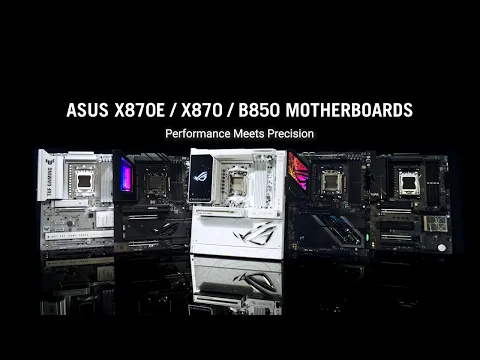
Anyone who has built a system around AMD's AM5 socket knows the nerve-wracking silence of that very first cold boot: the chassis fans spin up, the monitor stays pitch black for minutes on end, and the motherboard's diagnostic LED sits completely frozen on a static two-digit code. With the rollout of the new AMD AGESA ComboAM5 PI 1.3.0.1f Patch A microcode, debuted via Beta BIOS 2603 across ASUS X870 and X870E motherboards, that hardware anxiety is finally getting addressed through a live sequential counter that increments from 00 to 09 during DDR5 memory training.
A Second-by-Second 00 to 09 Counter to Track DDR5 Memory Initialization
Across the AM5 platform powering Ryzen 7000 (Raphael) and Ryzen 9000 (Granite Ridge) processors, the initial DDR5 Memory Training routine carefully calibrates voltages, impedance, and sub-timings during a cold boot, after clearing CMOS, or right after enabling an AMD EXPO profile. On high-density 64GB to 192GB kits or four-DIMM configurations running on high-speed X870E AM5 motherboards, this calibration can easily keep the system unresponsive for one to three minutes.
Until now, onboard Q-Code debug displays remained locked on a static hexadecimal value (typically code 15 or code 00), prompting many builders to assume the system had hard-locked and prematurely force a power-off mid-training. As detailed by ASUS in-house overclocker SAFEDISK on the official ASUS Republic of Gamers X670 and X870 resource thread, AGESA 1.3.0.1f Patch A replaces that frozen readout with an active visual progression:
- Starts at 00 and increments to 09: As soon as DDR5 memory training begins, the onboard Q-Code display starts at 00 and counts upward by one roughly every second until it reaches 09.
- Resets to 00 before standard POST: Once the counter hits 09 and the integrated memory controller (IMC) locks in its parameters, the display resets to 00 and hands off to the normal UEFI boot sequence.
- A visual heartbeat, not a fixed 10-second timer: While the 00-to-09 loop reassures builders that memory training is actively running in the background, it does not mean every kit finishes training in ten seconds flat. Total duration still depends on DRAM rank density, frequency targets, and whether Memory Context Restore (MCR) and Power Down Enable are active.
Inside ASUS Beta BIOS 2603 and the Critical Warning Against Old .CMO Profiles
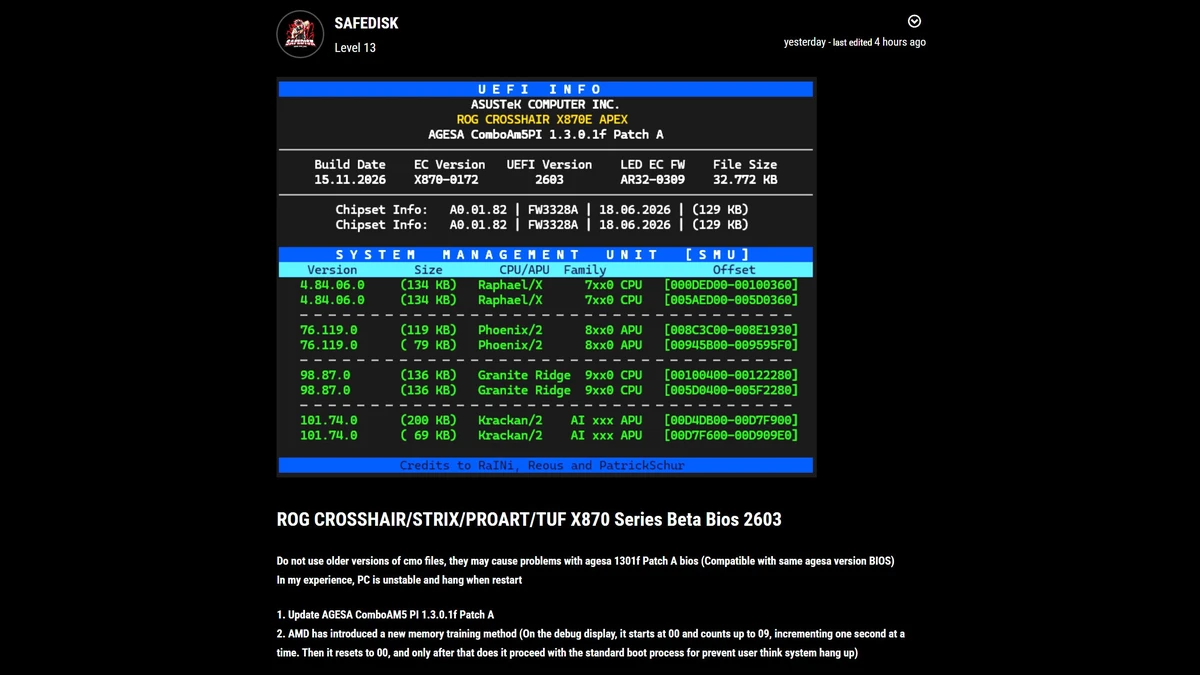
Currently distributed as Beta BIOS 2603 (compiled on November 15, 2026, with a 32,772 KB file size) for the ROG Crosshair, ROG Strix, ProArt, and TUF Gaming X870 and X870E motherboard families, this firmware also updates the internal System Management Unit (SMU) tables across the AM5 lineup. Just as the open-source ecosystem is rolling out low-level AMD Zen 5 hardware mitigations in the Linux 7.4-rc3 kernel, AMD's latest firmware package bundles SMU 98.87.0 for Ryzen 9000 (Granite Ridge) CPUs, version 4.84.06.0 for Ryzen 7000 (Raphael), version 76.119.0 for Ryzen 8000G (Phoenix) APUs, and version 101.74.0 for Krackan APUs.
Enthusiasts planning to flash this beta build right away should heed a major caveat highlighted by SAFEDISK: saved BIOS configuration files (.cmo) exported from older AGESA revisions must not be imported into AGESA 1.3.0.1f Patch A. Loading a legacy .cmo profile causes severe system instability and freezes the machine during restarts, meaning all custom Curve Optimizer offsets and manual DRAM sub-timings should be re-entered from scratch.
| Technical Parameter | Previous AM5 Behavior | AGESA ComboAM5 PI 1.3.0.1f Patch A |
|---|---|---|
| Q-Code Display (Memory Training) | Static frozen code (15 or 00) | Live counter from 00 to 09 (+1/sec), then resets to 00 |
| Initial Motherboard Rollout | All AM5 600 / 800-series boards | ASUS ROG Crosshair, Strix, ProArt & TUF X870 / X870E (Beta BIOS 2603) |
| Embedded SMU Firmware | AGESA 1.2.0.x / 1.3.0.0 branches | Granite Ridge 98.87.0 / Raphael 4.84.06.0 / Phoenix 76.119.0 / Krackan 101.74.0 |
| BIOS Profile (.cmo) Compatibility | Limited cross-version import | Older .cmo files incompatible (causes instability and restart hangs) |
My Take on the Spec Sheet
It took more than four years into the AM5 lifecycle for AMD and its board partners to implement a quality-of-life fix that should have been there on day one. On a test bench, swapping DDR5 kits or clearing CMOS has always meant staring at a frozen Q-Code readout and wondering whether the memory controller was still training or had hard-locked on code 00. Having the display actively tick from 00 to 09 under AGESA 1.3.0.1f Patch A does not magically shorten the underlying electrical calibration, but it stops builders from panic-cycling the power button mid-POST. Just make sure to write down your manual DRAM timings before flashing Beta BIOS 2603 rather than relying on an old .cmo backup file.

PC hardware enthusiast and competitive gamer, Arthur 'Heimdall' splits his time between France and the UK working in enterprise B2B software solutions. A business school graduate passionate about component benchmarking, he has been building, modding, and tuning PCs since childhood, optimizing every thermal degree and millisecond of display latency. An avid gamer across Assassin's Creed and sandbox titles, he forged his alliance with Grimtag and Chaya during late-night World of Warcraft raids before joining Pro-Gamer.