GeForce RTX 5070 Melting Reports: Why a 250W GPU Can Still Burn a 16-Pin Power Connector
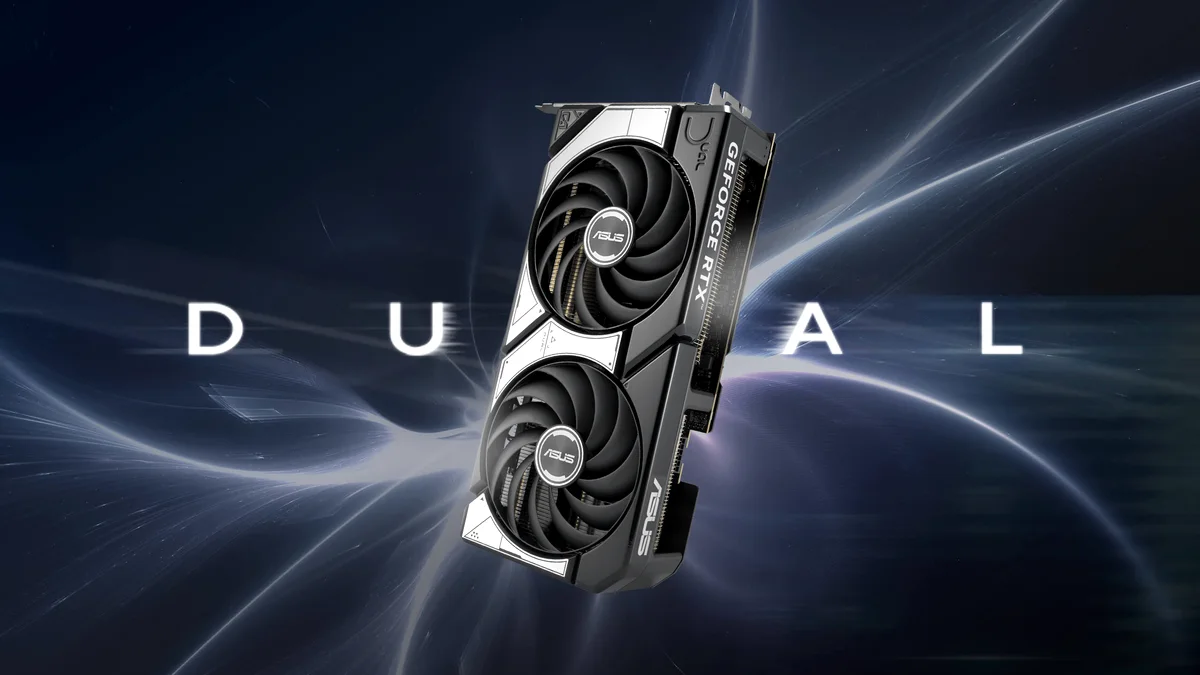
Until now, reports of melted 16-pin power connectors (12V-2x6 and 12VHPWR) across the Blackwell generation were almost exclusively associated with flagship power-hungry monsters like the GeForce RTX 5090 (575W to 600W) and GeForce RTX 5080 (360W to 400W). However, a wave of community reports shared on Reddit's r/pcmasterrace and tracked by hardware watcher UNIKO's Hardware demonstrates that even a mid-range NVIDIA GeForce RTX 5070 rated at a modest 250W TGP can suffer a burned power plug.
Black Screens, Burned Adapters, and the ASUS Dual RTX 5070: Inside the Community Reports
The primary incident that caught the PC building community's attention on Reddit involved a player experiencing random black screens and sudden system reboots while gaming. Upon opening the PC case to inspect the GeForce RTX 5070, the owner discovered that the plastic housing of the 16-pin adapter had melted across the +12V pin row.
The owner candidly noted that the friend who assembled the desktop likely had not pushed the connector all the way in until it clicked. A second documented case highlighted by UNIKO's Hardware involved an ASUS Dual GeForce RTX 5070 (250W) that suffered severe thermal deformation on its 16-pin terminal, resulting in a full refund after the retailer could not source a direct replacement, while another separate failure traced back to an improperly seated modular PSU cable.
These mid-range failures prove that the mechanical tolerances of the 12+4-pin interface remain unforgiving across every price tier, echoing the wave of hardware incidents that recently pushed power supply makers to experiment with a 12A buzzer alarm dongle designed to save 12+4-pin GPU connectors.
ASUS Dual GeForce RTX 5070 12GB GDDR7 OC Edition
- NVIDIA Blackwell Architecture (250W TGP)
- 12GB GDDR7 Memory on a 192-bit Bus
- Compact Dual Axial-tech Fan Cooling Design
- 16-Pin (12V-2x6) PCIe 5.0 Power Connector
Why 250W and 20.8A Are Enough to Trigger Thermal Runaway on One or Two Pins
How can a graphics card drawing at most 250W melt a power connector engineered to carry up to 600W? The explanation lies in basic DC electrical physics and the lack of active per-pin load balancing on GeForce RTX 50 printed circuit boards.
At 12V, a 250W graphics load pulls roughly 20.8A of total current. Under normal operating conditions where all six positive (+12V) pins make solid, uniform contact, that load splits evenly so each terminal carries roughly 3.47A, well below the 9.2A to 9.5A safety ceiling per pin.
However, Blackwell graphics cards merge all six +12V pins onto a unified copper plane without individual per-pin current sensing. If a plug is inserted at a slight angle, backs out by a single millimeter when the tempered glass side panel presses against the cable, or suffers loose terminal tension across four or five pins, almost the entire 20.8A load is forced through the one or two remaining pins that still maintain low-resistance contact. Following Joule's first law (P = R × I²), pushing 15A to 20A through a single micro-terminal with elevated contact resistance causes localized heat generation to skyrocket past the melting point of nylon long before standard power supply over-current protection trips.
This exact electrical failure mode was recently demonstrated when Corsair used a custom six-switch 12V-2x6 cable with a 9.5A per-pin cutoff in its engineering lab, showing that even a 250W GPU load immediately drives a single active pin past 20A when neighboring pins lose contact.
Three Essential Assembly Rules to Protect Your GeForce RTX 5070
Because a modest 250W power envelope cannot compensate for an unseated plug, builders upgrading to a mid-range RTX 50-series card should follow three mechanical precautions:
- Verify a flush, locked connection: push the 16-pin connector straight into the GPU socket until the retention latch audibly clicks (ideally) before mounting the card into a tight case,and inspect the seam with a flashlight to confirm zero gap remains between the housings (dual-tone gray-and-black connectors make this visual check effortless).
- Use a native ATX 3.1 / PCIe 5.1 (12V-2x6) cable over multi-8-pin adapters: bulky multi-connector squid adapters add weight and downward torque right at the GPU header, whereas a native ATX 3.1 power supply uses a single flexible cable with recessed sense pins and deeper power contacts.
- Respect the 35mm straight-run clearance: never bend the power cable sharply right out of the graphics card socket; leave at least 35mm of straight cable before routing it toward the motherboard tray or side glass.
Check ATX 3.1 PCIe 5.1 Power Supply Availability on Amazon→

My Field Notes
Throughout my night-desk shifts tracking North American hardware forums, one assumption kept popping up among PC builders: the belief that picking a 250W GeForce RTX 5070 instead of a 575W RTX 5090 made you completely immune to 16-pin connector meltdowns. These latest burned-plug photos validate the electrical breakdown my colleague Arthur "Heimdall" highlighted when covering Corsair's six-switch torture cable. As long as graphics cards tie all six +12V rails onto a single copper plane without per-pin load balancing, a connector that backs out by a millimeter can still funnel more than 20 amps through a single tiny terminal. Taking thirty seconds with a phone flashlight to verify a flush latch click remains the smartest free insurance policy in PC building right now.

Originally from Lyon, France, gaming journalist Bastien "Orion" relocated nearly a decade ago to Quebec City's Saint-Roch district, right in the heart of eastern Canada's development studio hub. Before crossing the Atlantic, he honed his versatile reporting style across classic French gaming web portals and specialist television outlets in the 2000s and 2010s, notably with JeuxVideo.fr and JeuxNews. Equally passionate about AAA blockbusters, North American studio culture, retro preservation, and community modding projects, he anchors Pro-Gamer's transatlantic desk and real-time coverage of US and Japanese industry announcements.