Epic Games Launcher Officially Coming to SteamOS: AppImage Return, GE-Proton, and Why Fortnite Still Faces an Anti-Cheat Hurdle on Steam Deck
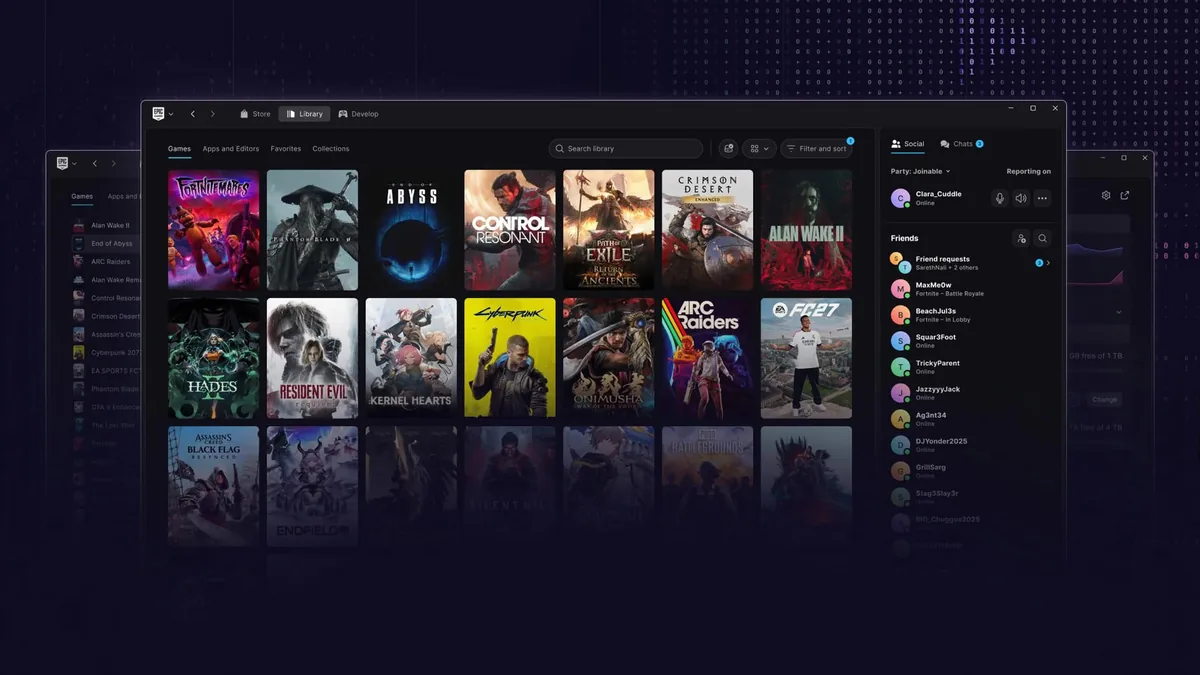
Ever since Epic Games rolled out a completely rewritten native Linux Preview of its desktop client on October 14, 2026, one question has dominated discussions among handheld PC owners: would Valve's operating system get official first-party support? The answer is now official. Speaking on the rollout, Epic Games Communications Director Jake Jones confirmed that SteamOS is explicitly on the target roadmap for the new Epic Games Launcher, alongside several major desktop and gaming-focused Linux distributions.
From Debian Packages to AppImage's Return: How Epic Opens the Door to SteamOS
During its initial October test builds, the x64 Linux Preview of the Epic Games Launcher raised eyebrows among handheld users when Epic temporarily replaced its portable package with .deb installers built for Debian and Ubuntu. That packaging choice created an immediate roadblock for SteamOS 3, which runs on an Arch Linux base with a read-only immutable root filesystem where traditional system-level package installations can be wiped by system updates.
Addressing the removal of the universal package format, Jake Jones clarified Epic's distribution roadmap: "The new Epic Games Launcher is still in Preview and we plan to support as many Linux distributions as possible, including Fedora, SteamOS, Cachy, Omarchy, and more. We're testing and evaluating packaging formats for distribution, and we'll restore AppImage this month."
Restoring the AppImage build this November 2026 immediately solves the biggest deployment hurdle on SteamOS, as well as performance-tuned distributions like CachyOS, Fedora, and the Arch/Hyprland setup Omarchy. Because an AppImage runs entirely in user space without modifying read-only system partitions, Steam Deck owners will soon have an official first-party alternative to community-built tools like the Heroic Games Launcher, Lutris, and the Junk Store Decky plugin just as Linux surges toward a historic 4% share in the Steam Hardware Survey.
GE-Proton Under the Hood and Steam Deck Game Mode Integration
Rebuilt from the ground up for faster cold starts while integrating the store, shopping cart, download manager, and social voice chat, the new launcher can also detect and migrate existing installed games and Unreal Engine projects. Still, having a native Linux launcher does not turn Windows executables into native Linux ports overnight: almost every game on the Epic Games Store remains a Windows build.
To handle those games seamlessly, the preview client (internally labeled eglv2) automatically downloads and manages its own compatibility runtime powered by GE-Proton, stored locally in ~/.local/share/com.epicgames.eglv2/compat/runtime/. One key ergonomic question remains for handheld play: while the launcher will run smoothly in SteamOS's KDE Plasma Desktop Mode, Epic has not yet detailed how the interface will integrate into the controller-driven Game Mode (Gamescope), where Valve recently streamlined third-party executables by enabling Proton by default for non-Steam Windows games.
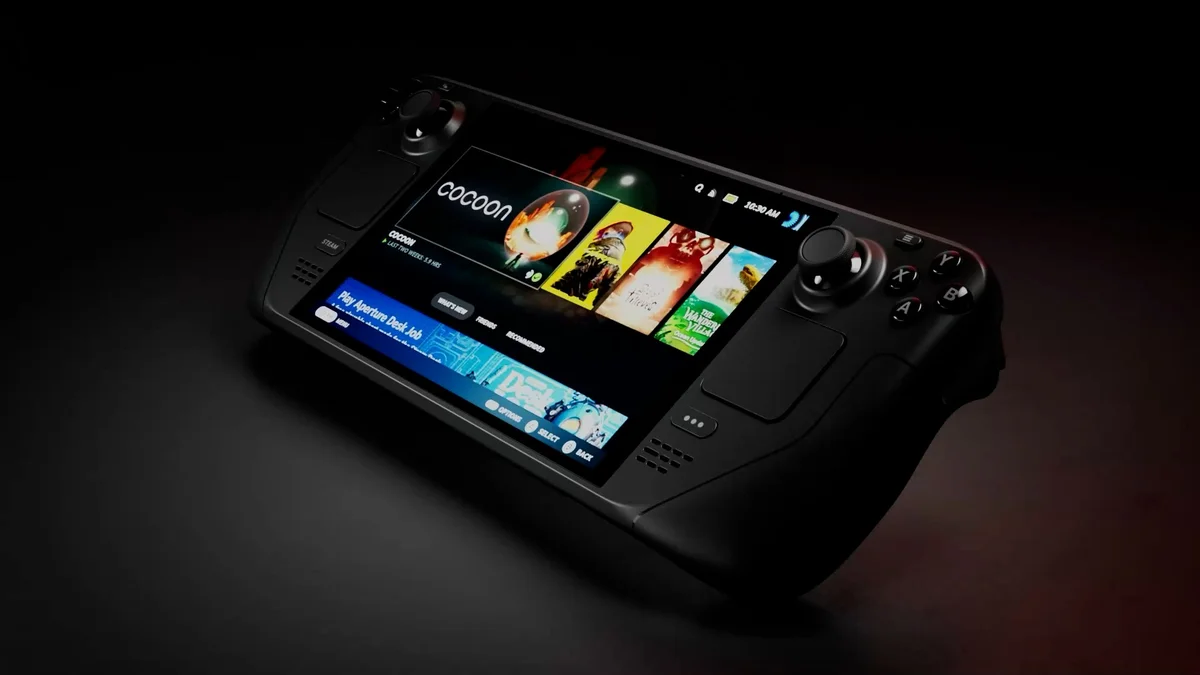
Valve Steam Deck OLED
- 7.4-inch 90Hz HDR OLED Display
- 6nm AMD Sephiroth Custom APU
- 50Wh Battery & Wi-Fi 6E
- SteamOS 3 with Proton & Upcoming Official Epic Games Launcher Support
Why Fortnite Won't Run on Steam Deck Right Away: The Easy Anti-Cheat Linux v2 Roadblock
There is one critical distinction for handheld players: official Epic Games Launcher support on SteamOS does not mean Fortnite will be playable on the Steam Deck right away. While Epic Games is actively working to bring its flagship Battle Royale to Linux through the new client, that rollout depends entirely on its next-generation anti-cheat architecture, Easy Anti-Cheat (EAC) Linux v2.
Instead of relying on a Windows-style kernel driver, EAC Linux v2 uses a systemd service paired with eBPF programs that run only while a protected game is active. To guarantee system integrity against kernel tampering, however, EAC Linux v2 enforces strict hardware and firmware requirements: UEFI Secure Boot with attestation, a TPM 2.0 module, a signed Linux kernel, signed kernel modules, IOMMU support, and kernel lockdown modes.
Out of the box, the Steam Deck does not currently enable the Secure Boot and kernel-signing attestation chain required by EAC Linux v2. Epic Games previously noted that the handheld "does not support the required features for our EAC v2 solution, but we are actively talking with Valve and hope to support it in the future." In practice, Steam Deck owners can expect to access their single-player and co-op Epic libraries through the native launcher well before Epic and Valve finalize a kernel-level agreement for Fortnite.
The Strategist's Take
After years of skepticism toward Linux desktop gaming, watching Epic Games explicitly put SteamOS, CachyOS, and Fedora on its official roadmap while restoring AppImage support this month marks a major pragmatic pivot. Even though community tools like Heroic Games Launcher already do heavy lifting on the Steam Deck, an official client handling cloud saves, voice chat, and GE-Proton out of the box removes a real friction point for everyday players. Still, the real test lies in Epic's ongoing talks with Valve over Secure Boot and EAC Linux v2: until SteamOS ships with the signed kernel attestation Epic demands, Fortnite will remain locked out of the handheld party.

Fortnite
Explore official trailers, technical specs and all latest coverage for Fortnite.

Born and based in Montreal's Mile End district, Maëlle "Kaelen" became close friends with Chaya during their university software engineering years, bonding over late-night coding labs, campus LANs, and World of Warcraft raids alongside Grimtag and Heimdall. A game systems balancing consultant and lifelong theorycrafter, she cut her teeth in the early 2010s writing boss walkthroughs, frame-data breakdowns, and competitive meta guides for specialized French-language MMORPG and esports portals, including Mondes Persistants, as well as North American strategy collections. On Pro-Gamer, she leads in-depth walkthroughs, build optimization, and tactical esports coverage.