Smartphone Touch Controls via QR Code and Cloud Connect: Xbox Game Pass Tests Two New Ways to Play on Smart TVs
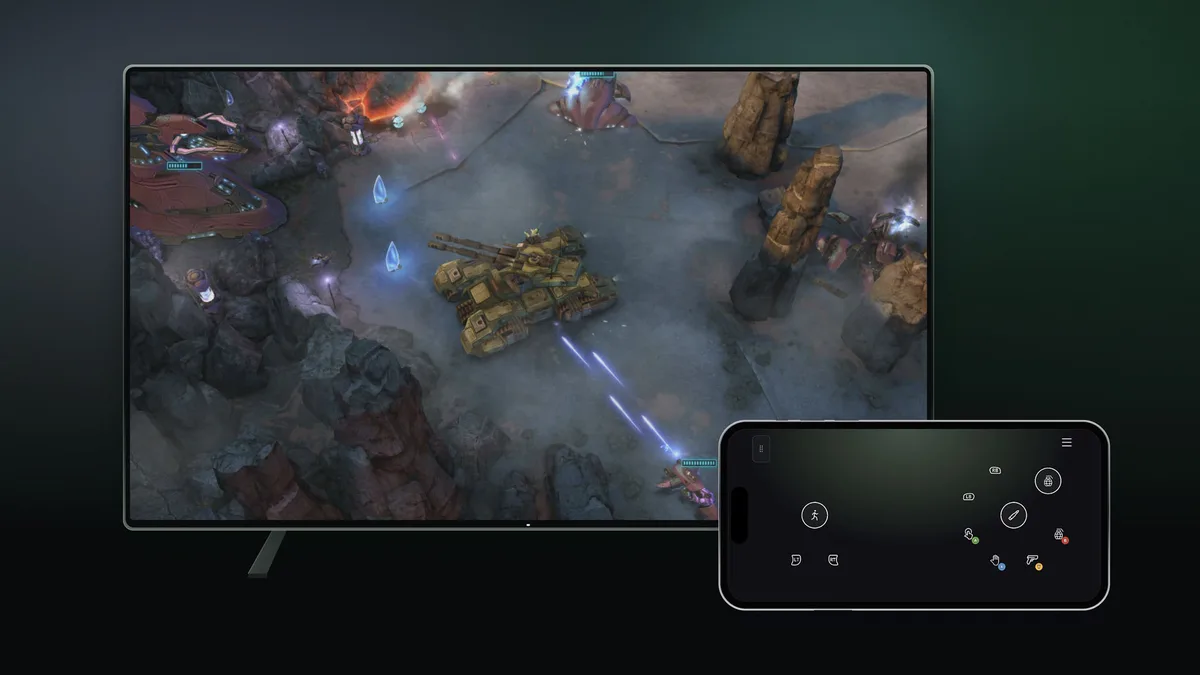
Booting up a cloud session on your living room television without a physical gamepad within reach is finally becoming an option for Microsoft subscribers. In an official Xbox Wire announcement published on November 4, 2026, the company confirmed that two new input previews are rolling out starting today for Xbox Cloud Gaming.
Both features target the two biggest friction points of living room cloud streaming: needing dedicated hardware just to jump into a casual session on a television, and dealing with the input lag caused by built-in Smart TV Bluetooth chips.
Scanning a QR Code Turns Any iOS or Android Phone Into a Smart TV Virtual Gamepad
The first preview is rolling out across all countries where Xbox Cloud Gaming is supported on compatible Smart TVs, including select Samsung and LG televisions, Amazon Fire TV streaming devices, and select VIDAA OS models. Previously, attempting to launch a cloud title on a television without a paired Bluetooth controller blocked the session from starting.
By navigating to Settings > Account inside the latest Smart TV app experience and toggling on Preview Features, launching a game without a physical gamepad now brings up an on-screen prompt and a QR code. Scanning that code with a supported Android or iOS smartphone opens a virtual touch controller directly inside the phone's web browser, requiring zero separate app downloads.
Select games in the catalog also display custom touch layouts tailored specifically to their mechanics rather than a generic button overlay. This rollout arrives just one day after Xbox Cloud Gaming ended support for 2020 Samsung Smart TVs, underscoring Microsoft's focus on newer television operating systems and streaming sticks.
Players testing the mobile browser controls can send direct feedback to Microsoft's engineering team by tapping the Xbox icon in the top-left corner of their phone screen after scanning the TV's QR code and selecting the feedback option.
Direct-to-Cloud Wi-Fi Pairing via Cloud Connect Enters Public Preview in the US
The second preview officially activates the hardware capability we detailed yesterday in our breakdown of the Xbox Nano Controller's hidden Direct-to-Cloud Wi-Fi radio. Alongside the November 4 retail release of the $49.99 pocket-sized gamepad, Microsoft has opened public preview testing for Cloud Connect to players in the United States.
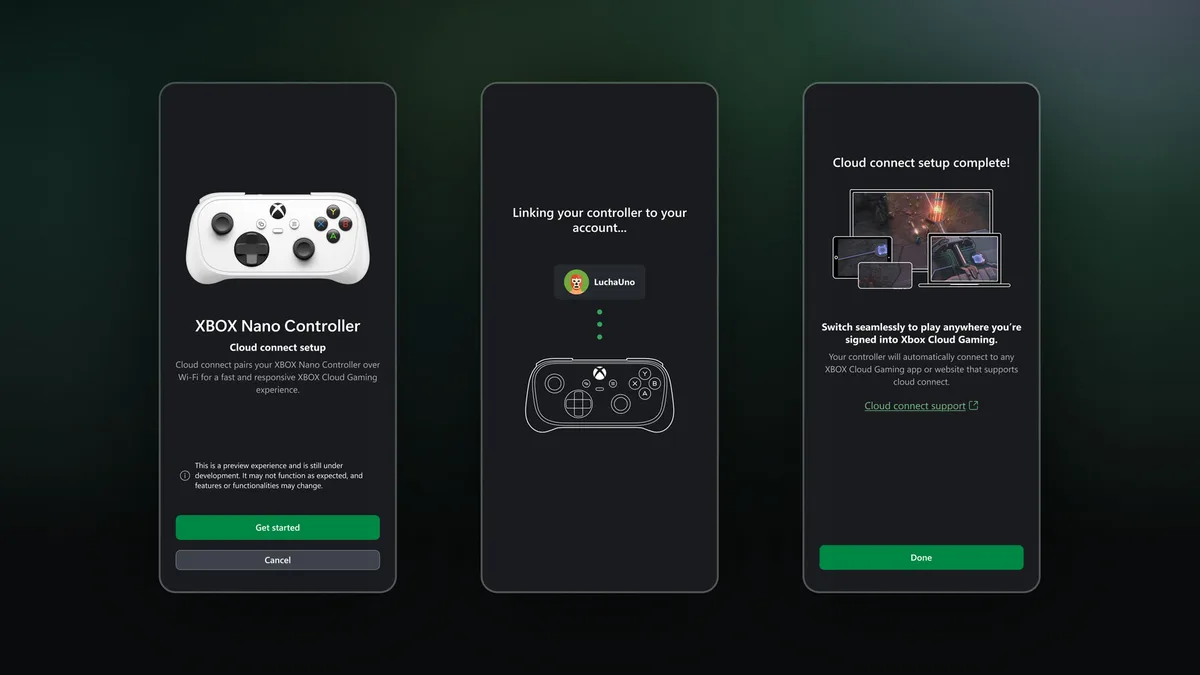
Instead of routing button presses through a television's local Bluetooth stack, Cloud Connect links the Xbox Nano Controller directly to your home Wi-Fi network so inputs travel straight to the remote server running the game. During this initial testing phase, Cloud Connect works across supported Smart TVs and web browsers.
As outlined on Microsoft's official Cloud Connect setup support page, players can configure their Wi-Fi credentials on the Xbox Nano Controller using either the Xbox beta app on Android or the Xbox Accessories app on PC (with Xbox Insider enrollment required for PC setup). Once configured, signing into a supported cloud gaming experience with the same Xbox account automatically links the controller over Wi-Fi.
Check Xbox Wireless Controller Availability on Amazon→
My Perspective
Being able to pull out your phone and scan a quick QR code on the TV when a friend drops by for a couch session and you are one gamepad short is genuinely clever and super convenient. For a turn-based RPG, a narrative adventure, or a casual party game, having the controls pop up straight inside your mobile browser without forcing anyone to download another app removes a huge barrier.
At the same time, we all know the physical limits of tapping on flat glass: without the springy resistance of real thumbsticks or the tactile ridge of shoulder triggers, you cannot look up at a 65-inch TV during a fast-paced action game without your thumbs drifting off the dodge button. Using a smartphone via QR code is a fantastic backup for the living room, while Cloud Connect's direct Wi-Fi link is the real latency upgrade I want to see built into full-sized controllers next.
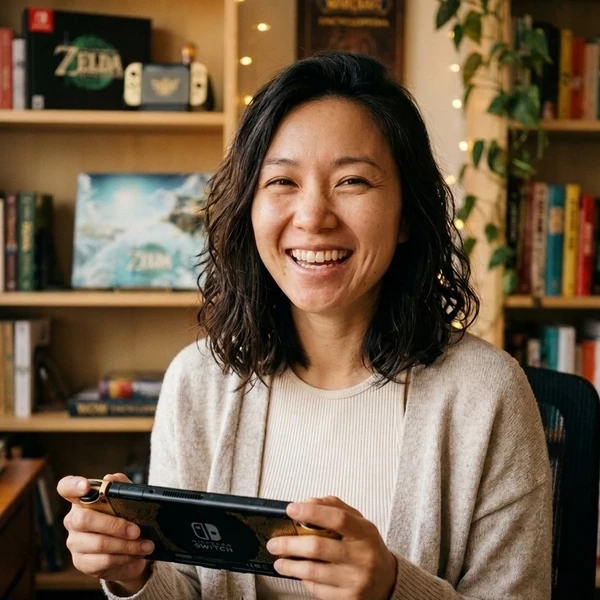
Based on the outskirts of New York City, Chaya 'Chayane' spent five years studying software engineering in Montreal before returning to her home state. A Full-Stack developer and Deep Learning AI architecture researcher, she explores neural networks and algorithmic optimization while engineering data pipelines for Retrocharting and Gamescharting alongside Grimtag. A gamer for over 20 years and an avid collector of Nintendo history and The Legend of Zelda, she explored World of Warcraft's Azeroth before bringing her deep technical background to video game analysis.