Gamescope on Android, AMD FSR, and LSFG 3x Frame Generation: Inside the GameNative 1.4.0 PC Gaming Update
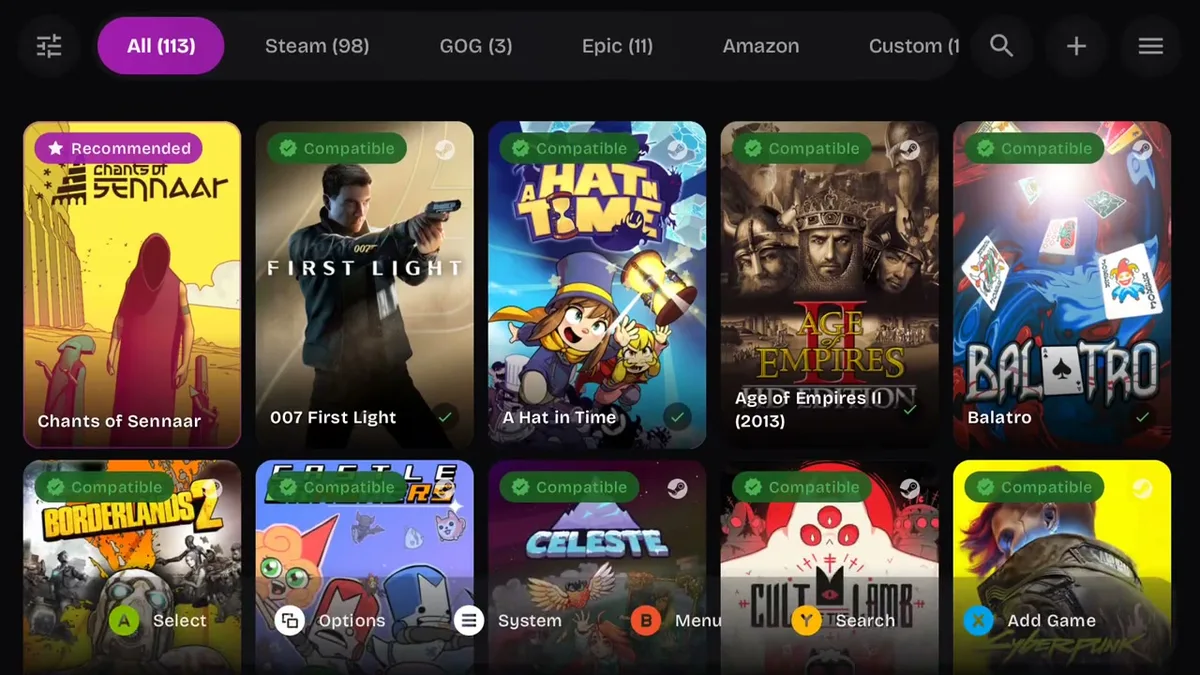
Running your existing PC library locally on an Android smartphone or handheld without cloud streaming just took a major architectural leap forward. Developer Utkarsh Dalal and the project's open-source contributors have officially released GameNative 1.4.0 on GitHub. This milestone update replaces the legacy X11 display path with Gamescope, Valve's Wayland micro-compositor built for SteamOS and the Steam Deck, while unlocking live upscaling and frame generation directly on mobile silicon.
Gamescope Becomes the Default Display Server Across Adreno and Mali GPUs
Until now, translating Windows games on Android through Wine and Proton containers frequently ran into frame pacing and latency bottlenecks tied to the traditional X11 display server or SurfaceFlinger renderer. Spearheaded by contributor joshuatam (PR #2220), GameNative 1.4.0 promotes Gamescope to the default display server for all new containers whenever the selected Proton build supports Wayland.
In practice, games now boot straight into the compositor with reduced input latency, and the display session terminates cleanly as soon as you exit the title. The new pipeline also fixes a longstanding scanout limitation: instead of defaulting to the container's aspect-ratio preset and outputting at 720p on 1080x2160 smartphone panels, Gamescope now drives the display's true native resolution.
Crucially, version 1.4.0 breaks the historical Qualcomm hardware lock-in. Whereas earlier mobile implementations of Gamescope strictly required an Adreno GPU, the compositor now runs on ARM Mali GPUs and other mobile chips equipped with a functional system Vulkan driver. Guest and wrapper drivers are routed through the WSI proxy so that window reporting, framerate caps, and frame generation engage reliably across diverse mobile chipsets.
Live AMD FSR Upscaling, LSFG 3x Frame Generation, HDR, and ReShade
Embedding Gamescope at the core of the rendering path unlocks a suite of real-time image processing tools. Directly from the in-game QuickMenu, players can toggle and fine-tune several visual enhancements without restarting their game:
- Multi-Algorithm Upscaling: Built-in compositor support for AMD FidelityFX Super Resolution (FSR), NVIDIA Image Scaling (NIS), Qualcomm Snapdragon Game Super Resolution (SGSR), plus Integer/Pixel, Nearest, and Linear scaling modes paired with a live sharpness slider.
- LSFG (Lossless Scaling Frame Generation): Native compositor frame interpolation supporting x2 and x3 multipliers, adjustable flow scale, and a dedicated performance mode that works alongside the built-in FPS cap.
- HDR Output and Bundled ReShade Effects: Per-container HDR toggles alongside instant adjustments for color profiles (grayscale, color-blind presets, inversion) and integrated ReShade post-processing shaders.
The entire Gamescope and LSFG payload downloads automatically from the CDN on your first launch, requiring zero manual file configuration. This push toward streamlined local execution mirrors the momentum seen in the open-source DroidDeck app for running Steam and PC Game Pass titles locally on Android.
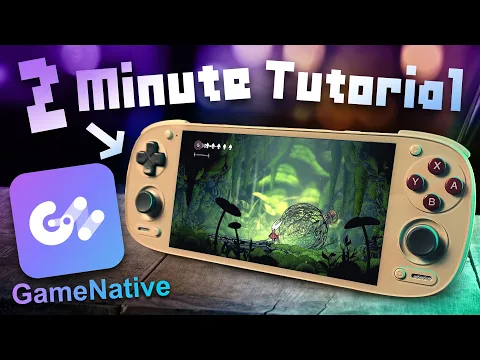
Proton 11.0-2, Turnip Gen8 V38, Battle.net Fixes, and GOG Comet Integration
Beyond the display compositor, GameNative 1.4.0 overhauls its underlying x86-to-ARM64 translation stack and graphics drivers. The app now defaults to Proton 11.0-2 (rebuild 9), an Android-tailored build featuring XFixes support to resolve missed button presses. The updated manifest ships with Mesa Turnip Gen8 V38, Turnip v27.0.0-R1, DXVK 3.1.1, and vkd3d-proton 3.1, while Adreno 710 family devices now default to the system driver out of the box. These low-level driver and translation refinements parallel how recent Lichii nx2 builds cut CPU overhead and fix GPU rendering bottlenecks in modern emulation.
Storefront integration and game-specific compatibility also receive substantial upgrades in v1.4.0:
- GOG Galaxy, Epic EOS, and Battle.net Support: Added GOG Galaxy service integration via Comet (PR #2195), fixed Epic Online Services (EOS) authentication in Epic Games Store titles (PR #2196), and resolved Battle.net compatibility for Diablo II: Resurrected, Diablo IV, and Overwatch 2 alongside Age of Empires II: Definitive Edition and Age of Empires IV through updated Proton and FEX builds.
- Expanded Known Configs: One-click verified configurations now fix boot and rendering issues in Counter-Strike 2, The Elder Scrolls IV: Oblivion GOTY, Call of Duty: Black Ops, Project Zomboid, Alan Wake, Just Cause 2, Spelunky 2, Dragon Ball FighterZ, and Civilization V.
- Bottleneck HUD and Handheld Fixes: A new toggle in the performance HUD displays the real-time Limiting factor (thermal throttling, CPU, or GPU), while a controller bug that caused games like Castle Crashers to detect two gamepads on the AYN Thor and Flip 2 handhelds has been patched.
To take full advantage of the lower display latency under Wayland and the improved Wine controller hotplug handling, pairing your phone with a low-latency USB-C telescopic gamepad makes a noticeable difference.
My Take on the Spec Sheet
From a hardware standpoint, bringing Gamescope, Wayland, and LSFG x2/x3 frame generation together inside an Android container solves the single biggest dilemma of mobile PC gaming. Running demanding DirectX 11 or DirectX 12 games on a passive or compact ARM SoC usually forces you to choose between blurry sub-720p resolutions or a sluggish 25 to 30 FPS ceiling. By offloading FSR or SGSR upscaling and LSFG frame interpolation directly to Valve's compositor,while simultaneously opening the door to Mali GPUs alongside Adreno chips running Turnip Gen8 V38,GameNative 1.4.0 attacks both bottlenecks at once. Combined with the new HUD toggle that pinpoints whether heat, the CPU, or the GPU is holding your framerate back, Android handhelds and flagship phones are getting closer than ever to a true SteamOS-grade diagnostic and gaming environment.
PC hardware enthusiast and competitive gamer, Arthur 'Heimdall' splits his time between France and the UK working in enterprise B2B software solutions. A business school graduate passionate about component benchmarking, he has been building, modding, and tuning PCs since childhood, optimizing every thermal degree and millisecond of display latency. An avid gamer across Assassin's Creed and sandbox titles, he forged his alliance with Grimtag and Chaya during late-night World of Warcraft raids before joining Pro-Gamer.