145 GB Installed Yet 300 GB Required on Steam: Why Phantom Blade Zero Doubles Its SSD Footprint Before Launch

Clearing nearly a third of a one-terabyte drive just to unpack a single action RPG sounds extreme, yet that is the official warning issued by Beijing-based developer S-GAME ahead of the global launch of Phantom Blade Zero. While the game occupies roughly 145 GB on disk once fully installed, the studio advises PC players to free up at least 300 GB of available SSD space if they plan to use Steam's pre-load feature.
Why Steam Needs 300 GB to Unpack a 145 GB Game
At first glance, requiring more than double the actual installation footprint looks like a bizarre anomaly, especially considering that the PS5 version of Phantom Blade Zero weighs in at 134.85 GB. On PC, however, this temporary spike comes down to how Steam handles encrypted pre-load depots.
When you pre-load a title ahead of its release date on Valve's client, the files are downloaded as tightly compressed, heavily encrypted chunks inside the depotcache directory to prevent early datamining. The moment the global unlock timer hits zero, your PC must keep those encrypted source archives intact while simultaneously generating temporary decompression files and writing the final 145 GB installation directory.
Because both the encrypted depot packages and the unpacked game files must coexist on your drive during the extraction phase, total storage usage briefly climbs toward the 300 GB mark. Once the verification check finishes, Steam automatically deletes the redundant temporary files and your storage usage drops back down to 145 GB. If your primary NVMe partition falls short of that 300 GB buffer, the unpacking process can stall or fail outright.
To avoid launch-night headaches, S-GAME offers a straightforward workaround: if you cannot spare 300 GB on your SSD, skip the pre-load entirely and start a fresh download once the game officially unlocks. Downloading after release extracts files on the fly, requiring only the standard 145 GB of space.
Global Launch Schedule: Exact Unlock Times for October 28 and 29
Pre-loading is live right now across PC (Steam and Epic Games Store) and PlayStation 5. S-GAME is rolling out a simultaneous global unlock for its Unreal Engine 5 Wuxia epic, meaning players in North America can jump in on the evening of Wednesday, October 28, 2026, while Europe, Asia, and Oceania unlock on Thursday, October 29:
- Los Angeles (PDT): Wednesday, October 28 at 7:00 PM
- New York / Toronto (EDT): Wednesday, October 28 at 10:00 PM
- São Paulo (BRT): Wednesday, October 28 at 11:00 PM
- London (GMT): Thursday, October 29 at 2:00 AM
- Paris / Berlin (CET): Thursday, October 29 at 3:00 AM
- Beijing (CST): Thursday, October 29 at 10:00 AM
- Tokyo (JST): Thursday, October 29 at 11:00 AM
- Sydney (AEDT): Thursday, October 29 at 1:00 PM
PC players running RTX or GTX hardware should also grab the NVIDIA GeForce 621.01 WHQL Game Ready driver beforehand, as it includes specific day-one optimizations and shader compilation fixes for Phantom Blade Zero.
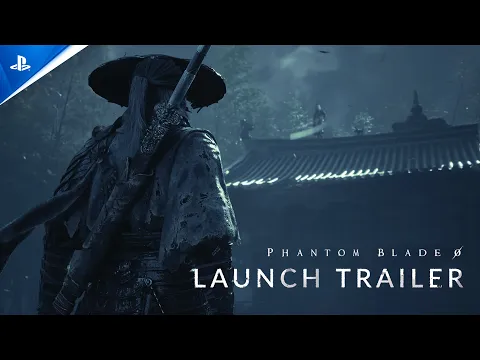
Campaign Length: Up to 60 Hours and 8 Distinct Endings
Once those 145 GB are settled on your drive, S-GAME's Kungfupunk world packs substantial mileage. Playing as Soul, an elite assassin framed for the murder of The Order's patriarch and left with only 66 days to live, your total runtime will depend heavily on how deeply you explore its interconnected hubs:
- Main Story Campaign: Expect 20 to 30 hours if you focus strictly on core story objectives.
- Story Plus Side Content: Plan for 35 to 40 hours when tackling side quests and optional storylines, which directly shape the game's 8 different endings.
- 100% Completionist & New Game+: Budget 50 to 60+ hours to collect all 30+ primary weapons and 20+ secondary "Sha-Chi" gadgets, clear secret bosses, and master higher difficulty tiers.
My Test Bench
Let's talk pure hardware math: if you have a fast fiber connection (500 Mbps or gigabit), do yourself a favor and skip the Steam pre-load. Decrypting and unpacking a 145 GB depot hammers both your CPU threads and your NVMe drive's write endurance, especially if your SSD is sitting past 80% capacity where the SLC cache throttles down hard. Waiting until the unlock hour to run a clean, direct download saves you from clearing 300 GB of space and often gets you into the main menu faster than Steam's decryption queue.

PC hardware enthusiast and competitive gamer, Arthur 'Heimdall' splits his time between France and the UK working in enterprise B2B software solutions. A business school graduate passionate about component benchmarking, he has been building, modding, and tuning PCs since childhood, optimizing every thermal degree and millisecond of display latency. An avid gamer across Assassin's Creed and sandbox titles, he forged his alliance with Grimtag and Chaya during late-night World of Warcraft raids before joining Pro-Gamer.