NVIDIA GeForce 621.01 WHQL Driver Readies PCs for Call of Duty Modern Warfare 4 and Phantom Blade Zero While Cutting Shader Stutter

NVIDIA has officially released its GeForce Game Ready 621.01 WHQL driver. Built for late October's biggest PC launches, the new package delivers Day-0 optimizations for Phantom Blade Zero and Call of Duty: Modern Warfare 4, enables cloud-based precompiled shader delivery, and rolls recent 360Hz monitor hotfixes into a stable WHQL branch.
Phantom Blade Zero, Modern Warfare 4, and Cloud-Prebuilt Shaders via Advanced Shader Delivery
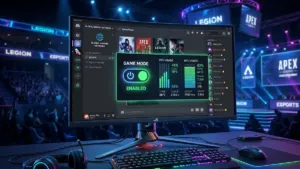
The release arrives right on schedule for competitive FPS players. With Call of Duty: Modern Warfare 4 opening its multiplayer and DMZ modes on October 23 following its campaign early access window, the GeForce 621.01 WHQL driver activates the full DLSS 4.5 feature set in Activision's shooter. GeForce RTX owners get access to DLSS Super Resolution across all quality presets, Frame Generation on RTX 40 Series GPUs, and up to 6X Dynamic Multi Frame Generation on GeForce RTX 50 Series cards, paired with NVIDIA Reflex to keep input latency tight.
Sharing the headline billing is Phantom Blade Zero, which receives full Game Ready optimization for ray tracing and DLSS ahead of launch. In addition to those two flagship releases, NVIDIA has updated its DLSS profiles and visual fidelity optimizations for NBA 2K27, Cyberpunk 2077, and Crimson Desert Enhanced: Charting the Unknown.
Under the hood, the standout quality-of-life upgrade in this R620 release is support for Microsoft's Advanced Shader Delivery (ASD) in both Call of Duty: Modern Warfare 4 and Gears of War: E-Day. Working alongside Windows 11, DirectX 12, and the Xbox PC app, Advanced Shader Delivery downloads precompiled shader caches tailored specifically to your GPU architecture directly from the cloud alongside the game files. Instead of sitting through a lengthy CPU-heavy shader compilation screen on first boot or enduring traversal stutters during your opening matches, the shaders are ready to go the moment you hit play.
Star Citizen Vulkan Crashes, Wuthering Waves, and 360Hz Monitors: Full Bug Fix List
Beyond new game profiles, version 621.01 WHQL officially folds in the display fixes introduced last week in the GeForce 617.70 hotfix driver for 360Hz black flashes and G-SYNC Pulsar, alongside crucial stability patches for several popular PC titles. Here is the complete list of resolved gaming and hardware issues in this release:
- Wuthering Waves [5747079]: Fixed a crash during gameplay that occurred when combining NVIDIA Freestyle filters with DLSS Frame Generation.
- Star Citizen [6680590]: Resolved a client crash encountered when running the game under the Vulkan API.
- Surviving Mars: Relaunched [5965452]: Fixed a gameplay crash triggered after updating to R595 or newer driver branches.
- 360Hz QHD Monitors [4846825]: Eliminated occasional black screen flashes during gameplay on 1440p displays running at 360Hz.
- 360Hz G-SYNC Pulsar Monitors [6408986]: Fixed an issue where in-game frame rates could unexpectedly drop and lock around 320 FPS.
- Meta Horizon Link [6292679]: Resolved a bug causing the VR video stream to freeze when connected over a USB cable.
- ASUS Notebooks [6807011]: Fixed intermittent display dimming observed on certain ASUS laptop models after updating to recent driver branches.
NVIDIA's official release notes list no major open issues for version 621.01, though power users on the R620 branch continue to keep an eye on the "Prefer Maximum Performance" power management toggle on select setups. You can download and install the update right now through the NVIDIA App or grab the standalone installer directly from the official NVIDIA GeForce drivers download page.
Check NVIDIA GeForce RTX Graphics Cards Availability on Amazon→
My Test Bench
From my perspective on the test bench, rolling out Advanced Shader Delivery for GeForce GPUs is the real highlight of driver 621.01. Anyone who has booted up a modern Call of Duty title on PC knows how annoying it is to stare at a shader compilation progress bar in the lobby,or worse, jump into a match early and suffer brutal frame-time spikes every time a new explosion goes off. Shifting that workload to prebuilt cloud caches during the initial download tackles one of PC gaming's most persistent headaches head-on. Whether you are jumping into Modern Warfare 4 and Phantom Blade Zero this week, flying under Vulkan in Star Citizen, or running a 360Hz QHD monitor that suffered from black flashes, I strongly recommend grabbing this WHQL update right away.

PC hardware enthusiast and competitive gamer, Arthur 'Heimdall' splits his time between France and the UK working in enterprise B2B software solutions. A business school graduate passionate about component benchmarking, he has been building, modding, and tuning PCs since childhood, optimizing every thermal degree and millisecond of display latency. An avid gamer across Assassin's Creed and sandbox titles, he forged his alliance with Grimtag and Chaya during late-night World of Warcraft raids before joining Pro-Gamer.