ASRock Radeon RX 7900 XT and XTX: Official VBIOS Update Is Bricking Graphics Cards
Applying a manufacturer-recommended security patch to your graphics card should never turn a thousand-dollar component into a lifeless paperweight. Yet that is the exact nightmare currently facing numerous owners of ASRock Radeon RX 7900 XT and Radeon RX 7900 XTX graphics cards, whose systems flatly refuse to boot after running the company’s latest official firmware update.
A Security VBIOS Patch Turns Into a Bricking Fiasco on ASRock RX 7900 GPUs
Late last month, following the disclosure of a firmware security vulnerability affecting AMD Radeon RX 7000 series graphics cards built on the RDNA 3 architecture, major board partners began rolling out patched VBIOS files. While the deployment went smoothly for vendors like Sapphire and Gigabyte, ASRock’s official update package quickly spiraled into a hardware disaster.
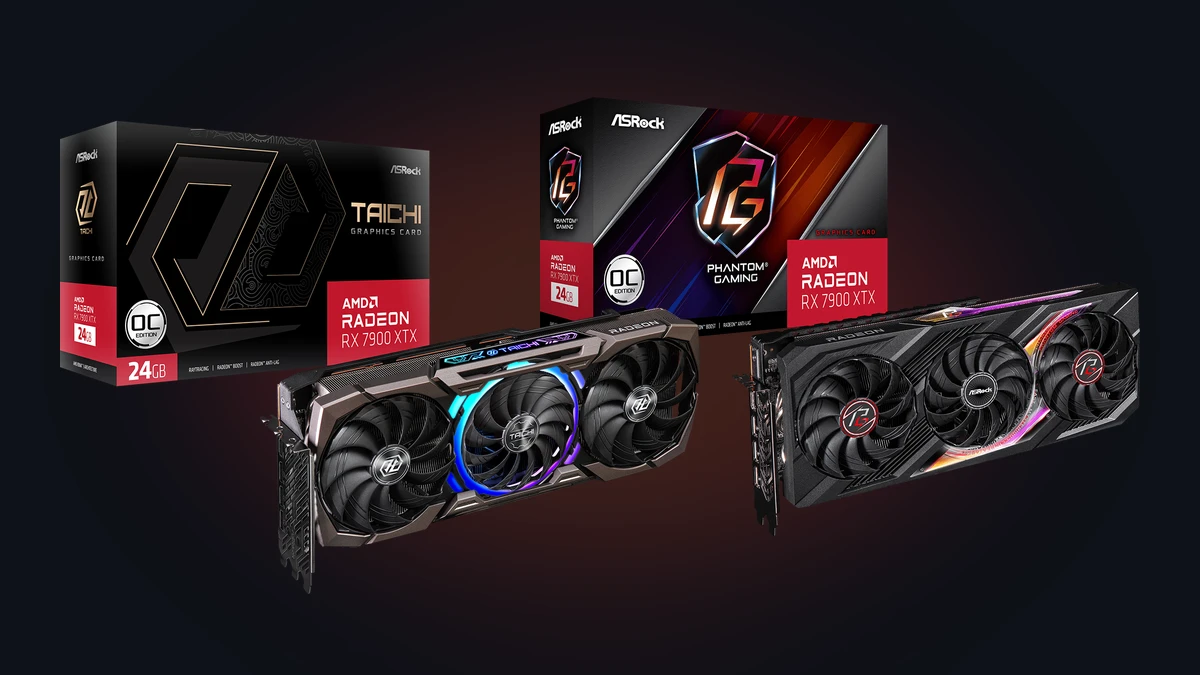
Across Reddit communities including r/AMDHelp, r/AMD, and r/ASRock, affected owners point to the exact same culprit: ASRock’s automated Windows flashing utility, ASRVBFlash version 1.0.5. The faulty package impacts multiple flagship designs, including the Phantom Gaming (both black and white editions), the top-tier Taichi and Taichi White models, as well as workstation-oriented Creator cards.
User reports describe an identical failure sequence across every affected build:
- The owner downloads the official VBIOS archive matching their exact card model from ASRock’s product support page and runs ASRVBFlash 1.0.5 under Windows.
- The utility passes the initial compatibility check, executes the flash routine in just a few seconds (far faster than a standard EEPROM write cycle), and immediately forces a system reboot.
- Upon restarting, the monitor remains completely black: the motherboard hangs on its VGA diagnostic LED and fails to pass POST as long as the graphics card is seated in the primary PCIe slot.
- Removing the Radeon RX 7900 XT or XTX and plugging the display into the processor’s integrated graphics (iGPU) allows the PC to boot normally, confirming that the card’s onboard VBIOS chip has been corrupted.
Following the wave of user complaints, ASRock quietly pulled the download links for the defective VBIOS packages from its support pages, though the company has yet to issue a formal technical bulletin explaining why the Windows flashing tool truncated or corrupted the firmware write process.
How to Rescue a Bricked Card Using the Dual-BIOS Switch (and the Single-BIOS Trap)
Whether an affected owner can recover their graphics card at home depends entirely on whether their specific model features a physical Dual-BIOS switch along the top edge of the PCB:
- On ASRock Taichi and Phantom Gaming models (equipped with Dual-BIOS): These high-end boards feature two independent EEPROM chips controlled by a physical toggle switch that selects between Performance mode (P-Mode, the factory default) and Quiet mode (Q-Mode). Because the defective flash only overwrites the active chip (typically P-Mode), owners can power down their PC completely, flip the physical switch on the card to Q-Mode, and boot straight back into Windows on the untouched backup ROM. Experienced builders can even boot into Windows on Q-Mode, carefully hot-switch the physical toggle back to P-Mode while the system is running, and re-flash a clean backup of their original ROM to restore the primary chip.
- On ASRock Creator or single-BIOS models: Without a secondary backup ROM switch, recovery is vastly more difficult. Unless the owner has an integrated GPU or a secondary graphics card installed to get video output and attempt a forced command-line reflash, the card remains dead. Independent GPU repair technicians note that out-of-warranty recovery otherwise requires physically clipping an external SPI programmer (such as a CH341A USB programmer with a 1.8V adapter) directly onto the card’s EEPROM chip.
At a time when rising GDDR6 memory costs are already driving up Radeon GPU prices, having a flagship graphics card sidelined for weeks of warranty service is the last thing any PC builder wants. If your card lacks a Dual-BIOS switch or cannot be recovered via a secondary display output, the safest path to protect your warranty is to open an official RMA ticket immediately through the official ASRock Support Center.
My Take on This VBIOS Fiasco
For a major board partner like ASRock to distribute an automated VBIOS flashing tool capable of bricking its own flagship Radeon RX 7900 XTX Taichi and Phantom Gaming cards points to a glaring lapse in quality assurance. Flashing a GPU firmware is the most delicate maintenance task an enthusiast can perform; shipping a Windows utility that fails to validate the integrity of the ROM write before forcing a reboot is inexcusable. If nothing else, this fiasco proves why a physical Dual-BIOS switch should never be treated as an overclocking luxury, but as mandatory insurance on every graphics card costing over $500.

PC hardware enthusiast and competitive gamer, Arthur 'Heimdall' splits his time between France and the UK working in enterprise B2B software solutions. A business school graduate passionate about component benchmarking, he has been building, modding, and tuning PCs since childhood, optimizing every thermal degree and millisecond of display latency. An avid gamer across Assassin's Creed and sandbox titles, he forged his alliance with Grimtag and Chaya during late-night World of Warcraft raids before joining Pro-Gamer.