Radeon RX 7000 Security Alert: Why a Simple Driver Update Won't Fix AMD's New Flaw
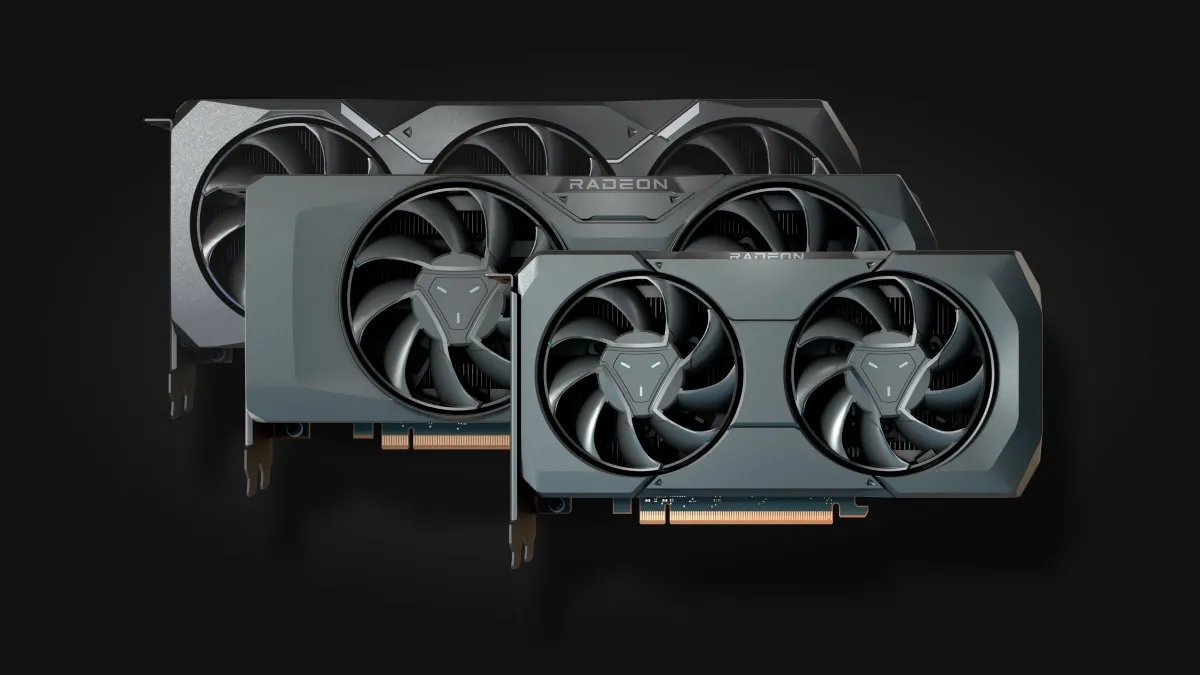
If you game on a current-generation AMD graphics card, your routine maintenance requires an unexpected extra step today. AMD has confirmed that a series of critical security patches is rolling out across its entire Radeon RX 7000 desktop lineup, and the fix will not arrive through standard Adrenalin driver updates.
Unlike regular monthly graphics packages, this security notice targets the internal firmware of the card. Resolving the vulnerability requires flashing your GPU's VBIOS directly.
Every Desktop RDNA 3 Card Is Affected
The security advisory, tracked by board partners under reference code AMD-SN-6023, applies across AMD's entire desktop portfolio without exception.
Entry-level models like the Radeon RX 7600 and RX 7600 XT are impacted alongside high-tier hardware including the RX 7700 XT, RX 7800 XT, RX 7900 GRE, RX 7900 XT, and the flagship RX 7900 XTX. Every desktop GPU based on the RDNA 3 architecture shares the vulnerable low-level code.
Major add-in-board manufacturers have already started issuing updated firmware files. Both Sapphire and Gigabyte have posted revised VBIOS builds on their official support portals, urging card owners to update their firmware.
Why Standard Adrenalin Drivers Cannot Fix the Flaw
The critical factor for PC gamers is where this patch must be applied. The AMD Software: Adrenalin Edition suite manages the software layer between Windows and your hardware, but it cannot rewrite the onboard EEPROM storage of your card.
To seal the AMD-SN-6023 vulnerability permanently, the patched microcode must be flashed into the physical VBIOS chip. Downloading the latest GPU display drivers leaves the underlying firmware completely untouched.
AMD has clarified that there is no immediate reason to panic. The company officially stated that no active exploits or real-world attacks targeting this vulnerability have been reported to date.
As enthusiasts watch hardware lifecycles closely and look ahead to architectural shifts like AMD RDNA 5 and neural rendering, keeping current hardware safe from firmware-level exploits remains essential.
How to Safely Update Your Radeon VBIOS
Because this update is handled at the firmware level, Windows Update and the AMD control panel will not automate the installation. The process depends entirely on your specific board manufacturer, whether you own a Sapphire, PowerColor, Gigabyte, Asus, ASRock, or AMD reference model.
Owners should visit their manufacturer's dedicated product support page, navigate to the BIOS or firmware section, and download the validated flash package. Most modern vendors provide simple Windows executable flashers that complete the task in under a minute.
Before launching any firmware update, always back up your existing VBIOS using an inspection tool like GPU-Z. Any unexpected power loss during a firmware write can render a single-BIOS graphics card unbootable.
My Take on AMD's Firmware Response
Seeing a full-lineup VBIOS security patch distributed across an entire generation of desktop GPUs is an exceptionally rare occurrence in the PC hardware space. It indicates that the underlying vulnerability operates deep enough within the hardware initialization stack to warrant manufacturer-level intervention.
While the absence of known active exploits buys players time, firmware patches are notoriously easy for casual users to overlook. If you want peace of mind for your gaming rig, grab your card's exact model number this week and apply the updated VBIOS from your board maker.

SEO consultant for over 20 years and digital entrepreneur, Charles 'Grimtag' Ronchain is the founder of Pro-Gamer.gg, Retrocharting.com, and Gamescharting.com. A competitive gamer, streamer, and retro game collector, he has worked in the video game industry for over 15 years, notably as a consultant for leading game price comparison platforms. Passionate about real-time performance data and gaming technology, he analyzes competitive esports, gaming hardware benchmarks, and creator workflows on Pro-Gamer.gg with an authentic player perspective.