Windows 11: Facing Surging RAM Prices, Microsoft Overhauls Memory Compression for 40% Faster Multitasking on 8GB PCs

The global 2026 DRAM supply crunch is now directly reshaping how Microsoft engineers its operating system kernel. With memory foundries prioritizing high-margin HBM stacks for AI data centers, surging DDR5 and LPDDR5X contract prices have pushed several laptop manufacturers to reintroduce mainstream notebooks configured with just 8GB of system RAM. To prevent these memory-constrained machines from choking under modern workloads, Pavan Davuluri, Executive Vice President of Windows and Devices at Microsoft, officially detailed on November 3, 2026 via the official Windows Experience Blog a deep overhaul of the Windows 11 memory manager (version 26H2, build 26300.9818).
Recalibrated Memory Compression: Keeping Up to 2GB More Active Data Out of the SSD Pagefile
The primary bottleneck on any 8GB Windows machine occurs when physical RAM fills up and the kernel aggressively swaps memory pages out to NVMe or SATA storage via pagefile.sys. Even on a fast PCIe 4.0 SSD, fetching paged data back from flash storage introduces orders of magnitude more latency than reading from DRAM, resulting in noticeable UI hitching during Alt-Tab transitions and forced browser tab reloads.
After testing across more than 20,000 PCs in its internal labs using automated workloads and high-speed cameras to measure click-to-photon latency, Microsoft retuned how Windows 11 compresses less-active memory pages on 8GB systems. By recalibrating compression ratios and swap thresholds, the OS now retains up to 2GB more active application data directly in physical RAM rather than offloading it to slower SSD storage.
Up to 40% Faster Multitasking and Input-Aware Background Throttling
To quantify the real-world impact against January 2026 builds, Microsoft ran a heavy multitasking stress test on an 8GB laptop (an HP OmniBook 3 powered by an 8-core Snapdragon X Plus processor) running 20 open Microsoft Edge tabs, 4K video playback, large Word, Excel, and PowerPoint files, Outlook, and File Explorer simultaneously. With the new memory pipeline active, the entire workflow completed up to 40% faster.
At the same time, immediate shell interactions including opening the Start menu, right-clicking, launching Windows Search, opening Settings, firing up Snipping Tool, and browsing File Explorer now respond up to 20% faster. To protect these foreground actions, the Windows 11 scheduler now temporarily pauses heavy background tasks such as search indexing and post-update setup routines the instant keyboard or mouse input is detected. These kernel-level latency reductions complement Microsoft's recent UI responsiveness upgrades introduced alongside the Windows 11 Xbox full-screen mode and WinUI 3 Search shortcuts.
Killing Background Widgets Preloading (-200MB) and Faster Edge Tab Sleeping
Beyond kernel compression, Microsoft is trimming idle memory overhead across its core software stack on 8GB machines:
- No More Background Widgets Preloading (~200MB Saved): On PCs equipped with 8GB of RAM or less, the Windows 11 Widgets board no longer preloads silently in the background at boot. It now initializes only when clicked by the user, immediately freeing roughly 200MB of committed memory.
- 15-Minute Edge Tab Sleeping and 33% Faster Cold Launches: In Microsoft Edge, inactive tabs now enter sleep mode after just 15 minutes by default (down from two hours previously). Furthermore, clicking a link from Start or another app now connects directly to an existing background Edge process, resulting in up to 33% faster browser startup.
- Up to 900MB Lower Committed-Memory Growth: Combined optimizations across Windows, Edge, and Microsoft 365 apps (which alone shave 360MB off Word, Excel, PowerPoint, and Outlook) reduce total committed-memory growth by up to 900MB during heavy multitasking. Third-party apps like WhatsApp are also seeing double-digit memory savings through updated platform APIs.
Looking ahead over the coming months, Microsoft confirmed that Windows Search and Widgets will soon share a single unified web engine (as will OneDrive and Photos) to eliminate duplicate runtime overhead in RAM, while ongoing work with silicon partners aims to reduce the amount of physical memory permanently reserved by hardware firmware at boot.
My Take on the Spec Sheet
From a pure OS engineering standpoint, trimming the fat is long overdue: reclaiming 200MB at boot by stopping the Widgets panel from preloading when nobody uses it mid-game, and keeping an extra 2GB of active data in compressed RAM instead of thrashing SSD NAND cells via pagefile.sys, is a genuine win for 1% low frametimes. That said, let us be completely candid: for PC gaming in 2026, 8GB of system memory remains a severe hardware bottleneck the moment a modern engine spills over or you run Discord alongside a game, which mirrors what we documented in our guide on managing 8GB and 12GB VRAM limits in 2026. More importantly, why lock the Widgets preload toggle exclusively to 8GB machines? Even on a 16GB or 32GB gaming rig, every megabyte of free RAM and every spared background CPU cycle counts, and our lab doors are wide open whenever hardware partners send a review unit to put these memory profiles through our full benchmark suite. If your desktop or laptop has accessible DIMM or SO-DIMM slots, upgrading to a 32GB dual-channel DDR5 kit remains the most impactful hardware fix you can make.
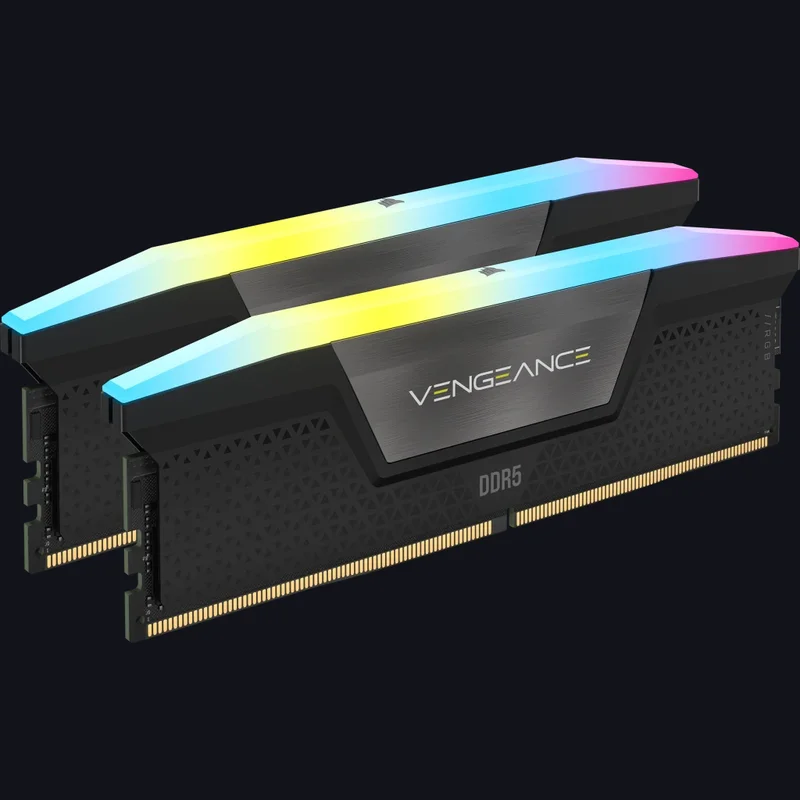
Corsair Vengeance RGB DDR5 32GB (2x16GB) 6000MT/s CL30
- 32GB (2x16GB) Dual-Channel DDR5 Kit
- 6000MT/s Low-Latency CL30 Timing
- Intel XMP 3.0 & AMD EXPO Certified

PC hardware enthusiast and competitive gamer, Arthur 'Heimdall' splits his time between France and the UK working in enterprise B2B software solutions. A business school graduate passionate about component benchmarking, he has been building, modding, and tuning PCs since childhood, optimizing every thermal degree and millisecond of display latency. An avid gamer across Assassin's Creed and sandbox titles, he forged his alliance with Grimtag and Chaya during late-night World of Warcraft raids before joining Pro-Gamer.