GTA 6 at 120 FPS on PS5 and Xbox Series X|S: Free SmoovPlay Tool Quadruples Visual Fluidity, yet Controls Still Poll at 30 FPS
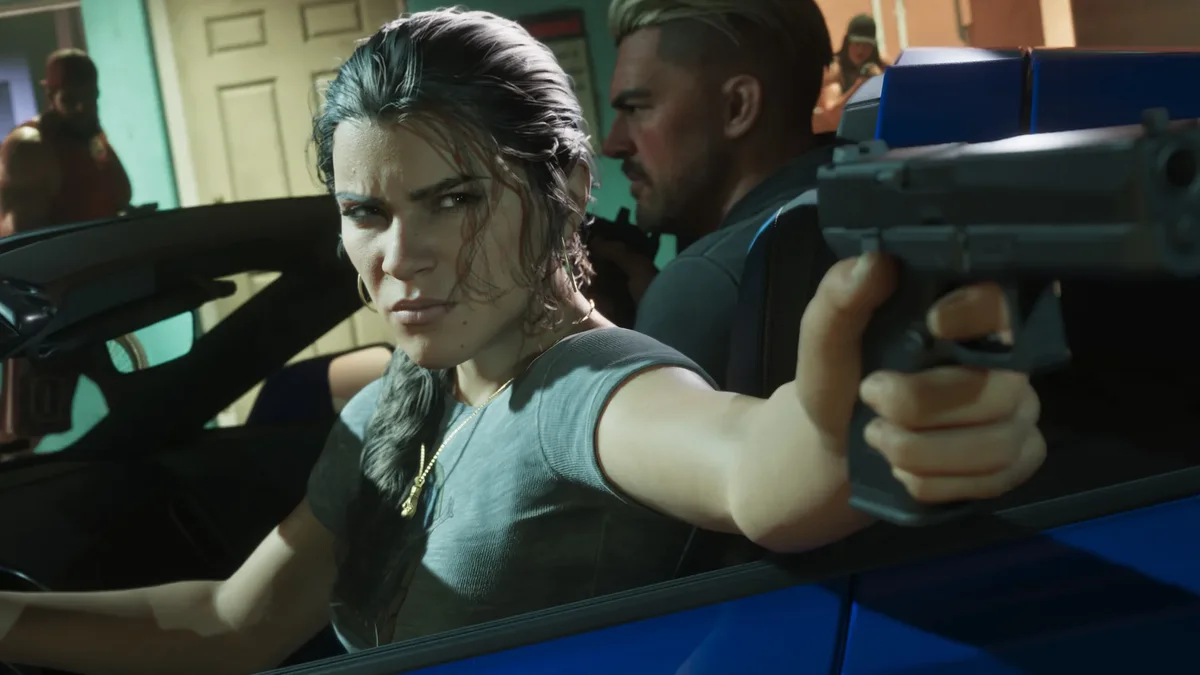
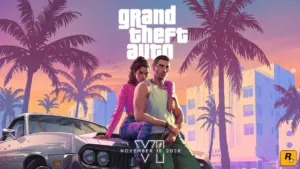
With less than forty-eight hours remaining before Grand Theft Auto VI launches globally this Thursday, November 19 on PlayStation 5, PS5 Pro, and Xbox Series X|S, Rockstar Games' decision to lock console performance at 30 frames per second remains a major talking point. Because the RAGE engine pushes heavy CPU-bound simulations across Vice City traffic, Leonida wildlife ecosystems, and global ray-traced lighting, players with a gaming PC on their desk are turning toward an intriguing workaround: the free open-source utility SmoovPlay, which interpolates a 30 FPS console feed up to 60, 90, or 120 FPS in real time.
How SmoovPlay Scales a 30 FPS Console Feed to 60, 90, or 120 FPS
Rather than modifying console firmware or altering game code on your PlayStation 5 or Xbox Series X|S, the official open-source SmoovPlay repository on GitHub processes the outgoing video signal on a Windows PC through two distinct pipelines:
- Local Network Console Streaming: The software captures a live console stream over your home network via PS Remote Play, the open-source
chiaki-ngclient, or the Windows Xbox app. - Direct HDMI Capture Card Input (Experimental): By routing the console's HDMI output into a low-latency USB capture card connected to your PC (such as an Elgato 4K X or HD60 X), SmoovPlay intercepts an uncompressed hardware feed without relying on Wi-Fi or Ethernet bitrates.
Once the video feed reaches the PC, SmoovPlay taps into your dedicated graphics card (featuring primary optimization for NVIDIA GeForce RTX 30, 40, and 50 series GPUs alongside experimental support for AMD Radeon and Intel Arc hardware). It executes real-time optical flow frame generation powered by the RIFE (Real-Time Intermediate Flow Estimation) AI model, operating along the same principles as the popular PC utility Lossless Scaling (LSFG).
By comparing two consecutive 30 FPS frames delivered by the console, the AI synthesizes one, two, or three intermediate frames to output a smooth 60, 90, or 120 FPS presentation on high-refresh-rate PC monitors. In addition to frame interpolation, SmoovPlay bundles AMD FSR 1 and NVIDIA RTX Video Super Resolution (VSR) upscalers to sharpen 1080p streams up to 1440p or 4K, alongside a built-in instant replay buffer that saves the last 30 seconds of gameplay at the press of a hotkey.

The Technical Trade-Off: 120 Hz Visuals With 30 FPS Input Latency
While the visual smoothness jump is immediately noticeable to the naked eye, external frame generation comes with an unavoidable laws-of-physics caveat: post-stream interpolation never improves controller responsiveness, and actually adds input delay. Unlike native PC implementations such as NVIDIA DLSS 3/4 Frame Generation or AMD FSR 3, which hook directly into the game engine's 3D motion vectors, depth buffers, and NVIDIA Reflex latency reduction, SmoovPlay only sees a flat 2D video stream after the console has finished rendering.
Under the hood, your PlayStation 5 or Xbox Series X|S is still running the RAGE engine simulation and polling your DualSense or Xbox Wireless Controller at 30 Hz, meaning a real game state update only occurs once every 33.33 milliseconds. Furthermore, to calculate intermediate frames between real Frame A and real Frame B, the RIFE algorithm must hold Frame B in a buffer before displaying the interpolated sequence.
That interpolation queue introduces roughly 20ms of extra latency at 60 FPS and more than 35ms of added delay at 120 FPS, stacked on top of the existing Remote Play network latency or capture card decoding overhead. Because external optical flow lacks native UI masking, fast camera pans across Vice City can also cause noticeable ghosting or shimmer around static HUD elements like the minimap, weapon reticle, and subtitle text.
Technical Comparison: Native 30 FPS vs. OLED TV Interpolation vs. SmoovPlay PC
For players preparing to jump into Leonida this week, including those using the New Zealand region trick to play GTA 6 early on November 18, here is how the three display options compare in practice:
| Technical Metric | Native Console 30 FPS (ALLM Game Mode) | OLED TV Motion Smoothing (TruMotion / BFI) | SmoovPlay on PC (RIFE 60 / 120 FPS) |
|---|---|---|---|
| Displayed Frame Rate | True 30 FPS (1 frame every 33.33ms) | 60 to 120 Hz TV-side interpolation | 60, 90, or 120 FPS AI-generated (RTX GPU) |
| Controller Polling Rate | Native 30 Hz | Native 30 Hz | Native 30 Hz |
| Added Input Latency | 0ms added (lowest possible delay) | +40ms to +90ms depending on TV processor | +20ms (60 FPS) to +35ms+ (120 FPS) + stream |
| HUD Integrity & Clarity | Clean, zero reticle or minimap distortion | Visible halo artifacts around crosshairs | FSR 1 / RTX VSR upscaling, minor HUD ghosting |
| Best GTA 6 Use Case | Free-aim gunfights, heists, and fast chases | Avoid unless using low-latency judder tuning | Casual cruising and open-world sightseeing |
If you are hooking your console directly up to a living-room television without a PC in the loop, be sure to check our hardware breakdown on why GTA 6's 30 FPS cap causes visible judder on 0.03ms OLED TVs and the 3 settings you should enable to preserve low input lag.
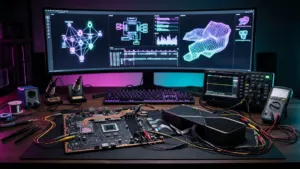
My Test Bench
Let us be completely transparent about frame generation physics: quadrupling a 30 FPS console feed to 120 FPS through an external video pipeline is a visual illusion, not an engine upgrade. Having tested RIFE optical flow and Lossless Scaling over HDMI capture cards on 30 FPS console titles, the difference between sightseeing and combat is night and day. When you are simply cruising down Ocean Drive at sunset, the interpolated motion looks remarkably fluid. However, the moment a chaotic free-aim shootout erupts, stacking 35ms of interpolation buffering on top of a 33.33ms native frame time makes the right analog stick feel noticeably heavy. SmoovPlay is a clever, free open-source tool for relaxed open-world exploration on a PC monitor, but for high-stakes missions, native 30 FPS with VRR and ALLM Game Mode remains the smarter way to play.
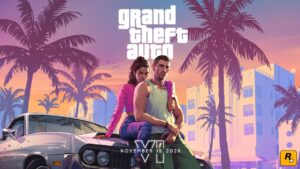
Grand Theft Auto 6 (GTA 6)
Explore official trailers, technical specs and all latest coverage for Grand Theft Auto 6 (GTA 6).
PC hardware enthusiast and competitive gamer, Arthur 'Heimdall' splits his time between France and the UK working in enterprise B2B software solutions. A business school graduate passionate about component benchmarking, he has been building, modding, and tuning PCs since childhood, optimizing every thermal degree and millisecond of display latency. An avid gamer across Assassin's Creed and sandbox titles, he forged his alliance with Grimtag and Chaya during late-night World of Warcraft raids before joining Pro-Gamer.