Gigabyte GPU RGB Effects Are Causing In-Game Stutters After NVIDIA Driver 595.71: How to Fix Your 1% Lows
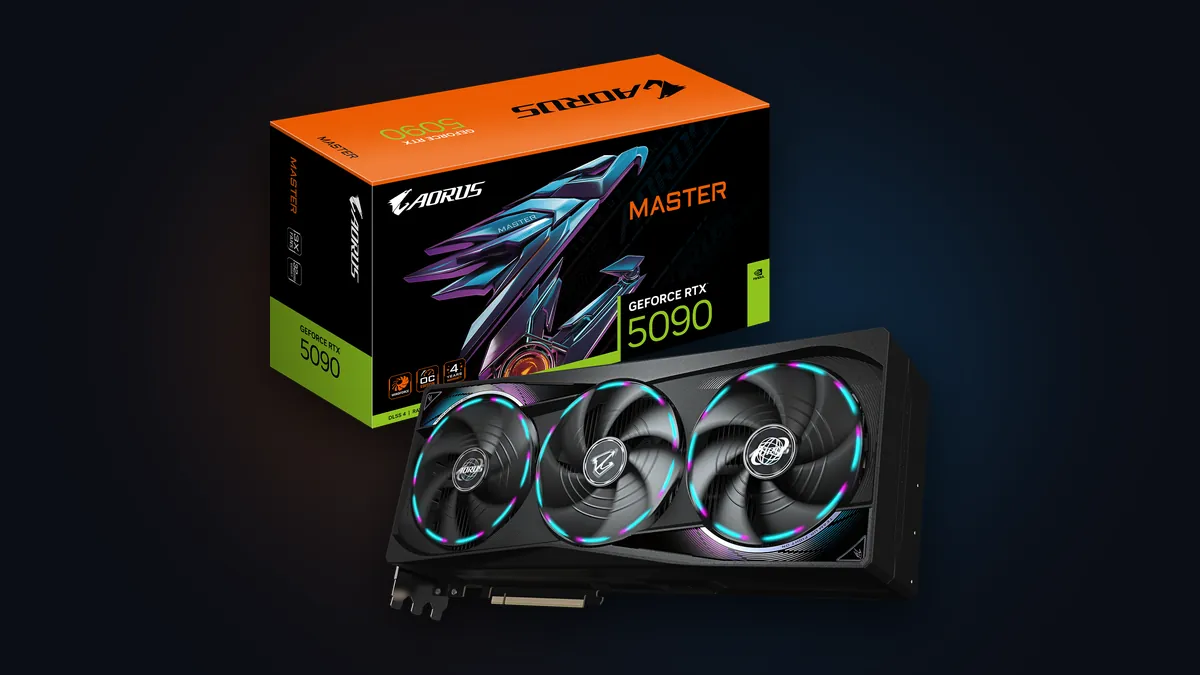
Persistent micro-stutters on a flagship gaming rig powered by an AMD Ryzen 7 9800X3D and a high-end Gigabyte GeForce RTX graphics card usually send PC builders chasing CPU voltages or faulty RAM. Yet a month-long hardware investigation published on Bilibili by tech creator 51972 has pinned the blame on a far more mundane culprit: dynamic RGB lighting animations handled by Gigabyte Control Center (GCC).
A Month of Reverse-Engineering Clears the CPU
The investigation began with a viewer's high-end PC that suffered recurring frame-time spikes across nearly every game, even while average frame rates stayed impressively high. Because the system ran a Ryzen 7 9800X3D, early assumptions pointed toward CPU scheduling quirks or intermittent platform dips.
To isolate the trigger without guesswork, the 51972 team cloned the user's drive onto a dedicated test bench and spent nearly a month auditing background services, eventually using AI-assisted reverse-engineering on Gigabyte's utility suite. The frame-time graphs left no ambiguity: the stutters had nothing to do with the processor. Every single micro-freeze synced rhythmically with the animated RGB color transitions pushed to the graphics card, dragging down 1% Low performance while average FPS figures looked completely normal on paper.
How NVIDIA Game Ready Driver 595.71 Triggered the Bottleneck
The issue primarily affects Gigabyte GeForce RTX 40 and RTX 50 series graphics cards equipped with software-controlled RGB zones or side-mounted mini LCD panels, such as the AORUS MASTER lineup. When GCC runs animated presets like Cycle, Pulse, or wave lighting, it continuously polls and sends lighting updates to the GPU's onboard microcontroller (MCU) over system management buses such as SMBus and I2C.
According to 51972's findings, the conflict surfaced prominently after the rollout of NVIDIA GeForce Game Ready Driver 595.71 WHQL. That release adjusted part of the driver's rendering pipeline scheduling to fix an intermittent black bar artifact in The Ascent on GeForce RTX 50 series GPUs. Unfortunately, the pipeline change made frame delivery far more sensitive to continuous background polling from GCC. Each lighting update packet created a brief scheduling jam that translated straight into visible hitching. It is another stark reminder of how fragile PC frame pacing remains, much like the VRR issues tackled recently by the NVIDIA G-SYNC Tweaks utility for 60 FPS stutter and OLED flicker.
Unconfirmed Claims Over Gigabyte's GCC Team
The story escalated once 51972 shared the technical diagnosis and workaround with Gigabyte China. According to the investigators' account, a local representative allegedly claimed that Gigabyte had already dismissed its entire GCC software development team due to the mounting volume of user complaints over software bugs and background overhead.
That claim remains strictly unconfirmed. Gigabyte has not published any official corporate statement verifying layoffs or an internal restructuring of its software division, so the remark should be treated cautiously. What is undeniable, however, is that frustration with heavy OEM companion suites has reached a boiling point at a time when hardware buyers are already dealing with tight stock and looming GeForce RTX 50 supply squeezes.
How to Stop the Stuttering on Your Gigabyte GPU Right Now
If you own a Gigabyte graphics card and have noticed unexplained 1% Low drops since installing NVIDIA driver 595.71 or newer, you do not need to wait for a future driver revision to restore smooth frame pacing. Four practical steps stop the polling loop immediately:
- Switch RGB lighting to Static or Off: Open RGB Fusion inside Gigabyte Control Center and disable animated effects such as Cycle, Pulse, or Wave. Setting a static color cuts off the constant stream of MCU lighting commands.
- Exit GCC and disable auto-start: Once your fan curves and static lighting profile are applied, close GCC completely from the Windows system tray and prevent it from launching at startup while gaming.
- Check for patched GCC builds: Visit the official Gigabyte Control Center page to see whether updated VGA and lighting modules have been released for your specific card.
- Consider a lightweight alternative: If you still want unified lighting control without a bulky vendor daemon running in the background, the open-source OpenRGB project offers a leaner option.
My Test Bench
Losing smooth frame pacing because a glowing fan ring cycles through colors sounds absurd until you see the frame-time spikes lined up like a metronome on a capture graph. Average FPS counters almost always hide this kind of interference, which is why tracking 1% Lows remains essential whenever a high-end PC feels off.
On my own test benches, I follow a strict rule: configure fan curves and static lighting once, then keep proprietary RGB suites closed during gameplay. Until hardware vendors stop hammering shared system buses with constant background polling, stripping away unnecessary companion apps remains the easiest free performance upgrade on PC.

PC hardware enthusiast and competitive gamer, Arthur 'Heimdall' splits his time between France and the UK working in enterprise B2B software solutions. A business school graduate passionate about component benchmarking, he has been building, modding, and tuning PCs since childhood, optimizing every thermal degree and millisecond of display latency. An avid gamer across Assassin's Creed and sandbox titles, he forged his alliance with Grimtag and Chaya during late-night World of Warcraft raids before joining Pro-Gamer.