GTA 6 Fishing Guide: How to Get a Fishing Rod, Use Bait Lures, Reel In Fish & Beat Cal Hampton
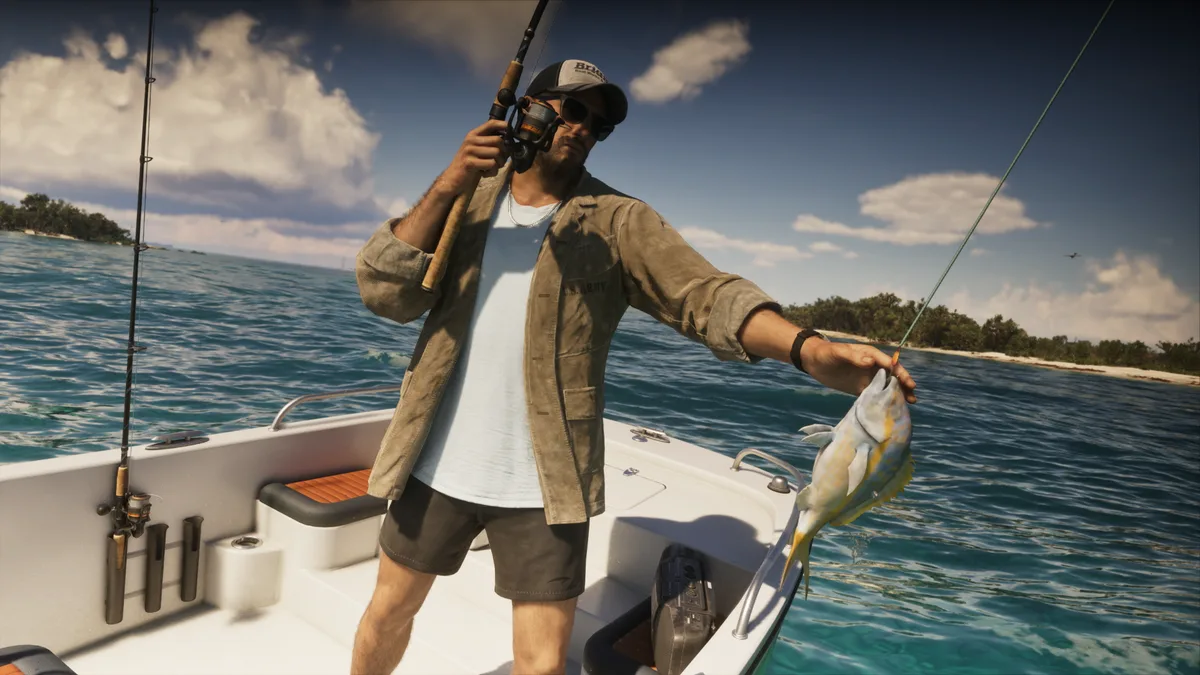
Building directly on the beloved open-world wildlife systems of Red Dead Redemption 2, fishing returns in Grand Theft Auto VI with a physics-based tension mechanic that fits the tropical waters of Leonida like a glove. From the turquoise reefs surrounding Key Lento to the murky backwaters of the Grassrivers swamps, both Jason and Lucia can drop a line from docks, shorelines, boats, or kayaks to fill out their wildlife compendium, cook fresh meals on the grill, and take on local angling rivalries.
Unlike Rockstar's previous western where fishing was locked behind deep Chapter 2 story progression, you can cast your line the very moment you step into free roam. Here is our complete step-by-step guide on how to get and equip your fishing rod, where to buy upgraded bait and lures, how to reel in massive catches without snapping your line, and how to beat Cal Hampton for the Baited My Tackle trophy and achievement.
Prerequisites & Chapter 1 Fishing Unlocks
Before heading offshore from Vice City in search of marlin or wading into Lake Leonida for freshwater bass, here is how early progression introduces the fishing system during Chapter 1:
- Unlocked Immediately in Free Roam: There is no level gate or mandatory quest prerequisite to start fishing. As soon as you gain free-roam control of Jason during the opening mission Gone Fishing in Key Lento, you can walk down to the dock and equip your rod.
- The Fishing Magazine in Jason's Shed: While exploring Jason's home property during Gone Fishing, head downstairs into the backyard shed. Reading the Fishing Magazine inside automatically marks several prime Fishing Spots on your map and explains which bait types attract rare local species.
- Guided Tutorial in the Recalibration Mission: Later in Chapter 1, the main story mission Recalibration pairs you up with Jason's friend Cal Hampton for a proper angling session where you must catch and keep a fish to bring home for dinner.
How to Get and Equip a Fishing Rod in GTA 6
Out in the open world, physical fishing rods can routinely be found leaning against wooden docks, resting near marked Fishing Spots, or stashed inside boats across Leonida.
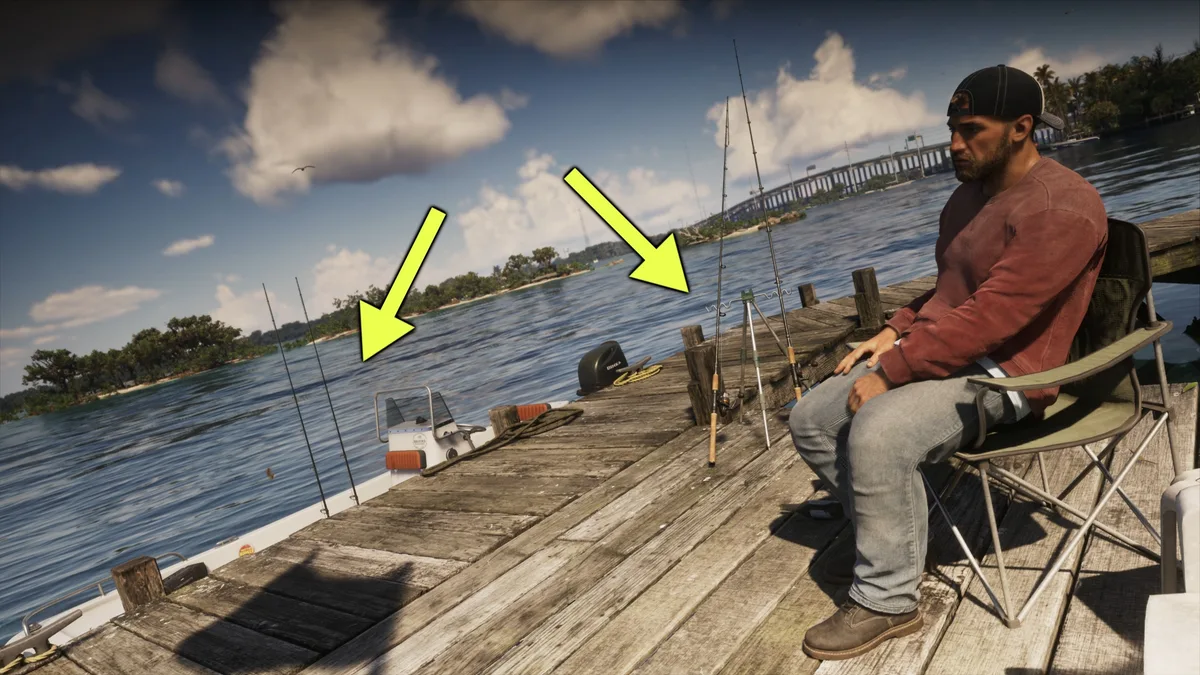
Your most reliable source is Jason's boat, which sits docked beside his house in Key Lento and permanently stores fishing rods on deck. Because the rod counts as utility gear rather than a firearm, you equip it through the Equipment tab of your weapon wheel whenever you are near water:
- Hold L1 on PS5 or LB on Xbox Series X|S to open your weapon and loadout wheel.
- Tilt the Right Analog Stick (R) toward the Equipment slot (located directly beneath your unarmed fists icon).
- Press L2 / R2 (PS5) or LT / RT (Xbox) to cycle through your tools until the Fishing Rod is highlighted, then release the wheel button to equip it.
Bait, Lures & Where to Find Chuck's Tackle & Shot
When you first start casting in Key Lento, your tackle box only includes two basic options: the Small Saltwater Lure and the Small Freshwater Lure. While these starter lures work fine for common shoreline fish, the rarer trophy species swimming inside marked Fishing Spots require specific bait upgrades before they will bite.
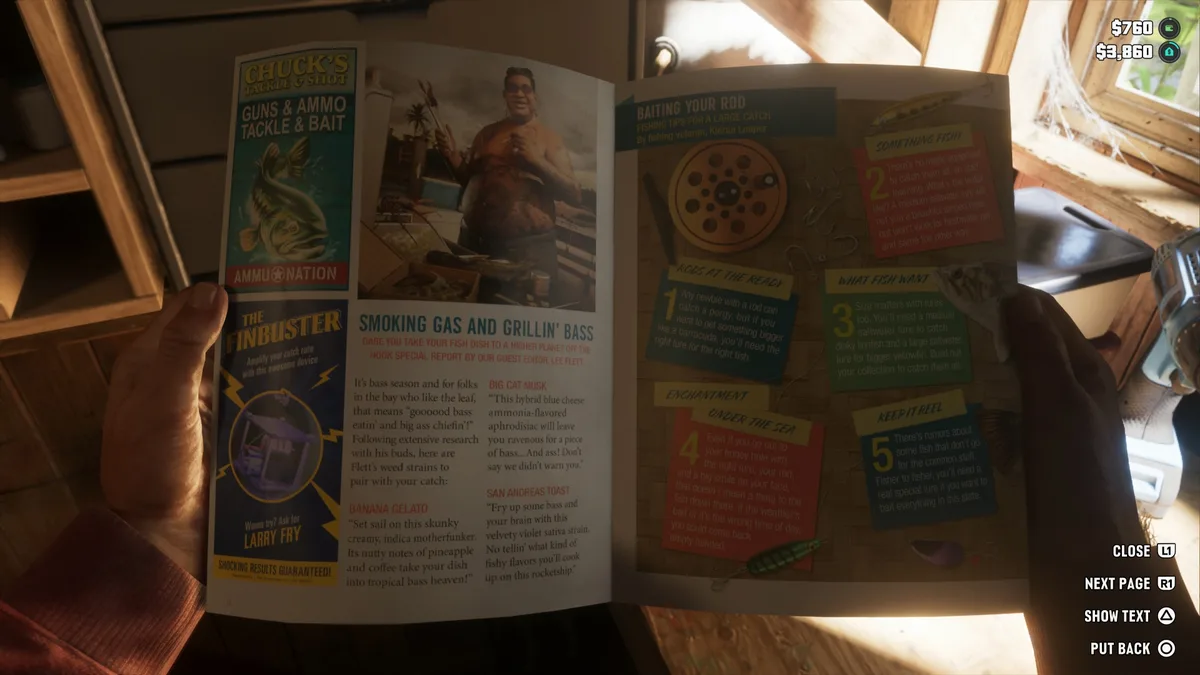
You can purchase upgraded tackle right away by visiting any Ammu-Nation store that carries outdoor supplies, specifically Chuck's Tackle & Shot, located just down the road from your Key Lento safehouse. There, you can immediately buy the Medium Saltwater Lure along with specialized bait for heavier game fish.
While holding your fishing rod near the water, press Right on the D-Pad at any time to switch between your available baits and lures.
How to Fish Step-by-Step: PS5 & Xbox Series X|S Controls
Landing a big catch in GTA 6 relies on reading water activity and balancing line tension during the struggle. Follow these five steps in sequence to hook and land every fish cleanly:
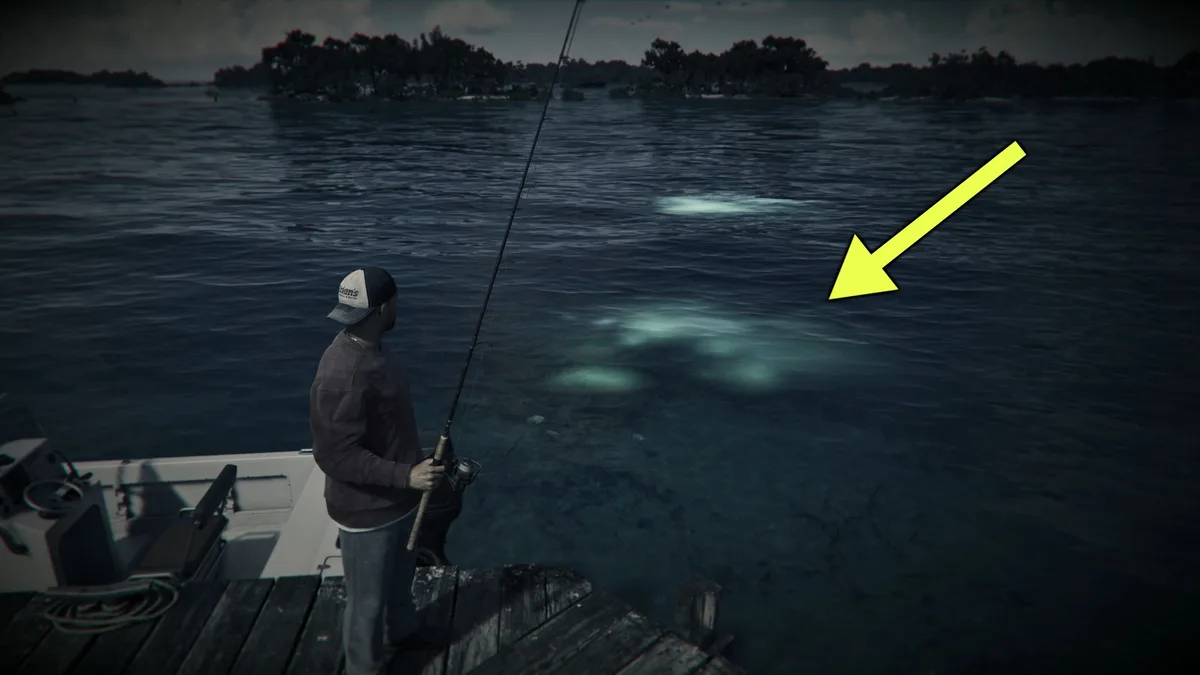
- Spot Active Fish With Focus Mode (L3 + R3): Stand on a dock, shoreline, or boat deck with your rod equipped and click both thumbsticks together (L3 + R3). Entering Focus mode reveals glowing patches and ripples across the water, pinpointing exactly where fish are swimming below.
- Aim and Charge Your Cast (L2 + R2 / LT + RT): Hold L2 (PS5) or LT (Xbox) to aim your rod toward a glowing patch. Next, press and hold R2 (PS5) or RT (Xbox) to charge the power of your throw (the longer you hold the trigger, the farther your line will cast) and release to toss the bobber.
- Entice a Bite by Luring Slowly (Rotate Right Stick): Once your line settles in the water, slowly rotate the Right Analog Stick (R). Gently dragging the lure mimics live prey and draws nearby fish toward your hook.
- Set the Hook on the Bite (R2 / RT): Keep a close eye on your bobber. When a fish strikes, the bobber dips sharply underwater and your controller vibrates heavily. Press R2 (PS5) or RT (Xbox) immediately to hook the fish. Timing is crucial: pulling too early costs you your bait, while reacting too late lets the fish swim off.
- Tire the Fish and Reel During Pauses (Left Stick + Right Stick): Once hooked, the fish will thrash and pull in different directions. Push the Left Analog Stick (L) in the opposite direction the fish is swimming to fight its momentum and wear it out. When the fish pauses its struggle, rotate the Right Analog Stick (R) to reel it closer. Alternate between tiring the fish and reeling until you haul it out of the water.
Cooking Your Catch, Kayak Fishing & the Baited My Tackle Trophy
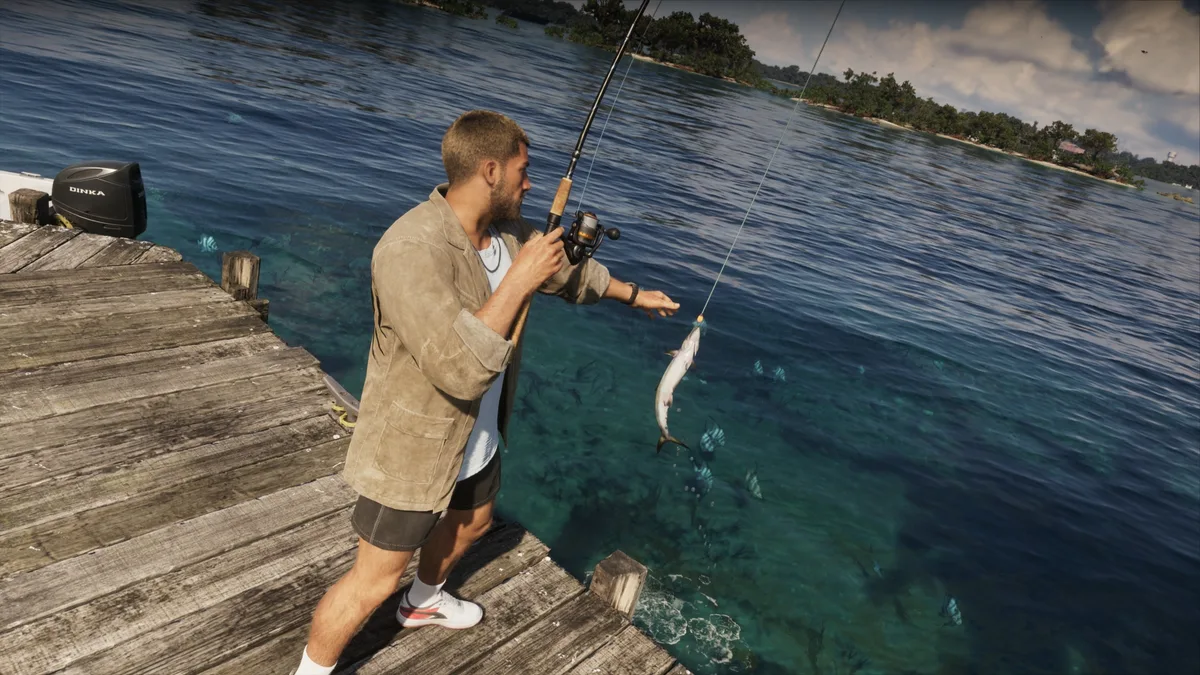
Every time you land a fish, the game displays the species and its exact weight/size for your wildlife compendium before giving you two choices: throw it back into the water or keep it. Keeping your catch lets you bring it back home to cook hearty meals on the grill, or sell and use your haul within the local economy alongside the methods covered in our GTA 6 fast money farming guide.
Both Jason and Lucia can fish throughout the campaign, and kayak fishing is even available as a dedicated couples activity where both protagonists head out on the water together. If you enjoy tracking down offbeat Leonida pastimes between missions, be sure to also check out our GTA 6 Backyard Wrestling guide in Hamlet.
Finally, keep an eye on your smartphone texts during Chapter 1. During the Lucia's Release mission (after meeting Cal Hampton in Gone Fishing and Recalibration), Cal will text you a photo of a prizewinning fish he caught. This unlocks a fishing challenge marker on your map: travel to Cal's spot and reel in a heavier specimen than his record to unlock the Baited My Tackle trophy and achievement.

GTA 6 Fishing Controls & Leonida Environments Summary Table
| Action or Fishing Region | Controls (PS5 / Xbox) & Target Species |
|---|---|
| Equip Fishing Rod | Hold L1 / LB (Weapon Wheel) → Equipment Tab (Right Stick under fists) → Cycle with L2 / R2 or LT / RT. |
| Switch Bait / Lure | While holding the Fishing Rod: press D-Pad Right. |
| Spot Fish (Focus Mode) | Click L3 + R3 together to highlight glowing active fish patches in the water. |
| Aim, Cast & Hook | Hold L2 / LT to aim → Hold and release R2 / RT to cast → Press R2 / RT immediately when the bobber dips. |
| Fight & Reel In | Push Left Stick (L) opposite the fish's pull → Rotate Right Stick (R) to reel only when the fish pauses. |
| Saltwater Reefs (Leonida Keys & Key Lento) | Snapper, tuna, and tropical reef species (use Small or Medium Saltwater Lures from Chuck's Tackle & Shot). |
| Rivers & Swamps (Grassrivers / Everglades) | Backwater and river species (watch out for alligators lurking along the mangrove banks). |
| Freshwater Lakes (Lake Leonida & Inland Ponds) | Bass, catfish, and inland freshwater fish (equip Freshwater Lures). |
| Deep Ocean (Offshore Vice City & Port Gellhorn) | Requires a boat to reach deep water: heavy trophy game fish including marlin and sailfish. |
Common Mistakes & Line-Snapping Troubleshooting Tips
- Why does my fishing line keep snapping on big catches? Forcing the reel while a fish is actively thrashing is the number one cause of snapped lines. Whenever the fish pulls hard and splashes, stop rotating the Right Stick completely and focus exclusively on pulling the Left Stick in the opposite direction to tire it out. Only spin the Right Stick during the brief windows when the fish stops fighting.
- Why won't fish bite inside a marked Fishing Spot? Rare species are strictly tied to specific bait types. If you cast a Freshwater Lure into coastal Key Lento waters, or haven't upgraded to the Medium Saltwater Lure at Chuck's Tackle & Shot, larger fish will ignore your hook. Press D-Pad Right while holding your rod to verify which lure is currently attached.
My Perspective
After spending hours dodging police helicopters down Vice City boulevards, cutting the engine on Jason's boat off the coast of Key Lento at sunset just to cast a line feels every bit as relaxing as fishing in Red Dead Redemption 2. What I appreciate most here is that Rockstar didn't bury the mechanic ten hours deep into the story: being able to grab the Fishing Magazine out of Jason's shed in the very first mission, pick up a Medium Saltwater Lure at Chuck's Tackle & Shot down the street, and immediately go out-fish Cal Hampton on his own bragging-rights text challenge makes the Leonida Keys feel alive from hour one.

Grand Theft Auto 6 (GTA 6)
Explore official trailers, technical specs and all latest coverage for Grand Theft Auto 6 (GTA 6).

Based on the outskirts of New York City, Chaya 'Chayane' spent five years studying software engineering in Montreal before returning to her home state. A Full-Stack developer and Deep Learning AI architecture researcher, she explores neural networks and algorithmic optimization while engineering data pipelines for Retrocharting and Gamescharting alongside Grimtag. A gamer for over 20 years and an avid collector of Nintendo history and The Legend of Zelda, she explored World of Warcraft's Azeroth before bringing her deep technical background to video game analysis.