GTA 6 BuckMe Savings Account Guide: How Family Savings Tiers, Checking Limits & Perks Work
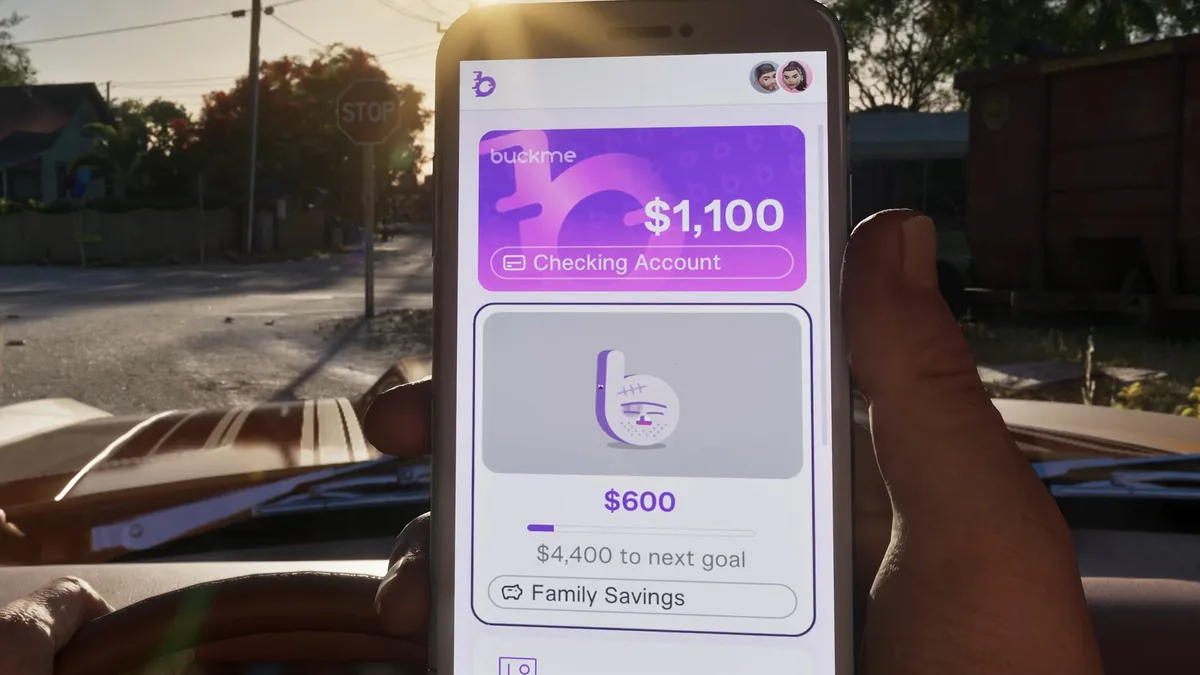
Right from the opening hours in the state of Leonida, Grand Theft Auto VI completely overhauls the series' traditional money management through a mobile banking application called BuckMe. Far from being a throwaway phone gimmick for Jason Duval and Lucia Caminos, its shared savings account directly controls your checking balance cap, protects your hard-earned cash from death penalties, and influences your options during the story's finale.
If you are hesitant to lock thousands of dollars into a savings balance you cannot withdraw from, this complete guide breaks down everything the BuckMe Savings Account does, how to deposit cash safely at ATMs, and every milestone reward you unlock along the way.
Prerequisites: How to Unlock the BuckMe App in Chapter 1
You do not start the campaign with a digital bank account on your phone. To unlock the BuckMe application, you must progress through Chapter 1 until you reach main story mission #15, titled "Buck Me."
Roughly half an in-game day after completing Coming Home, Lucia calls Jason on his cell phone. She needs an active bank account to receive her community service payments, and neither of them currently has one open.
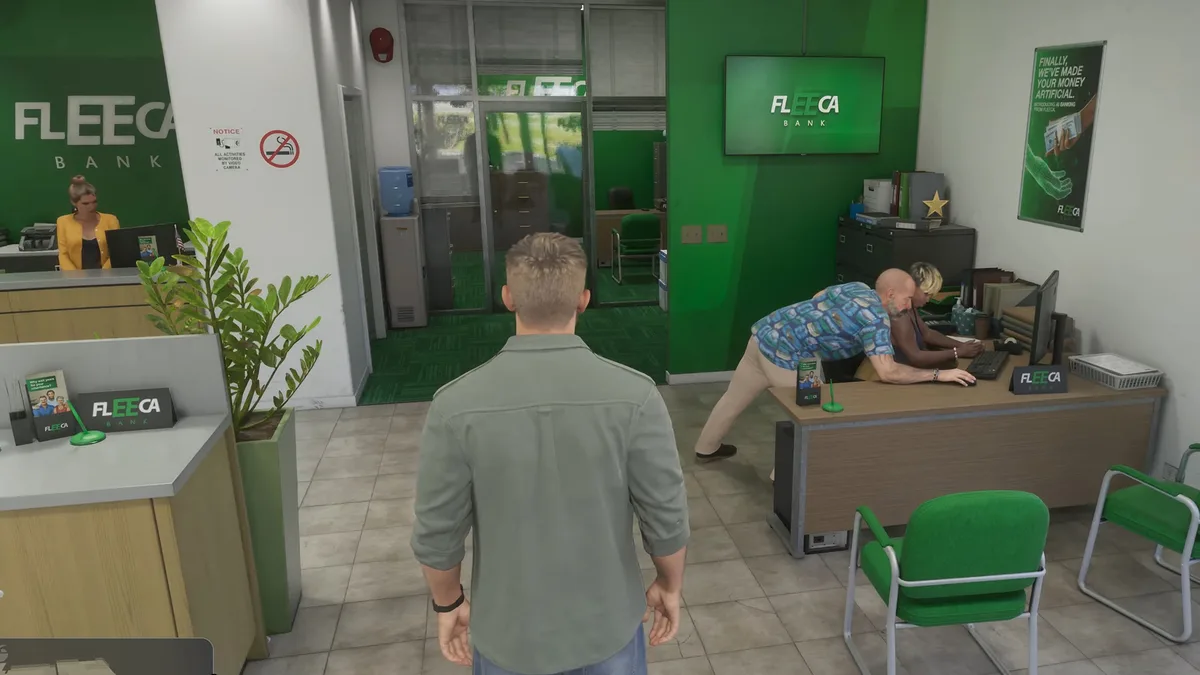
Meet Lucia outside the Fleeca Bank branch in Key Lento. Speak to the teller at the front counter first, who directs you to the bank manager seated at the desk in the right-hand corner before taking you into his private office.
Because Jason and Lucia's credit scores are far too poor to qualify for a standard checking account, the manager points them toward a fintech smartphone app called BuckMe instead. Once the cutscene concludes back at the house, your new account is active with a $100 welcome bonus deposited into your Checking Account.
Completing this visit immediately triggers two follow-up tasks required for 100% completion alongside our GTA 6 Trophy & Achievement Guide for all 55 PS5 trophies: mission #17 Deposit Cash Into BuckMe and the campaign-long tracking mission #18 Save for the Future.
Pocket Cash vs. Checking Account vs. Family Savings: The 3 Core Rules
Unlike previous entries where you could carry millions of dollars in your back pocket with zero consequence, Leonida's financial system is split into three distinct tiers that punish careless players.
The first tier is your physical Wallet (Pocket Cash), which is capped at roughly $20,000 in loose bills. Vendors accept physical cash for everyday purchases up to $999, but carrying bills is a massive gamble: whenever you get killed (Wasted) or arrested by law enforcement (Busted), you lose all of the physical pocket cash you are carrying.
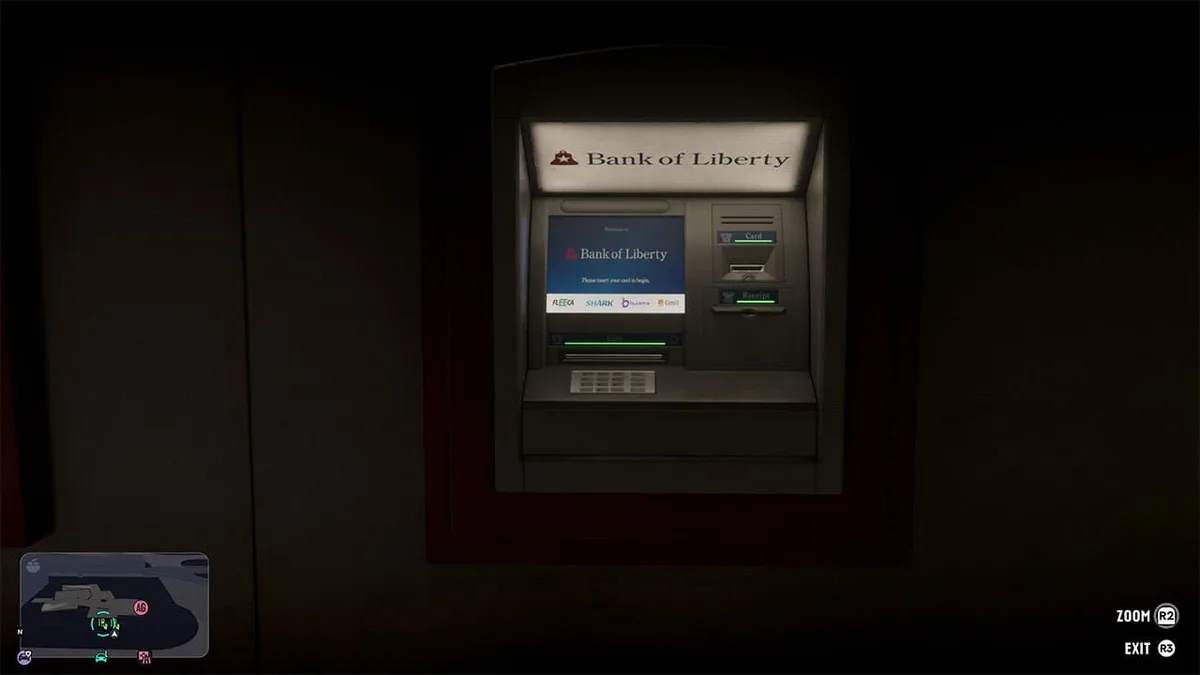
The second tier is your BuckMe Checking Account, which you fund by physically visiting any ATM across Leonida. Any purchase of $1,000 or more (or any transaction at all if you carry $0 in pocket cash) is automatically paid through your BuckMe checking balance.
However, your checking account enforces a strict Checking Limit. Once your checking balance hits that ceiling, payouts from subsequent story and side missions (including Afternoon Delight and Girl's Trip) are held back and blocked until you either spend money or raise your cap.
That brings us to the third tier: the BuckMe Savings Account (Family Savings, later displayed as Offshore Investment). Any money moved into Family Savings can never be withdrawn or spent directly, but it can never be lost upon death, and hitting each savings threshold permanently raises your checking account cap while unlocking valuable discounts and chapter interest bonuses.
Step-by-Step Walkthrough: How to Deposit Cash and Fund Your BuckMe Savings
To keep your heist earnings safe and push your Save for the Future progress bar forward, follow this exact sequence on PlayStation 5, Xbox Series X|S, or PC:
- Pull Up Your In-Game Smartphone: Press Up on the D-Pad on PS5 and Xbox Series X|S controllers (or the Up Arrow / T key on PC) to bring up Jason or Lucia's phone.
- Launch the BuckMe App: Use the Left Stick to highlight the purple icon featuring a white "B" logo and press Cross (PS5), A (Xbox), or Enter (PC).
- Mark the Nearest ATM: You cannot beam physical bills into your phone out in the street. Inside the BuckMe menu, select "ATM Finder - Set Destination" to place a GPS waypoint on the closest terminal (there is an ATM located right next to Jason's house in Key Lento).
- Deposit Your Pocket Cash into Checking: Walk up to the ATM wall unit, interact with the screen (hold R2 / RT to zoom in and press Cross / A to confirm), and deposit 100% of your pocket bills into your Checking Account before pressing R3 / RS to exit.
- Transfer Funds into Family Savings: Reopen the BuckMe app on your phone, open the Checking Account tab (or Offshore Investment from Chapter 4 onward), and press the purple "Buck Yourself" button using Cross (PS5) or A (Xbox) to move your chosen amount into your shared savings goal.
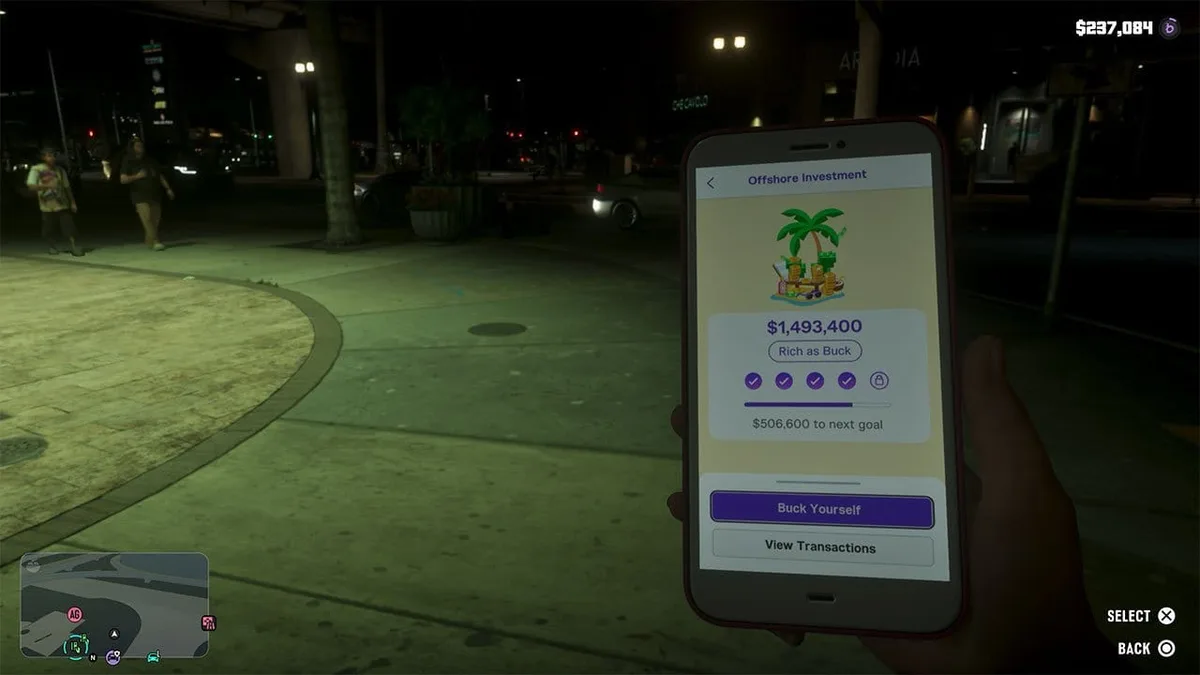
You can audit every deposit, mission payout, and transfer at any time by selecting the "View Transactions" button directly below Buck Yourself.
As highlighted in our GTA 6 Beginner's Guide with 25 essential spoiler-free tips, making a quick ATM stop after every robbery ensures you never lose thousands of dollars to an unexpected shootout.
All 6 BuckMe Savings Account Tiers, Checking Limits, Interest & Perks
As you funnel funds into Family Savings throughout the Save for the Future storyline, you climb through six financial ranks that expand your checking capacity, grant permanent discounts across Leonida, and pay out lump-sum interest at key chapter transitions.
| BuckMe Savings Tier | Total Saved Required | New Checking Account Limit | Chapter Interest Payout | Permanent Perk & Gameplay Benefit |
|---|---|---|---|---|
| 1. Buckin' Broke | $5,000 | $15,000 | +$2,000 interest in Chapter 2 | Raises checking cap to $15,000 and unlocks the next savings goal |
| 2. BuckeDry | $10,000 | $100,000 | Stacks with Chapter 2 payout | RydeMe Perk: Permanent 20% discount on all RydeMe rideshare journeys |
| 3. BuckMe Gold | $100,000 | $500,000 | +$20,000 interest in Chapter 3 | Property Perk: Permanent 20% discount on all garage purchases |
| 4. BuckMe Premium (BuckMe Black) | $500,000 (or auto at Chapter 4) | $2,000,000 | +$100,000 interest at end of Chapter 4 | Custom Shop Perk: Permanent 10% discount on all vehicle liveries |
| 5. Rich as Buck | $1,000,000 | $2,000,000 | Late-campaign dividend scaling | Unlocks the final offshore milestone toward 100% completion |
| 6. Final Offshore Tier | $2,000,000 | $2,000,000+ | Endgame epilogue bonus | Completes Save for the Future and expands late-game ending options |
As you can see from the figures above, the chapter interest payouts ($2,000 in Chapter 2, $20,000 in Chapter 3, and $100,000 at the end of Chapter 4) do not match the raw amount you lock away. The real value of investing in BuckMe is lifting your checking account ceiling so big heist payouts never get frozen, while unlocking additional choices toward the end of the campaign.

Optimization Tips and Critical Chapter 1 Pitfalls to Avoid
The biggest financial trap in the early campaign happens right at the end of Chapter 1, when you trigger the back-to-back story missions "Recalibration" and "Tourist Trap." During those scripted story events, you automatically lose every single dollar of pocket cash you bring with you.
Make sure you deposit at least $5,000 into Family Savings (Buckin' Broke) and empty your physical wallet into your checking account at an ATM before starting Recalibration. Not only does this shield your early cash from being wiped out, but it also guarantees your $2,000 interest bonus as soon as Chapter 2 begins.
Once you reach Chapter 3 and link up with mandatory story contacts Yasmani (who unlocks the Snapgun) and Raul (who hands you the Dye Pack Jammer), you can start robbing Bank Vaults for an easy $100,000 per vault. Having already reached BuckMe Gold ($500,000 checking limit) ensures those six-figure scores go straight into your spendable balance without hitting a cap.
Finally, if you fall behind on manual savings during the mid-game, the story provides an automatic catch-up mechanic at the start of Chapter 4: you are automatically upgraded to BuckMe Premium (referred to as BuckMe Black in the in-game phone text message) regardless of your current savings balance, immediately raising your checking limit to $2,000,000.
The Strategist's Take
During my first few hours in Key Lento, old GTA habits nearly made me hoard my cash instead of touching the Buck Yourself button, right until I saw how quickly the default checking cap throttles your mission payouts. Tying Jason and Lucia's shared nest egg to checking account ceilings, garage discounts, and late-game narrative branches turns every ATM run into a meaningful strategic decision.
My routing advice is simple: rush the $5,000 and $10,000 (BuckeDry) tiers before wrapping up Chapter 1 so your checking limit jumps to $100,000, you lock in the 20% RydeMe discount, and you don't lose a dime when Recalibration and Tourist Trap wipe your pocket cash.

Grand Theft Auto 6 (GTA 6)
Explore official trailers, technical specs and all latest coverage for Grand Theft Auto 6 (GTA 6).

Born and based in Montreal's Mile End district, Maëlle "Kaelen" became close friends with Chaya during their university software engineering years, bonding over late-night coding labs, campus LANs, and World of Warcraft raids alongside Grimtag and Heimdall. A game systems balancing consultant and lifelong theorycrafter, she cut her teeth in the early 2010s writing boss walkthroughs, frame-data breakdowns, and competitive meta guides for specialized French-language MMORPG and esports portals, including Mondes Persistants, as well as North American strategy collections. On Pro-Gamer, she leads in-depth walkthroughs, build optimization, and tactical esports coverage.