Nintendo Switch 2 GameShare Guide: Full List of All 55+ Games You Can Play Together With One Copy
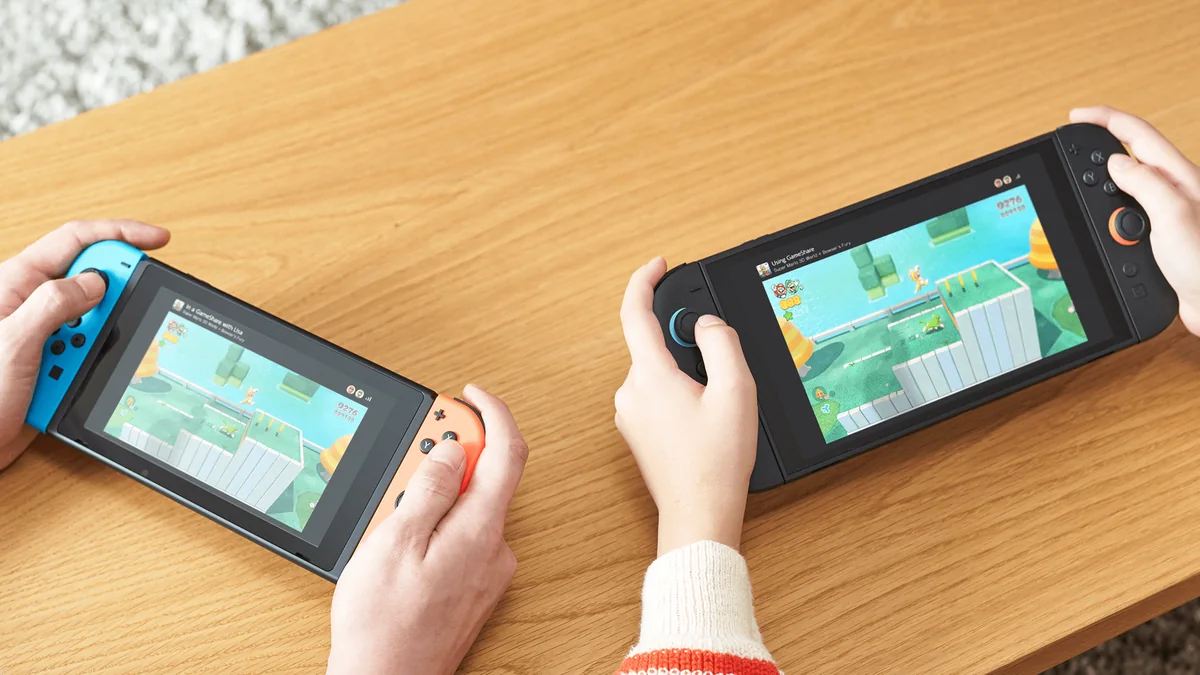
Gone are the days when every friend in the living room had to buy their own separate copy just to join a multiplayer session. Acting as the modern successor to the beloved DS and 3DS Download Play feature, GameShare on Nintendo Switch 2 lets up to four players jump into the same match using a single physical cartridge or digital purchase.
As of November 2026, the library of supported titles has grown past 55 confirmed games, spanning flagship Nintendo exclusives, major sports sims, and co-op indie hits. Below is our complete technical breakdown of how both sharing modes operate, a step-by-step setup walkthrough, and the full list of compatible titles verified via the official Nintendo GameShare page.
How GameShare Works: Local Wireless vs. Online via GameChat
Before sending out your first invite, one golden hardware rule applies across every single game: only a Nintendo Switch 2 console can host and broadcast a GameShare session. The host Switch 2 handles the real-time encoding and streaming of the gameplay feed to every receiving console in the lobby.
An original first-generation Nintendo Switch (standard model, Switch Lite, or Switch OLED) can never initiate or share a game. However, an original Switch can receive and play a shared game over Local Wireless, even if the title being streamed is a native Nintendo Switch 2 exclusive.
Nintendo splits GameShare into two distinct connection modes with specific compatibility rules:
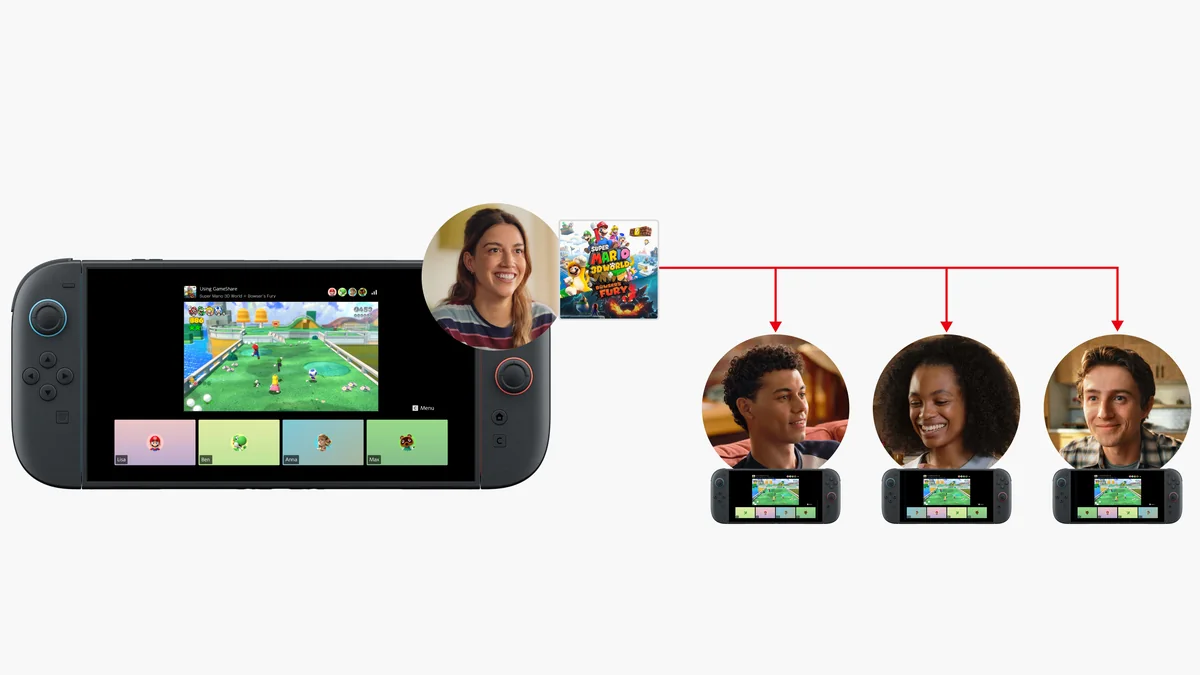
- GameShare via Local Wireless: one host Nintendo Switch 2 streams the game locally to up to 3 nearby consoles in the same room (up to 4 players total from 1 copy). Receiving systems can be either Nintendo Switch 2 or original Nintendo Switch consoles, and no online membership is required.
- GameShare Online via GameChat: the host shares their game remotely over the internet with friends inside a live GameChat voice and video session. Online sharing works exclusively between Nintendo Switch 2 consoles and requires an active Nintendo Switch Online membership for all participants.
| Technical Feature | Local Wireless GameShare | Online GameShare (via GameChat) |
|---|---|---|
| Required Host Console | Nintendo Switch 2 only | Nintendo Switch 2 only |
| Compatible Guest Consoles | Nintendo Switch 2 and original Nintendo Switch (Standard, OLED, Lite) | Nintendo Switch 2 only |
| Game Copies Needed | 1 physical cartridge or digital copy (on the host system) | 1 physical cartridge or digital copy (on the host system) |
| Maximum Players | Up to 4 players (1 host + up to 3 guests depending on the game) | Up to 4 players inside the active GameChat room |
| Nintendo Switch Online | Not required | Required for both host and guests |
Check Nintendo Switch 2 Availability on Amazon→
Step-by-Step Guide: How to Host and Join a GameShare Session
Setting up a shared multiplayer lobby takes less than a minute once you know which system menu to trigger. Follow these exact button steps on the host and guest systems:
- Step 1 (Prepare the Host Nintendo Switch 2): highlight your supported game on the HOME Menu and press the + Button to verify that the latest software update is installed. If you plan to play online, press the C Button on the right Joy-Con 2 controller first to start a GameChat room with your friends.
- Step 2 (Open the In-Game GameShare Lobby): launch the game on the host Switch 2, navigate to its multiplayer menu, select GameShare with the A Button, and choose either Nearby Users (Local Wireless) or GameChat (Online).
- Step 3 (Join From the Guest Consoles): for Local Wireless on a guest Switch 1 or Switch 2, press the HOME Button, scroll down to the bottom system bar, select the GameShare icon with the A Button, and choose Join a Shared Game. For online sessions on Switch 2, the invite appears directly inside the GameChat overlay: press the C Button and confirm with the A Button to join the stream.
- Step 4 (Sync and Launch): once all guest profiles appear in the host's lobby screen, press the A Button on the host Nintendo Switch 2 to begin streaming gameplay immediately without requiring guests to download the full game.
First-Party Nintendo Games That Support GameShare
Nintendo has rolled out free patches for several first-generation Switch hits while building native GameShare support into its flagship Switch 2 releases. Most notably, the recent Super Mario Party Jamboree version 2.4.0 update expanded the feature by unlocking online GameShare via GameChat alongside full access to every board in the game.
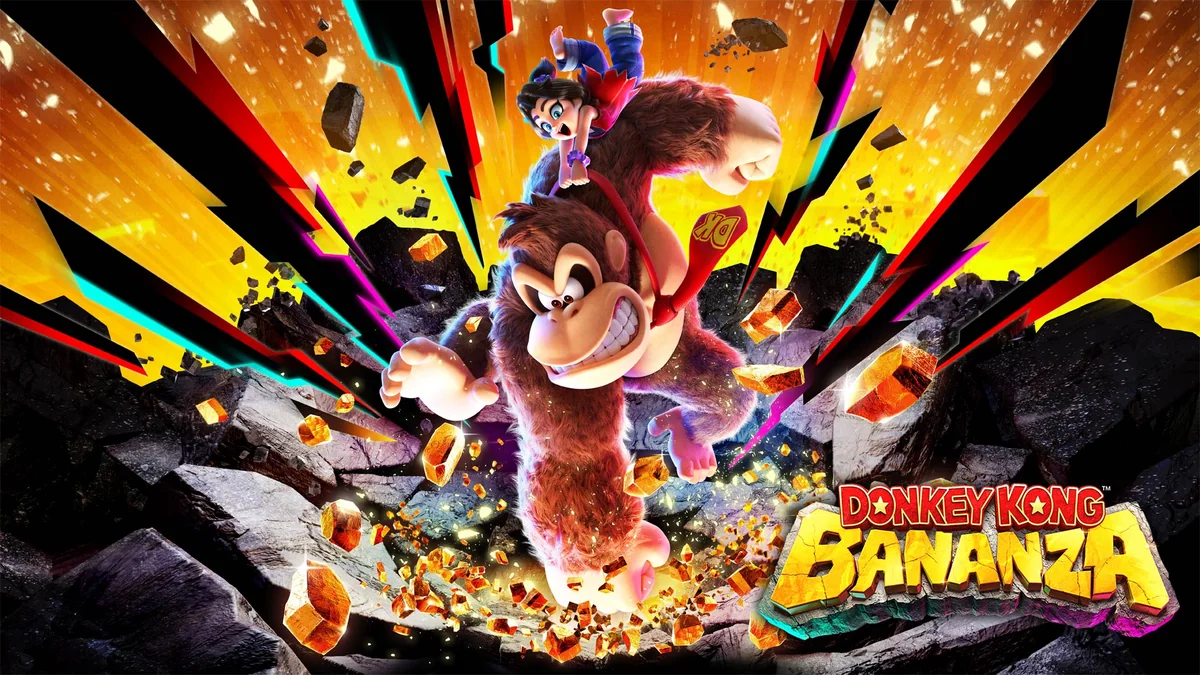
- Donkey Kong Bananza: 2-player co-op via Local Wireless or online GameChat, letting the second player control Pauline and unleash vocal blasts alongside Donkey Kong.
- Super Mario Party Jamboree - Nintendo Switch 2 Edition + Jamboree TV: full 4-player sharing across both Local Wireless and online GameChat following patch 2.4.0.
- Super Mario Bros. Wonder - Nintendo Switch 2 Edition: up to 4 players can run through the entire co-op campaign off a single copy.
- Super Mario Odyssey: 2-player co-op (Mario and Cappy on separate screens) enabled via its free Switch 2 update.
- Super Mario 3D World + Bowser's Fury: up to 4 players in 3D World stages and 2-player co-op in Bowser's Fury (Mario and Bowser Jr.) over Local Wireless or GameChat.
- Captain Toad: Treasure Tracker: 2-player puzzle stages playable across two consoles locally or via GameChat.
- Kirby Air Riders: multiplayer races and battle modes shareable across multiple consoles from one copy.
- Mario Tennis Fever: singles and doubles matches for up to 4 players using a single game card or digital copy.
- Hyrule Warriors: Age of Imprisonment: 2-player co-op battles across two dedicated screens without split-screen clutter.
- Donkey Kong Country Returns HD: 2-player platforming (Donkey Kong and Diddy Kong) over wireless GameShare.
- Clubhouse Games: 51 Worldwide Classics: up to 4 players across classic tabletop and card games via Local Wireless or GameChat.
- Big Brain Academy: Brain vs. Brain: 4-player brain-teasing showdowns from a single copy.
- Pokemon Pokopia: multiplayer activities supported via GameShare.
Major Third-Party, Co-Op, and Sports Games With GameShare
Major third-party publishers have embraced GameShare for asymmetric co-op adventures, arcade fighters, and annual sports franchises:
- Split Fiction: Hazelight Studios' co-op adventure lets two players share the experience across two consoles from a single purchase.
- It Takes Two: full 2-player co-op campaign playable across separate screens via GameShare.
- EA Sports FC 26: head-to-head and co-op pitch matches supported over both Local Wireless and online GameChat.
- NBA 2K26, WWE 2K26, and WWE 2K25: court and ring multiplayer modes shareable across systems from one copy.
- Mortal Kombat: Legacy Kollection: classic arcade fighting matches shared between two consoles.
- MARVEL Cosmic Invasion: co-op beat-'em-up action playable together off a single copy.
- Plants vs. Zombies: Replanted: co-op and versus modes supported natively on Switch 2.
- Puyo Puyo Tetris 2S: up to 4-player puzzle battles from one copy.
- Super Bomberman Collection: classic multiplayer arena battles via instant wireless sharing.
- Survival Kids: up to 4-player island survival co-op using a single game copy.
- Ys VIII: Lacrimosa of Dana (Nintendo Switch 2 Edition): GameShare co-op support integrated into Falcom's action RPG.
- Disgaea Prinny Party: Going Overboard!: 4-player party RPG brawls from one copy.
- Reanimal: co-op horror adventure shareable across two consoles.
Indie Gems and Party Games Supporting GameShare
Indie studios have been just as quick to adopt the feature, highlighted by the recent Sonic Pico Park launch on Nintendo Switch 2 and the Joy-Con 2 mouse stages of Mouse Work. Here is the full roster of indie and party titles supporting GameShare as of November 2026:
- FAST Fusion (high-speed anti-gravity racer from Shin'en Multimedia)
- Stardew Valley: Nintendo Switch 2 Edition (up to 4-player farming co-op from a single copy)
- Overcooked! 2: Nintendo Switch 2 Edition (chaotic 4-player kitchen co-op)
- Human Fall Flat: Nintendo Switch 2 Edition (physics-based multiplayer puzzle platforming)
- Brotato: Nintendo Switch 2 Edition (up to 4-player arena survival)
- Sea of Stars (turn-based RPG with 3-player co-op support)
- Teenage Mutant Ninja Turtles: Splintered Fate (4-player co-op roguelike action)
- Sonic Pico Park (cooperative puzzle stages with GameShare support)
- Mouse Work (co-op minigames built around Joy-Con 2 mouse controls)
- Unrailed 2: Back on Track (team-based track-building chaos)
- Goat Simulator 3 (sandbox multiplayer mayhem)
- Suika Game Planet (head-to-head fruit-merging puzzle battles)
- Scott Pilgrim EX, Rotwood, Lynked: Banner of the Spark, and Storm Lancers
- Cast n Chill, Tokyo Scramble, Rushing Beat X: Return of Brawl Brothers, and 4PGP
- Bang Bang Bandits, Card & Casino, Chillin' by the Fire, and Chippy & Noppo
- Exit Lab: 15 Rooms, Fruit Mountain Party, Nicktoons & the Dicey of Destiny, and Riichi Mahjong
Optimization Tips and Troubleshooting Common Issues
If the GameShare button is grayed out or a guest console fails to detect your lobby, check these three technical points first:
- An original Nintendo Switch cannot see an online GameChat invite: this is a hardware limitation. Online GameShare runs exclusively through GameChat, which is only available on Nintendo Switch 2. When playing with a first-generation Switch or Switch Lite, both players must be in the same room and connect via Local Wireless using the GameShare icon on the HOME Menu.
- Frame drops or image compression on guest screens: because the host Switch 2 streams a live video feed to guest consoles, avoid placing the host dock behind a TV or inside an enclosed cabinet. For online GameChat sessions, connect the host Switch 2 to a 5 GHz or Wi-Fi 6 router (or use a wired Ethernet connection on the dock) to keep upload bandwidth stable.
- Missing GameShare option on backward-compatible Switch 1 games: titles like Super Mario Odyssey, Captain Toad: Treasure Tracker, and Super Mario 3D World + Bowser's Fury require their free Switch 2 compatibility patch before the GameShare menu appears (press the + Button on the game icon and select Software Update via the Internet).
The Strategist's Take
When you run the math for a four-player group over a full year, the value proposition is undeniable: launching a full evening of Super Mario Party Jamboree, Hyrule Warriors: Age of Imprisonment, or Overcooked! 2 off a single $70 or $80 purchase saves your group more than $200 right out of the gate. I am especially impressed by Nintendo's decision to let first-generation Switch and Switch Lite consoles receive Local Wireless streams, which instantly turns an older handheld sitting in a drawer into a dedicated second screen for Donkey Kong Bananza or Captain Toad. Just keep one technical tradeoff in mind during competitive sessions: because the host Switch 2 broadcasts a compressed real-time video feed to guest units, you will notice a few milliseconds of extra input latency on twitch-heavy racers like FAST Fusion or Mario Tennis Fever, whereas board games, turn-based RPGs, and couch co-op adventures play effortlessly.

Born and based in Montreal's Mile End district, Maëlle "Kaelen" became close friends with Chaya during their university software engineering years, bonding over late-night coding labs, campus LANs, and World of Warcraft raids alongside Grimtag and Heimdall. A game systems balancing consultant and lifelong theorycrafter, she cut her teeth in the early 2010s writing boss walkthroughs, frame-data breakdowns, and competitive meta guides for specialized French-language MMORPG and esports portals, including Mondes Persistants, as well as North American strategy collections. On Pro-Gamer, she leads in-depth walkthroughs, build optimization, and tactical esports coverage.