Rotating Dynamic Backgrounds, Movable Guide Menu, and Disc-to-Digital Sorting: Inside the New Xbox Update
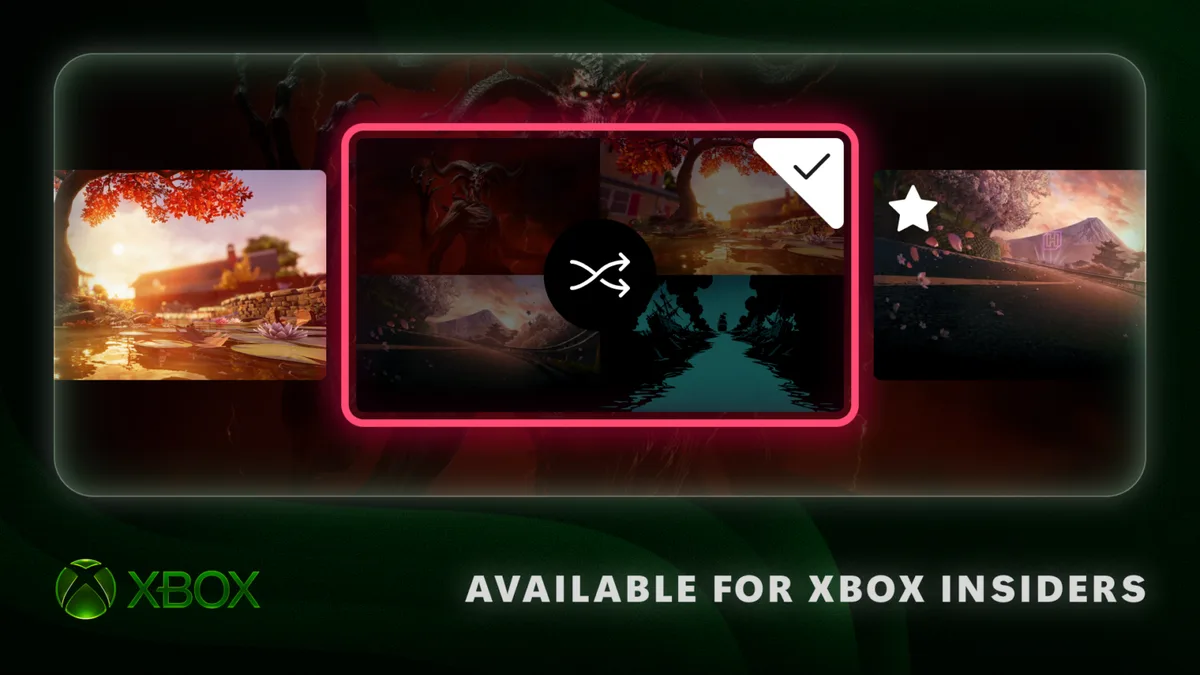
Microsoft is rolling out a new system preview update to Xbox Insider Program members in the Alpha Skip-Ahead ring across Xbox Series X|S and Xbox One. Focused on dashboard ergonomics and visual customization, the build introduces automatic shuffling for favorite dynamic backgrounds, persistent themes for special-edition controllers, a movable Xbox Guide menu that can anchor to the right side of the display, and cleaner library sorting for Disc-to-Digital games.
Rotating Dynamic Backgrounds and Persistent Themes for Special-Edition Controllers
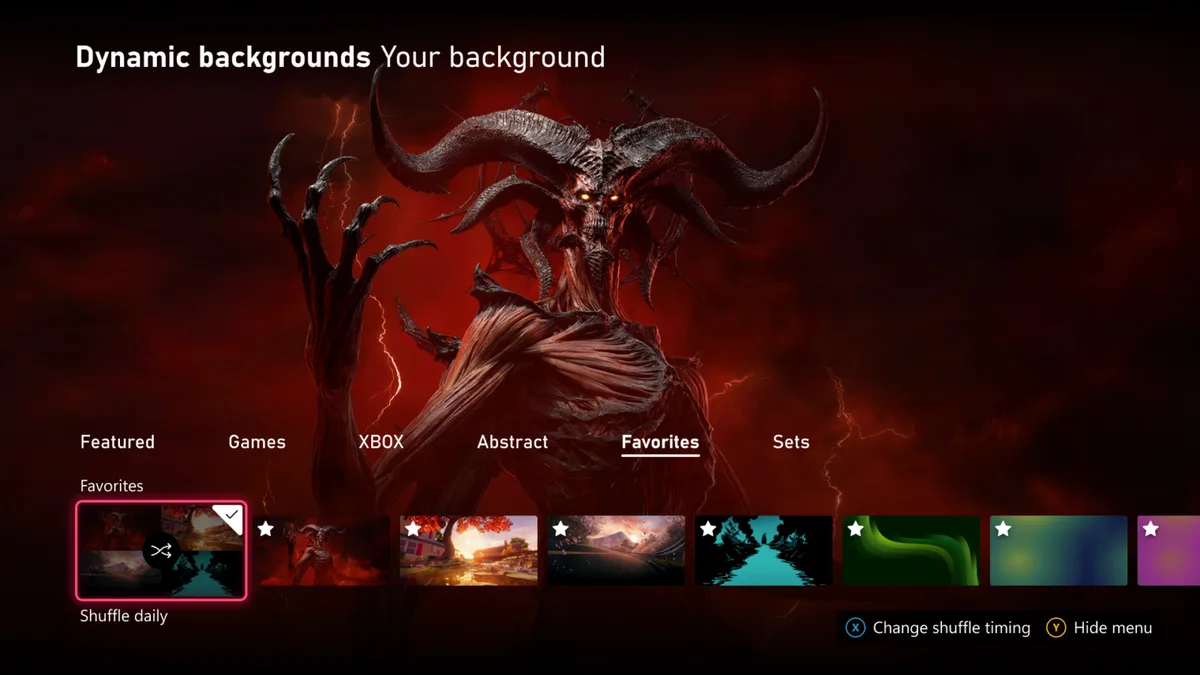
Until now, refreshing the look of the Xbox Home dashboard meant manually diving back into system settings every time you wanted to swap themes. As detailed by the Xbox Insider team on Xbox Wire, players can now curate a dedicated list of favorite backgrounds and set the console to rotate through them on a custom schedule.
To bookmark a background, navigate to Settings → General → Personalization → My background → Dynamic backgrounds, highlight any visual theme, and press the X button on your controller. The selected backdrop is immediately added to a new Favorites category. Selecting the Shuffle option at the start of any background category lets you rotate through either your personal Favorites or an entire category automatically upon sign-in, every hour, daily, or weekly.
Even better for hardware collectors, this update removes a long-standing tether on exclusive controller themes. Special dynamic backgrounds unlocked by limited-edition gamepads, such as the translucent Xbox Wireless Controller X25 Special Edition, can now be saved to Favorites and kept in your active background rotation even when that specific controller is powered off or disconnected from the console.
Xbox Wireless Controller (Special Edition & Series X|S)
- Compatible with Xbox Series X
- S, Xbox One, Windows PC, and Bluetooth
- Hybrid D-pad with textured grip on triggers and bumpers
- Exclusive dynamic backgrounds on Special Edition models now stay unlocked in Favorites
Check Availability for Xbox Wireless Controller on Amazon→

- Open Personalization settings: Head to Settings → General → Personalization → My background → Dynamic backgrounds.
- Bookmark Favorites: Highlight any dynamic or controller-exclusive background and press the X button to add it to the Favorites tab.
- Enable automatic rotation: Select the Shuffle tile at the start of the category to cycle backgrounds on sign-in, hourly, daily, or weekly.
The Xbox Guide Can Now Move to the Right Side of the Screen
Following the recent rollout of Mythic Achievements across Xbox Series X|S and Xbox One, Microsoft is giving players control over one of the most familiar elements of the console UI: the Xbox Guide overlay. For over a decade, pressing the Xbox button has anchored the pop-up navigation blade strictly to the left edge of the screen.
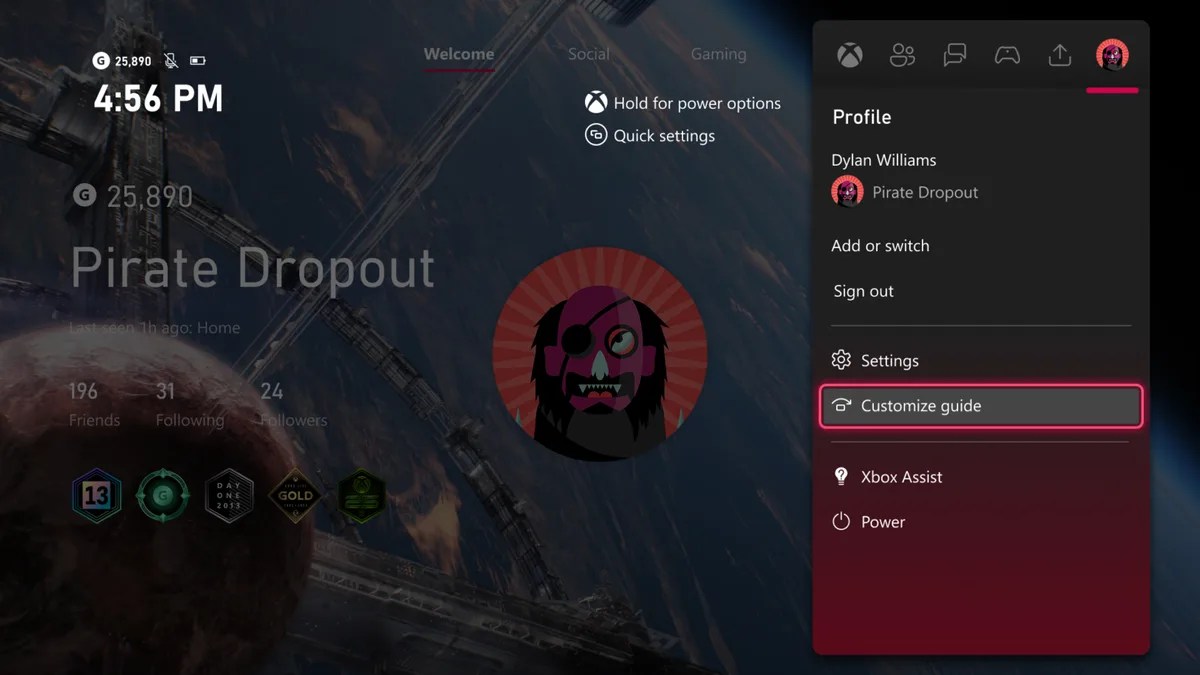
Alpha Skip-Ahead Insiders can now switch the Guide to open on the right side of the screen via Settings → General → Personalization → Guide. Beyond personal preference, docking the Guide on the right is a welcome adjustment for dual-monitor desk setups and for games that place critical HUD radar or chat elements along the left border.
Dedicated Library Sorting and Tile Controls for Disc-to-Digital Games
Rounding out the preview build are new library management controls tailored to the Xbox Disc-to-Digital program and its 1,550+ supported games, which launched in August to let physical disc owners claim digital licenses for eligible titles.
| Xbox Insider Feature | System Menu Path | Customization Options |
|---|---|---|
| Rotating Home Backgrounds | Settings → General → Personalization → My background → Dynamic backgrounds | Save Favorites (X button), Shuffle on sign-in, hourly, daily, or weekly |
| Movable Xbox Guide | Settings → General → Personalization → Guide | Position the Guide overlay on the left or right side of the screen |
| Disc-to-Digital Library Sorting | Settings → General → Personalization → Games & apps | Separate library category or merged owned view, toggle digital license badge on tiles |
Starting with this update, games converted through a disc-based digital license are automatically grouped into their own dedicated category inside the full library view. Players who prefer to keep all of their games together in the standard owned list can switch back under Settings → General → Personalization → Games & apps, where a new toggle also allows hiding the digital license badge icon on individual game tiles.
The Strategist's Take
Letting us finally lock exclusive special-edition controller backgrounds into our Favorites without keeping the controller plugged in or powered on is the exact kind of quality-of-life fix that makes me smile the second I boot up my console. When you pick up a limited collector gamepad like the X25 Special Edition, you do not necessarily want to put daily wear and tear on its thumbsticks during sweaty shooter sessions just to keep its dynamic theme alive on your Home screen. Being able to press X once, stash that theme in Favorites, and let it cycle daily alongside Diablo IV or Halo artworks while the collector pad rests safely on its stand is a total win. And after years of muscle memory pulling my eyes to the left edge of the TV, docking the Xbox Guide on the right side of my desk monitor feels surprisingly natural.

Based on the outskirts of New York City, Chaya 'Chayane' spent five years studying software engineering in Montreal before returning to her home state. A Full-Stack developer and Deep Learning AI architecture researcher, she explores neural networks and algorithmic optimization while engineering data pipelines for Retrocharting and Gamescharting alongside Grimtag. A gamer for over 20 years and an avid collector of Nintendo history and The Legend of Zelda, she explored World of Warcraft's Azeroth before bringing her deep technical background to video game analysis.