PSN Down Before GTA 6 Launch: 876 Outage Reports and the PS5 Setting You Must Enable Before Midnight
Sony's authentication servers are already feeling the weight of the biggest entertainment launch in history as eastern time zones cross into November 19. With less than six hours remaining before Grand Theft Auto VI unlocks across Europe and North America, a wave of sign-in failures has hit the PlayStation Network (PSN) on PS5 and PS5 Pro, locking players out of online services just as the final countdown enters its homestretch.
876 Downdetector Reports and the "PlayStation Services Are Busy" Alert
The spike began climbing sharply on Wednesday, November 18 around 18:00 GMT (1:00 PM EST). According to real-time outage tracker Downdetector, incident reports targeting PlayStation Network jumped to 876 simultaneous reports right as midnight rolled across India and parts of Asia, where the first huge wave of players attempted to boot into the state of Leonida.
On PS5, the error pattern points directly to an authentication bottleneck rather than a local broadband failure. Players running a diagnostic check under Settings > Network > Connection Status > Test Internet Connection see both "Obtain IP Address" and "Internet Connection" pass normally, only for the test to fail at "Sign in to PlayStation Network." Consoles then return a system prompt stating that online services cannot be used right now alongside a specific warning that "PlayStation services are busy."
Despite the surge in failed logins, Sony's official status dashboard (status.playstation.com) continues to display green indicators across Account Management, Gaming and Social, and the PlayStation Store. That discrepancy confirms PSN is not suffering a hard infrastructure outage, but rather severe login queuing as millions of consoles power on at once to finish downloading Day-One update 01.002.000, just hours after a record 6.38 million concurrent live viewers overwhelmed Reddit's publishing system.
Why PSN Congestion at Midnight Can Lock Your Digital Copy of GTA 6
If you picked up a physical Blu-ray copy, temporary PlayStation Network turbulence will not stop you from launching the single-player campaign offline. However, the stakes are much higher for the millions of players sitting on a pre-loaded digital edition from the PlayStation Store.
When a digital pre-order reaches zero on its countdown timer at midnight local time, the PS5 operating system must complete one final encrypted handshake with PSN servers to swap the pre-load timer for an active playable license. If Sony's sign-in servers time out or return a "services are busy" error at 12:00 AM, the game tile stays stuck behind a padlock icon on your home screen until the license check succeeds.

3 PS5 Settings to Check Right Now to Avoid the Midnight Padlock
Instead of waiting for the peak midnight traffic wave to hit your region, you should lock in your console's local license token right now while authentication windows are still intermittently open:
- 1. Enable Console Sharing and Offline Play: Head to Settings > Users and Accounts > Other > Console Sharing and Offline Play and confirm it is set to Enable. This setting allows your primary PS5 to cache digital ownership certificates locally so a sudden PSN drop does not revoke access to your library.
- 2. Force a Pre-Emptive License Sync for GTA 6: Under Settings > Users and Accounts > Other > Restore Licenses, check the box specifically for Grand Theft Auto VI and run the restore process. Doing this ahead of midnight refreshes your local entitlement token before regional login queues peak.
- 3. Switch to a Fast DNS and Avoid Rapid Re-Login Spam: If your profile fails to sign in, do not spam the retry button every few seconds, as Sony's rate limiter will temporarily throttle your IP. Perform a full PS5 restart (not Rest Mode), then set a manual DNS under Settings > Network > Settings > Set Up Internet Connection > Advanced Settings using Cloudflare (
1.1.1.1primary /1.0.0.1secondary) or Google (8.8.8.8/8.8.4.4) to bypass congested ISP routing nodes.
Once your license handshake clears and the opening credits roll, keep our GTA 6 beginner's guide covering 25 essential spoiler-free tips and hidden mechanics nearby for your first hours in Vice City.
My Take
Watching Sony's official status.playstation.com page glow solid green while my own PS5 network test throws a "PlayStation services are busy" error hours before midnight is a textbook mega-launch moment. This is not a standard server crash; with nearly 15 million digital pre-orders waiting to ping Sony's entitlement servers at the stroke of midnight across every major time zone, the authentication gateway is taking unprecedented fire. I just double-checked my Console Sharing and Offline Play toggle and ran a quick license restore on my PS5 right now. It takes thirty seconds and is the best insurance policy against staring at a gray padlock icon at 12:01 AM while everyone else is already cruising down Ocean Drive.
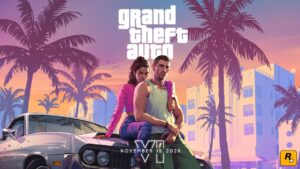
Grand Theft Auto 6 (GTA 6)
Explore official trailers, technical specs and all latest coverage for Grand Theft Auto 6 (GTA 6).

SEO consultant for over 20 years and digital entrepreneur, Charles "Grimtag" is the founder of Pro-Gamer.gg, Retrocharting.com, and Gamescharting.com. A competitive gamer, streamer, and retro game collector, he has worked in the video game industry for over 15 years, notably as a consultant for leading game price comparison platforms. Passionate about real-time performance data and gaming technology, he analyzes competitive esports, gaming hardware benchmarks, and creator workflows on Pro-Gamer.gg with an authentic player perspective.