Nintendo Switch Online 2.2.0 Finally Lets You Turn Off Retro Borders After 8 Years: How to Enable It on Switch 2
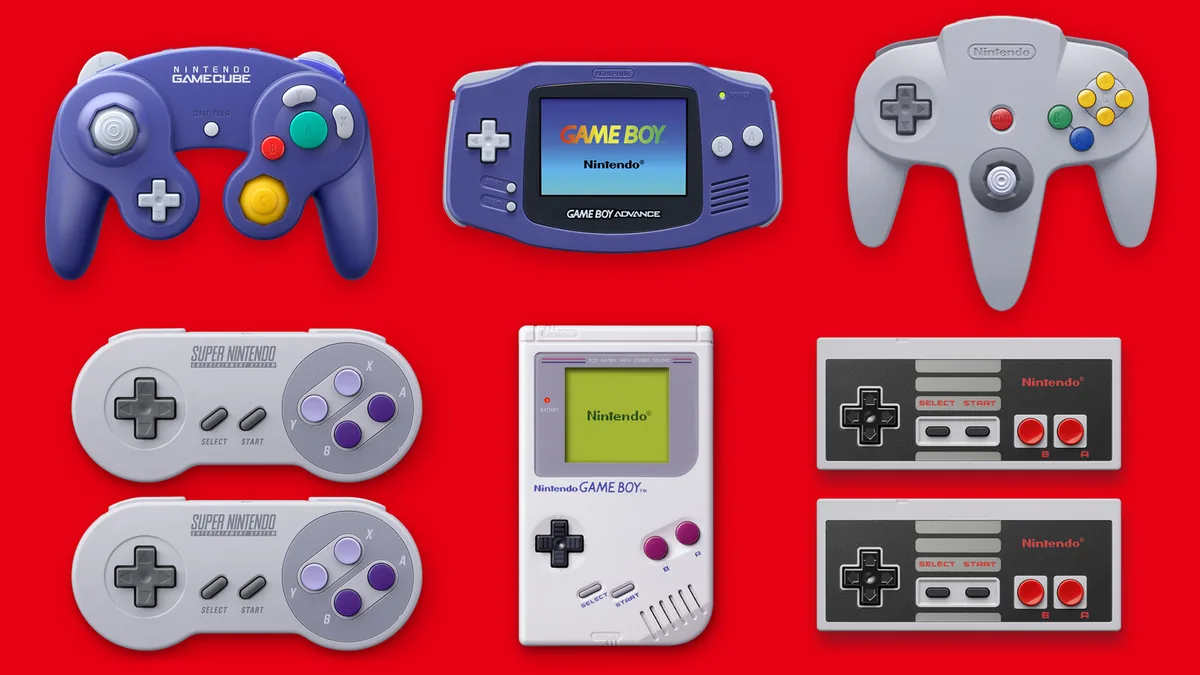
After more than eight years of player requests dating all the way back to September 18, 2018, Nintendo has finally added one of the most heavily requested display options to its retro subscription service. Rolled out quietly on November 24, 2026 alongside the release of Wave Race: Blue Storm on Nintendo Switch 2, update 2.2.0 for the Nintendo GameCube - Nintendo Classics app introduces a toggle to disable the patterned side borders flanking 4:3 games.
Plain black bars finally replace the patterned gray borders
Ever since the Nintendo Switch Online classic games catalog launched in 2018, playing 4:3 retro titles meant staring at mandatory gray sidebars filled with tiny repeating dots and checkered patterns. Over the years, subscribers repeatedly pointed out that those side graphics clashed with darker games, caused visual fatigue during late-night play sessions, and raised screen burn-in concerns on OLED displays and older television sets.
Version 2.2.0 finally addresses that complaint on the Switch 2 GameCube app. Flipping a single setting swaps the busy decorative borders for clean, plain black bars on both sides of the frame. On OLED TVs and monitors, that immediately translates into deeper contrast and a far less distracting viewing area around classic GameCube visuals.
How to turn off border graphics in version 2.2.0
Nintendo did not highlight the setting with a dedicated prompt when launching the app, so it is easy to miss if you jump straight into a game. Follow these steps to switch to plain black bars:
- Update the Nintendo GameCube - Nintendo Classics application to version 2.2.0 from your Nintendo Switch 2 HOME Menu.
- Open the app and stay on the main game library selection screen.
- Navigate to the application's Settings menu.
- Open the "Extra Elements Display" tab.
- Find the new "Border graphics" option and toggle it Off.
The change takes effect immediately across every title in the GameCube library, from Wave Race: Blue Storm to F-Zero GX and The Legend of Zelda: The Wind Waker. If you are thinking about extending your subscription to access the Expansion Pack lineup, Nintendo is also running a 3-month bonus deal on 12-month plans through December 6.
Two big caveats still dividing the community
Unsurprisingly, the discovery sparked an immediate wave of celebration across Reddit's r/NintendoSwitch community and social media. Still, plenty of players quickly noted two glaring limitations that keep this update from feeling like a complete fix.
First, the border toggle is currently exclusive to the Nintendo GameCube app on Nintendo Switch 2. The NES, Super Nintendo, Nintendo 64, Game Boy, Game Boy Advance, and SEGA Genesis apps across both the original Switch and Switch 2 still force their patterned sidebars. Nintendo has not yet confirmed when, or even whether, version 2.2.0's toggle will roll out to the rest of the Nintendo Classics lineup.
Second, even with border graphics turned off, your Nintendo Switch Online user profile icon remains permanently visible on screen. Several players praised the change as a welcome step in the right direction, while others questioned why a paid deluxe subscription tier took eight years to deliver what they see as a half-measure. A handful of fans also suggested adding optional background styles, such as blurred color extensions or classic CRT television frames like the ones bundled with the NES and SNES Classic Editions.
My Perspective
Honestly, this toggle is long overdue. I have spent countless hours playing through the Nintendo Classics library since 2018, and those dotted gray sidebars have always pulled my eyes away from the actual game, especially in a dark room. Switching to clean black bars makes playing GameCube titles on Switch 2 feel noticeably sharper and far easier on the eyes.
At the same time, it is hard not to share some of the community's frustration. Locking such a basic quality-of-life option to one Switch 2 app while leaving the user profile icon stuck in the corner feels strangely cautious. Now that Nintendo has finally cracked the door open with update 2.2.0, the next logical move should be bringing this toggle to every other Nintendo Classics app and letting players hide that corner icon for good.

Based on the outskirts of New York City, Chaya 'Chayane' spent five years studying software engineering in Montreal before returning to her home state. A Full-Stack developer and Deep Learning AI architecture researcher, she explores neural networks and algorithmic optimization while engineering data pipelines for Retrocharting and Gamescharting alongside Grimtag. A gamer for over 20 years and an avid collector of Nintendo history and The Legend of Zelda, she explored World of Warcraft's Azeroth before bringing her deep technical background to video game analysis.