PS5 and PS5 Pro Capture Card for GTA 6: How to Broadcast 4K HDR Gameplay on OBS Studio, YouTube, and TikTok
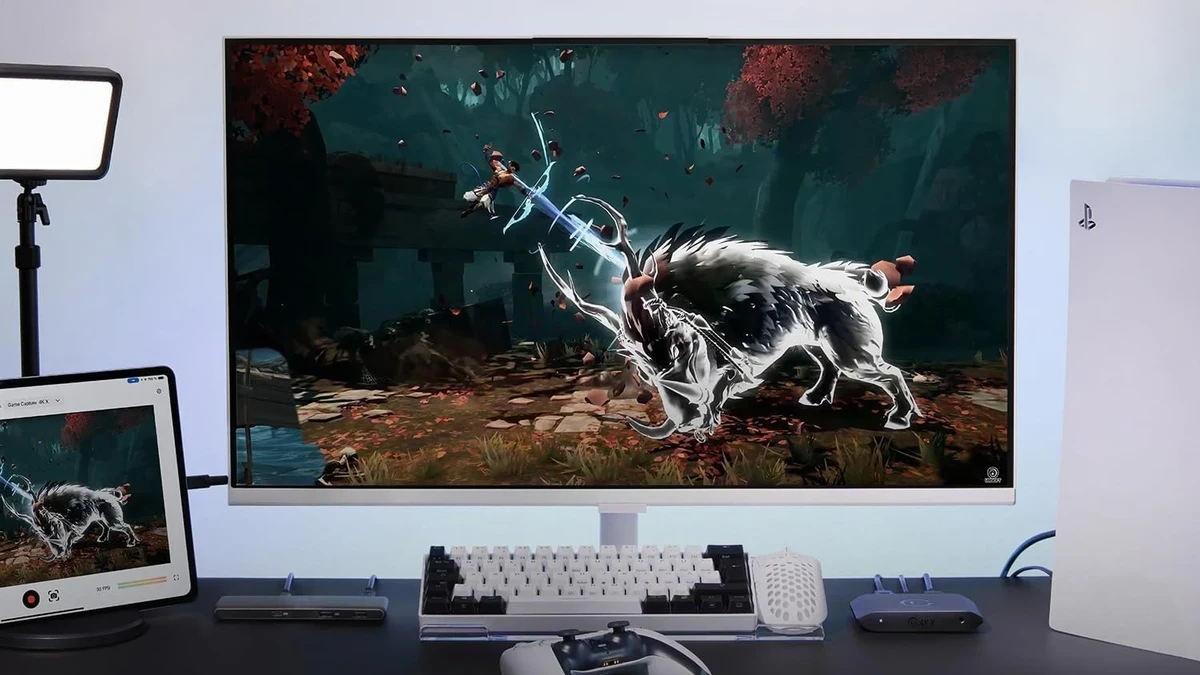
While both the PS5 and PS5 Pro include a built-in broadcast menu for Twitch and YouTube via the DualSense Create button, Sony’s internal streaming software hits major limitations when preparing for GTA 6. You cannot add custom overlays in OBS Studio, you cannot multistream in vertical 9:16 to TikTok Live, and you cannot split audio tracks to mute copyrighted Vice City radio stations on your VODs to avoid DMCA strikes. Adding an external HDMI video capture card unlocks full control over your broadcast.
Capturing a PlayStation 5 HDMI feed involves two console-specific hardware traps: Sony’s default HDCP copy protection that causes a black screen in OBS, and the automatic HDMI audio cutoff whenever a headset is plugged into the DualSense controller. Following the PlayStation France leak confirming PSSR upscaling and advanced ray tracing for GTA 6 on PS5 Pro, here is our complete wiring guide, OBS/TikTok setup tutorial, and the three best capture cards for every budget.
PS5 & PS5 Pro Video Capture Cards Compared for GTA 6
To solve the DualSense HDMI audio cutoff on PlayStation 5, all three capture boxes we selected combine a zero-latency 4K TV passthrough port with a dedicated 3.5mm audio interface:
| Model | Budget Tier | TV Passthrough (PS5 / PS5 Pro) | Max OBS / TikTok Capture | DualSense Audio Solution | Price & Amazon Link |
|---|---|---|---|---|---|
| NearStream CCD10 | Budget Pick | 4K60 zero-lag | 1080p at 60fps | Front 3.5mm headset + mic jacks | $62.99 Check on Amazon → |
| Elgato HD60 X | Best Mid-Range Value | 4K60 HDR10 + PS5 VRR | 1080p60 HDR10 / 1440p60 | Front 3.5mm Chat Link analog port | $169.99 Check on Amazon → |
| AVerMedia ULTRA 2.1 GC553G2 | Premium HDMI 2.1 | 4K144 / 4K120 HDR10 + VRR | 4K60 HDR / 1440p120 / 1080p240 | Built-in dual 3.5mm Party Chat mixer | $229.99 Check on Amazon → |
2 Mandatory PS5 Settings Before Plugging In Your Capture Card (HDCP Black Screen & DualSense Audio)
Before unplugging your PS5 HDMI cable from your television to connect your capture box, boot up your PS5 or PS5 Pro and configure these two settings:
- Turn Off HDCP Encryption (Fixes the OBS Black Screen): by default, the PlayStation 5 encrypts its HDMI output using High-Bandwidth Digital Content Protection (required only for apps like Netflix or Blu-ray discs). Open Settings > System > HDMI and toggle Enable HDCP to Off. Your capture card status LED will turn blue or white, and GTA 6 will appear inside OBS Studio immediately.
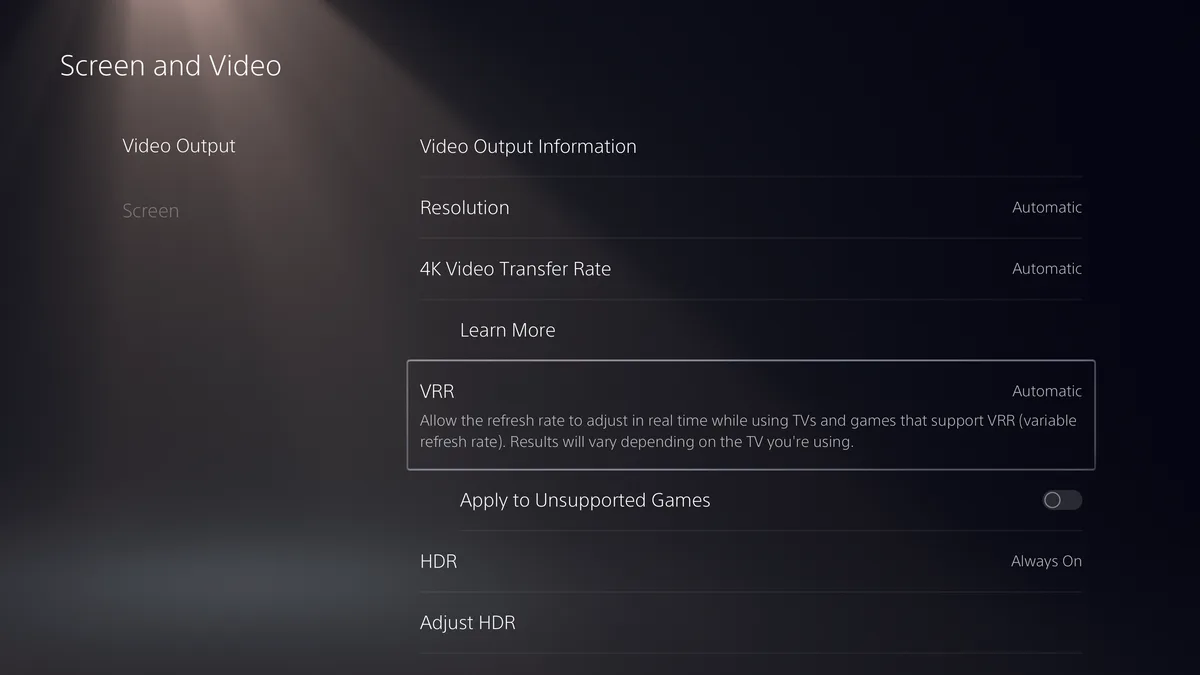
- Keep VRR and HDR Automatic in Screen and Video: navigate to Settings > Screen and Video > Video Output, leave VRR on Automatic, and set HDR to On When Supported. When paired with the Elgato HD60 X or AVerMedia Live Gamer ULTRA 2.1, the capture box passes the VRR signal straight to your television for tear-free high-speed chases across Leonida.
The second major PS5 hurdle is audio routing: the moment you plug a wired headset into the DualSense 3.5mm jack (or connect a USB wireless headset), the PS5 mutes all audio over the HDMI cable-leaving your Twitch or TikTok Live stream completely silent. Furthermore, with Rockstar Games’ strict post-launch spoiler guidelines and DMCA copyright rules on GTA 6 cutscenes and music, using a capture card with a 3.5mm analog input lets you capture game audio and Party Chat while configuring OBS’s Twitch VOD Track to protect your channel from copyright claims.
1. Best Budget Pick: NearStream CCD10 with 4K60 Passthrough & Headset/Mic Jacks ($62.99)
To stream GTA 6 from a PS5 to Twitch or TikTok Live on a budget, avoid $15 USB thumb sticks that lack TV loop-out and audio ports. At $62.99, the external NearStream CCD10 is the most affordable capture box built around the actual requirements of a PlayStation 5 setup.
Its aluminum housing brings together three critical features: dedicated HDMI In and 4K 60Hz HDMI Out (Passthrough) ports for zero-lag TV play, a USB-C 3.0 output delivering smooth 1080p at 60fps to OBS Studio, and dual 3.5mm headset and microphone ports on the front panel. Instead of plugging your headphones into the DualSense controller (which cuts HDMI audio), you plug them straight into the front of the NearStream box-giving you zero-delay game audio while keeping your stream audio intact.
- Zero-lag 4K60 TV loop-out: play on your 4K television at full resolution while OBS broadcasts at 1080p60 to Twitch and TikTok.
- Direct fix for the PS5 audio cutoff: front-facing 3.5mm headphone monitoring and mic input ports.
- Vented aluminum chassis: stays cool across six-hour Vice City launch marathons.
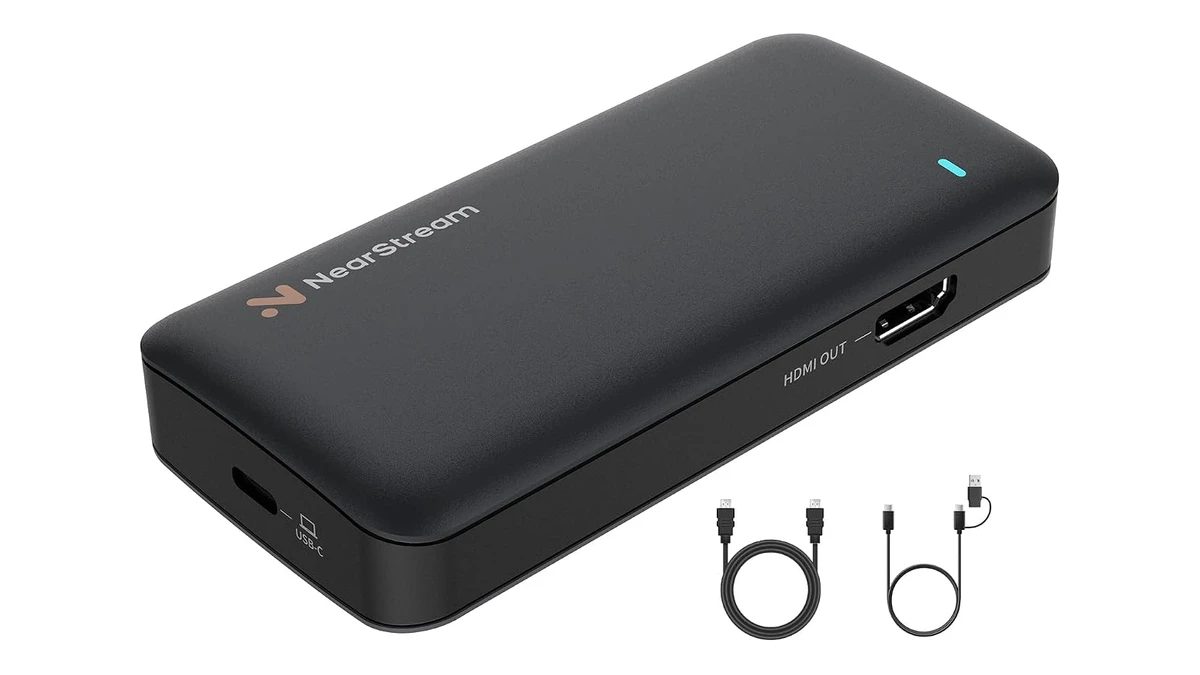
NearStream CCD10 - 1080p60 Video Capture Card with 4K60 Passthrough and 3.5mm Audio (PS5)
- Zero-lag 4K60 HDMI TV passthrough
- Smooth 1080p60 USB-C 3.0 capture in OBS
- Front 3.5mm headset and microphone audio jacks
2. Best Value Mid-Range Pick: Elgato HD60 X with PS5 VRR & Chat Link Input ($169.99)
Trusted by thousands of PlayStation 5 creators on Twitch and YouTube, the Elgato HD60 X earns its mid-range crown through two upgrades tailored for GTA 6: native support for PS5 Variable Refresh Rate (VRR) over 4K60 HDR10 passthrough, and a front 3.5mm analog audio port calibrated for Elgato’s Chat Link Pro cable.
In a dense open world like Leonida powered by the RAGE 9 engine, keeping VRR active between your PS5 and your television eliminates screen tearing during heavy traffic chases in Vice Beach. Meanwhile, the HD60 X’s internal chip performs hardware HDR10-to-SDR tone mapping into OBS Studio at 1080p60 or 1440p60, preserving vibrant Florida sunsets on your stream without blown-out highlights.
- Supports PS5 & PS5 Pro VRR + 4K60 HDR10 passthrough: zero compromise on your television’s refresh rate.
- Front 3.5mm Chat Link input: lets you keep your headset plugged into your DualSense controller while sending both game audio and PlayStation Party Chat into OBS.
- Driverless UVC plug-and-play: works out of the box in OBS Studio, Streamlabs, and TikTok Live Studio on Windows and Mac.
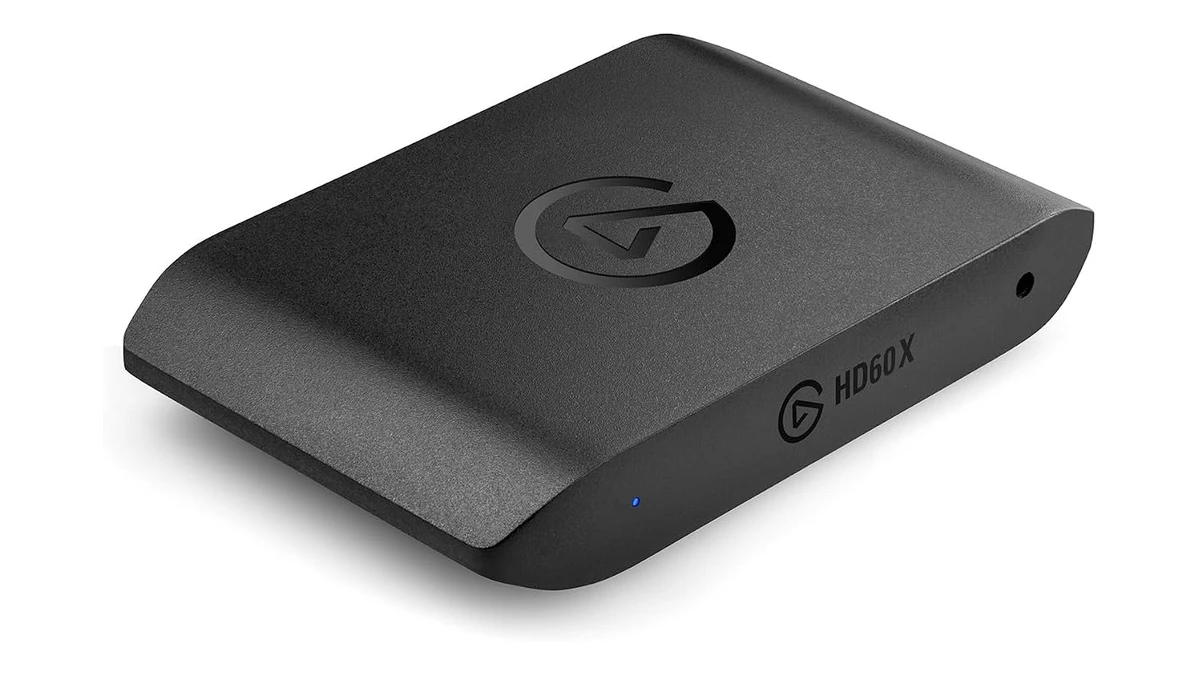
Elgato HD60 X - External 4K60 HDR10 VRR Capture Card for PS5 and PS5 Pro
- 4K60 HDR10 passthrough with PlayStation VRR support
- 1080p60 HDR10 and 1440p60 recording on PC and Mac
- Front 3.5mm analog audio port for Chat Link Pro
3. Best Premium HDMI 2.1 Pick: AVerMedia Live Gamer ULTRA 2.1 GC553G2 ($229.99)
If you own a PS5 Pro connected to a 120Hz HDMI 2.1 OLED TV and want the most capable external capture box for GTA 6, the AVerMedia Live Gamer ULTRA 2.1 (GC553G2) stands ahead of the pack for two reasons. First, its full-bandwidth HDMI 2.1 ports pass through 4K at 120Hz and 144Hz with HDR and VRR while capturing up to 4K60 HDR over USB-C 3.2 Gen 2.
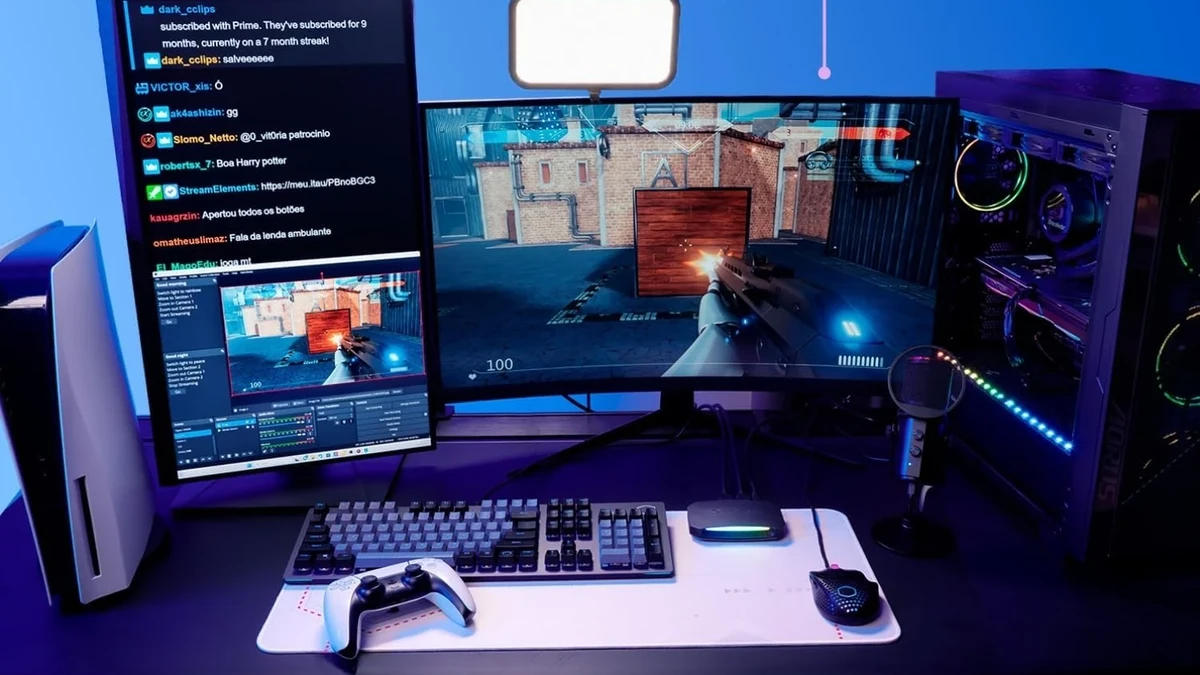
Second, AVerMedia built a dual 3.5mm audio mixer (one controller jack + one 4-pole headset jack) directly into the front panel and includes the required 4-pole audio cable in the box. You connect your DualSense controller and your headset to the capture box to mix your voice, PS5 Party Chat, and GTA 6 audio natively without buying third-party splitter cables-all accented by a customizable RGB light bar that can be set to Vice City neon pink and cyan.
- Full HDMI 2.1 for PS5 Pro: 4K120/4K144 HDR VRR passthrough to your OLED TV and up to 4K60 recording on PC.
- Built-in PS5 Party Chat mixer (audio cable included): the most complete DualSense + headset audio routing solution available.
- Customizable RGB light bar: matches a Vice City neon aesthetic right on your desk.
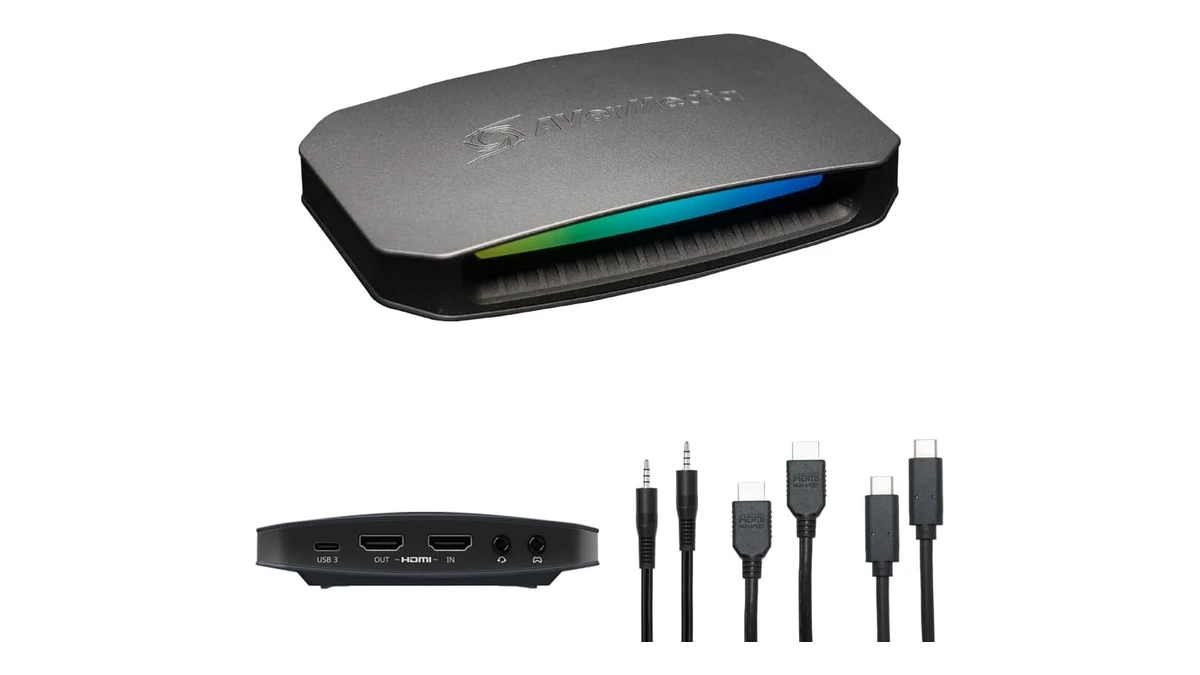
AVerMedia Live Gamer ULTRA 2.1 (GC553G2) - HDMI 2.1 PS5 Pro Capture Card
- Full HDMI 2.1 4K144 and 4K120 HDR VRR passthrough
- Built-in dual 3.5mm PS5 Party Chat audio mixer
- True 4K60 capture with Vice City RGB lighting bar
How to Multistream GTA 6 on Twitch (16:9), TikTok Live (9:16), and YouTube Without DMCA Strikes
Once your PS5 or PS5 Pro is wired into OBS Studio through your capture card, configure these three settings before launch night:
- Switch Audio Input to Analog When Using a DualSense Headset: inside Elgato 4K Capture Utility (Device tab > Audio Input > Analog Audio) or AVerMedia Gaming Utility, switch the card from HDMI Audio to Analog Audio whenever using a Chat Link or 3.5mm controller cable.
- Enable the OBS Twitch VOD Track for Vice City Radio Safety: under Settings > Output > Streaming in OBS Studio, check Twitch VOD Track (assigning Track 2). In Advanced Audio Properties, keep your microphone on Tracks 1 and 2, so you can easily mute Track 2 when copyrighted Vice City radio tracks play during driving segments.
- Simultaneous Twitch (16:9) + TikTok Live (9:16) Setup: using the free Aitum Vertical plugin inside OBS Studio, add your PS5 capture card source to a secondary `1080x1920` vertical canvas. Center the crop around Lucia and Jason with the Vice City minimap visible underneath to engage mobile viewers on TikTok Live while streaming widescreen 1080p60 to Twitch.
My Perspective
To stream GTA 6 from a PS5 or PS5 Pro without launch-night surprises, I always tell streamers to verify two essentials first: turning off HDCP inside the PS5 System menu, and choosing a capture box with a 3.5mm audio port for DualSense headset routing. At $62.99, the NearStream CCD10 is a terrific entry-level box with 4K60 passthrough and front headset/mic jacks. If your TV supports VRR, the Elgato HD60 X at $169.99 is a rock-solid workhorse, and if you play on a PS5 Pro with a 120Hz OLED TV, the AVerMedia Live Gamer ULTRA 2.1 wins out with its built-in dual-jack Party Chat mixer.
Based on the outskirts of New York City, Chaya 'Chayane' spent five years studying software engineering in Montreal before returning to her home state. A Full-Stack developer and Deep Learning AI architecture researcher, she explores neural networks and algorithmic optimization while engineering data pipelines for Retrocharting and Gamescharting alongside Grimtag. A gamer for over 20 years and an avid collector of Nintendo history and The Legend of Zelda, she explored World of Warcraft's Azeroth before bringing her deep technical background to video game analysis.