Without Cloud Streaming or Windows Dual-Boot: How Xodus Nexus Runs PC Game Pass Games Locally on Steam Deck
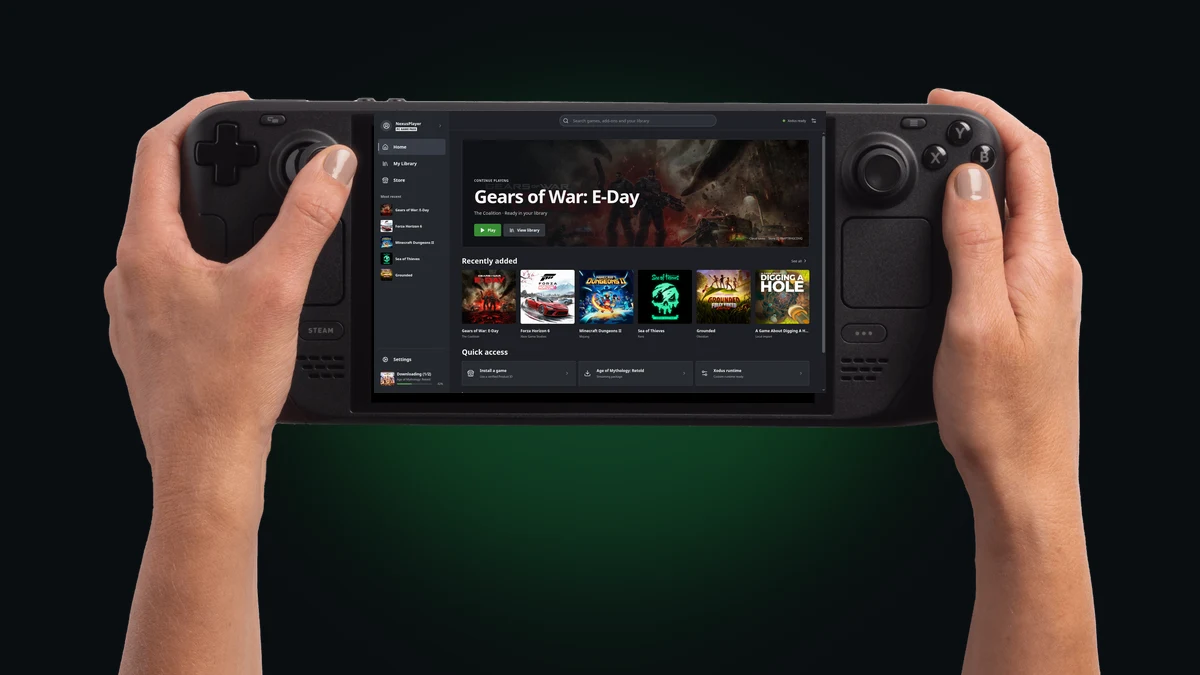
Until now, getting the most out of a PC Game Pass subscription on a Steam Deck meant picking between two frustrating compromises. You either had to settle for browser-based Xbox Cloud Gaming streaming with video compression artifacts and a mandatory Wi-Fi connection, or carve up your internal NVMe SSD for a Windows 11 dual-boot setup that sacrificed the responsiveness and instant suspend-resume of SteamOS. With the release of version 0.3.8 on October 19, 2026, the open-source launcher Xodus Nexus changes that equation by letting players download and run Microsoft Store and PC Game Pass titles locally on Linux.
MSIXVC Decryption and Patched Wine/Proton Runtime: How Xodus Works Under the Hood
The reason PC Game Pass titles have historically been locked out of SteamOS comes down to Microsoft’s packaging architecture. Unlike standard Win32 binaries distributed through Steam or GOG that Proton translates effortlessly, Microsoft Store PC releases rely on the Microsoft Game Development Kit (GDK), encrypted MSIXVC containers (alongside XSP files), and proprietary Windows background services built around xgameruntime.dll.
Developed as an independent MIT-licensed open-source desktop client by GitHub developer domsvoboda, Xodus Nexus builds on top of the community reverse-engineering project Xodus (written in Rust under the GPLv3 license). Under the hood, the ecosystem bridges the gap through three core components:
- The Xodus core and Nexus backend (v0.2.8): handles Microsoft account and device authentication, digital license verification (for both purchased Microsoft Store games and active PC Game Pass subscriptions), MSIXVC package downloading, and on-demand
.exedecryption. - The xodus-service daemon: communicating over a local IPC socket (
xodus.sock), this background service manages a custom open-source implementation of xgameruntime.dll so GDK games can authenticate Xbox profiles, unlock achievements, and sync cloud saves without Windows. - The shared Nexus runtime: a patched Wine and Proton compatibility layer (bundled with LGPL FFmpeg shared libraries) engineered to execute decrypted GDK binaries natively on the Steam Deck’s custom AMD APU.
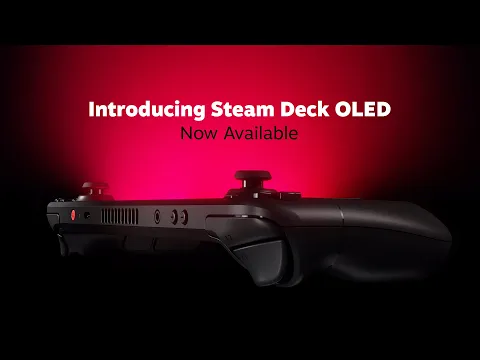
Check Availability for Valve Steam Deck OLED on Amazon→
Read-Only SteamOS AppImage, Gaming Mode Shortcuts, and What Is New in Version 0.3.8
One of the biggest practical advantages of Xodus Nexus on Steam Deck is that it requires zero tampering with the operating system. While Microsoft is still busy refining Windows 11 handheld controls with Project Odeon and Xbox Mode, Xodus Nexus ships as a self-contained x86-64 Linux AppImage that runs cleanly without touching the read-only SteamOS system partition. Getting started in Desktop Mode takes only a few steps:
- Download the latest AppImage from the official Xodus Nexus GitHub Releases page, mark it as executable, and launch it.
- Open the Settings tab and install both the Nexus backend (0.2.8) and the Nexus runtime directly from the interface.
- Sign in with your Microsoft account (the launcher automatically activates the installed KDE keyring on SteamOS). If a passkey prompt hangs, selecting Continue in browser completes sign-in through Google Chrome installed via Discover.
- Select Add to Steam from any installed game’s menu (or Add Nexus to Steam in Settings) to generate a Non-Steam shortcut complete with cover artwork, even while Steam is running in Gaming Mode.
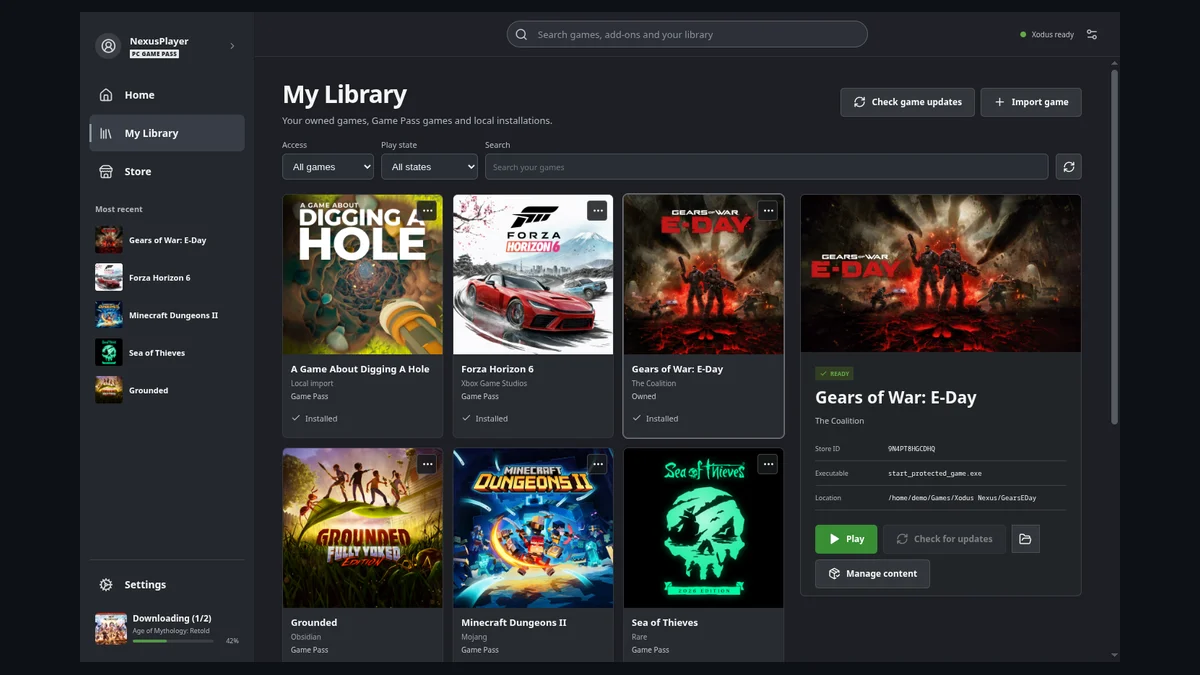
Released on October 19, 2026 alongside backend 0.2.8, Xodus Nexus 0.3.8 brings targeted handheld upgrades. Controller navigation now flows smoothly across the sidebar, search filters, and full game pages, letting players press A to start installations directly from Store cards and B to back out of screenshot galleries and menus. Individual game pages also display Xbox achievements, total time played, and last activity whenever supported by the title.
Which PC Game Pass Titles Already Run Locally on Steam Deck (and Current Limitations)
Beyond basic game execution, Xodus Nexus supports Xbox cloud saves, an install queue with pause and manual resume across launcher restarts, DLC and campaign package installation via Manage content, one-click Visual C++ (VC++) prerequisite installers, and an optional per-game DualSense compatibility mode. Just as eight games prepare to leave Xbox Game Pass on October 31, community testing confirms a strong lineup of titles already running locally on Linux:
- Confirmed playable titles (solo and online): Avowed, The Outer Worlds 2, DOOM Eternal, Forza Horizon 6 (playable online once VC++ prerequisites are installed), Deep Rock Galactic, Sea of Thieves, No Man’s Sky, Hogwarts Legacy, Hollow Knight: Silksong, Indiana Jones and the Great Circle, Resident Evil 2, Wolfenstein II: The New Colossus, Balatro, Hades, TUNIC, SIGNALIS, DREDGE, and Minecraft Dungeons.
- Experimental limitations to keep in mind: just like standard Proton on SteamOS, games relying on Windows kernel-level anti-cheat systems remain blocked. Hell Let Loose: Vietnam crashes after Easy Anti-Cheat initialization, PunkBuster servers reject connections in Wolfenstein: Enemy Territory, ARC Raiders currently fails to reach its online services, and a few titles such as Soul Hackers 2 and Dragon Quest XI S still crash after their initial loading screens.
Check Availability for Xbox Game Pass Ultimate on Amazon→
My Take: The Missing Software Bridge Steam Deck Owners Have Wanted for Four Years
Anyone who has ever partitioned a Steam Deck SSD to dual-boot Windows 11 just to play PC Game Pass releases knows how painful it is to give up SteamOS’s clean interface, granular TDP controls, and instant sleep-resume mid-session. By tackling MSIXVC package decryption and xgameruntime.dll translation head-on, the developers behind Xodus and Xodus Nexus have solved the hardest technical barrier standing between Microsoft’s PC ecosystem and Linux handhelds. Even in its experimental stage and with kernel anti-cheat multiplayer titles still off-limits, being able to download massive single-player Game Pass RPGs locally and boot them straight from Gaming Mode with Xbox cloud saves intact is a massive win for every Steam Deck owner.

SEO consultant for over 20 years and digital entrepreneur, Charles 'Grimtag' Ronchain is the founder of Pro-Gamer.gg, Retrocharting.com, and Gamescharting.com. A competitive gamer, streamer, and retro game collector, he has worked in the video game industry for over 15 years, notably as a consultant for leading game price comparison platforms. Passionate about real-time performance data and gaming technology, he analyzes competitive esports, gaming hardware benchmarks, and creator workflows on Pro-Gamer.gg with an authentic player perspective.