Project Odeon and Updated Xbox Mode: How Microsoft Is Overhauling Windows 11 Settings and Handheld Controls
Ever since Windows 8 debuted in 2012, PC gamers have been stuck navigating two conflicting configuration worlds: the modern Settings app on one side, and the legacy Control Panel inherited from the 1990s on the other. This October 2026, Microsoft is pushing forward on two complementary fronts in Windows 11 to modernize its system menus and streamline controller navigation inside its full-screen Xbox mode.
Project Odeon: A Standalone Settings App Quietly Tested on the Microsoft Store
The first piece of this overhaul carries the internal codename Project Odeon. Independent Windows Insider testers recently uncovered an unannounced preview package listed under the Productivity category of the Microsoft Store named Microsoft.ProjectOdeon (version 1.0.9.0), officially published by Microsoft Corporation using the exact same publisher ID as Notepad and Paint.
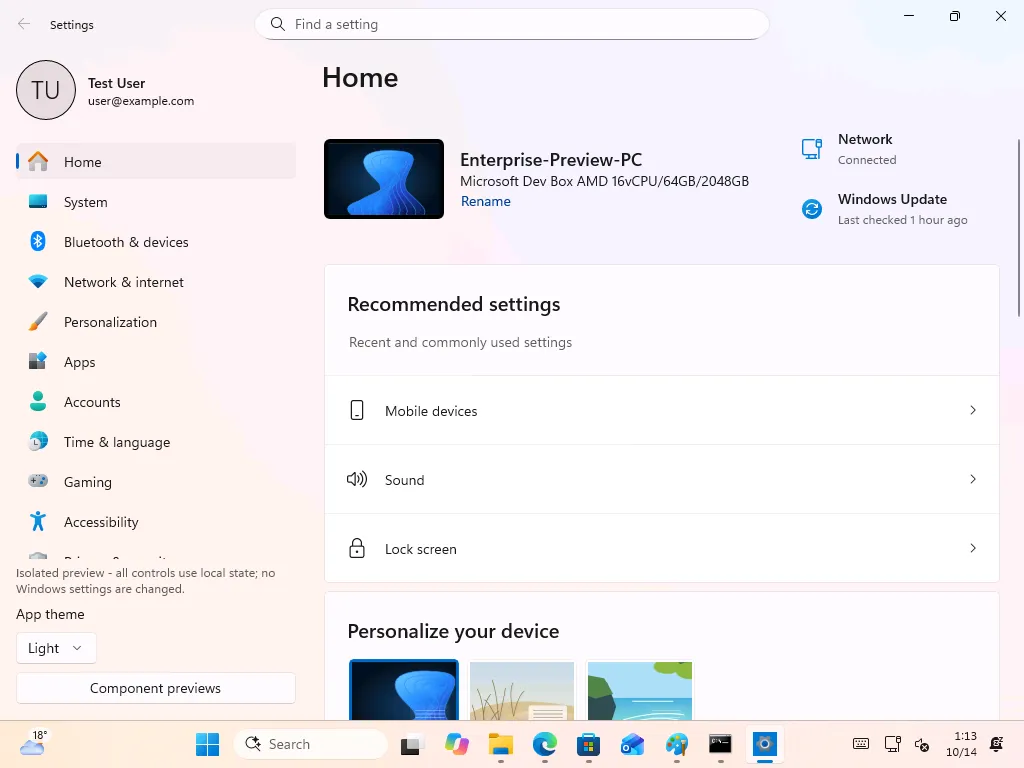
Requiring Windows 11 Build 26100 or newer with Developer Mode enabled, the application shares the official Windows Settings gear icon and mirrors the modern Settings interface. When installed, it does not overwrite the native SystemSettings.exe binary; instead, both applications sit side by side in the Start menu.
Why package the Settings menu as a standalone Microsoft Store app? Historically, adding deeper hardware toggles or migrating legacy Control Panel applets required waiting for monthly cumulative patches or major annual Windows Update feature drops. By decoupling the Settings interface from core OS updates, Microsoft can ship UI fixes and migrated configuration pages directly through the Store at a much faster pace.
Deeper HDR Display Readings, Modular Helpers, and the Control Panel Endgame
Inspecting the package files inside Project Odeon reveals a modular .NET architecture built around AccountExperiences.Settings.TestApp.exe and an 8 MB SettingsPlatform library. Because standard Microsoft Store apps run in a restricted sandbox, Odeon delegates privileged system changes to nine dedicated helper executables (including RenamePcHelper, TimeZoneHelper, StartupHelper, and UpdateRemovalHelper) that trigger administrator approval only when invoked.
For PC gamers, several sections already expose deeper technical telemetry than the current built-in menu. Scrolling down the Display settings page reveals a new "Windows observations and controls" panel detailing the active monitor display path, full HDR capabilities, color encoding, and exact SDR white level readings (measured at 80 nits on the test virtual machine).
The app even supports a hidden --preview command-line switch that launches an isolated test harness populated with dummy hardware data, including a simulated 64-core AMD EPYC 7763 processor with 64 GB of RAM. This modular approach aligns directly with statements from March Rogers, Partner Director of Design at Microsoft, who confirmed the team is actively migrating all remaining Control Panel controls into the modern WinUI 3 Settings framework.
Windows 11 Xbox Mode: Direct Exit to Desktop and Power Controls via Gamepad
Alongside its under-the-hood Settings experiments, Redmond is addressing immediate usability friction for handheld PC gamers, building on the broader Project Garrison overhaul of the Xbox on PC ecosystem. In its official Windows Insider blog announcement on October 16, 2026, Microsoft rolled out Beta Build 26220.9739 and Experimental Build 26340.9750.
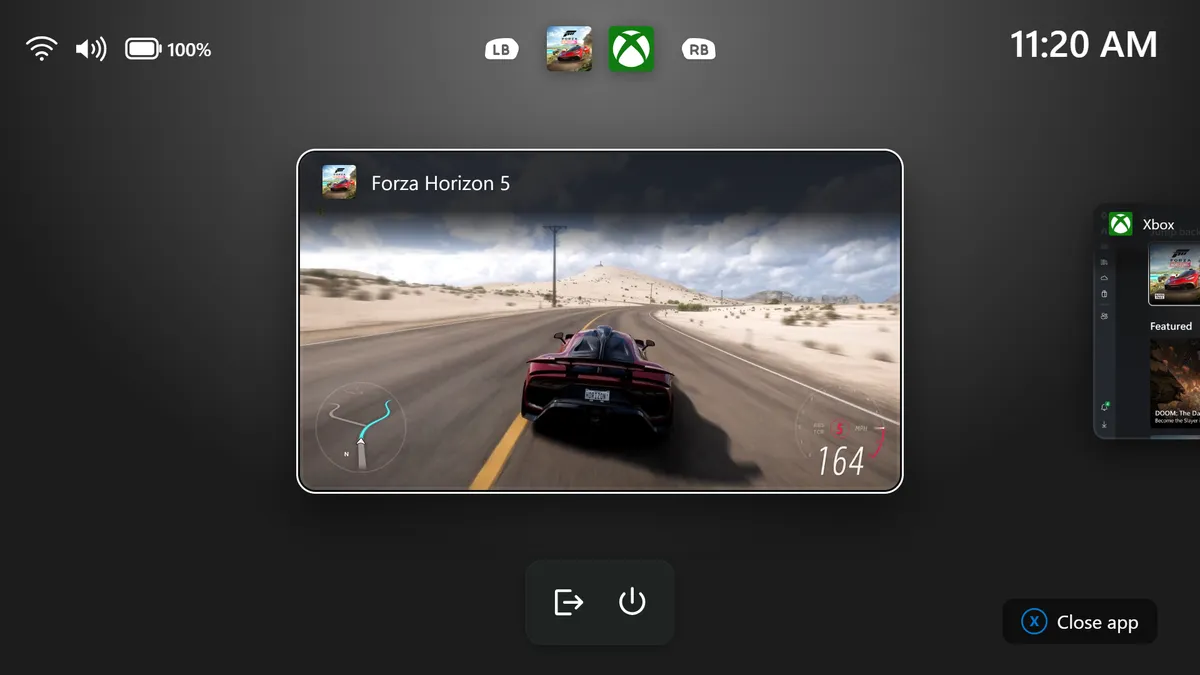
The update refreshes the Gaming Task View interface inside Windows 11's full-screen Xbox mode. Until now, players navigating handheld gaming PCs or living-room setups exclusively with a controller often felt trapped inside the console-style overlay when trying to jump back to standard desktop apps or shut down their device.
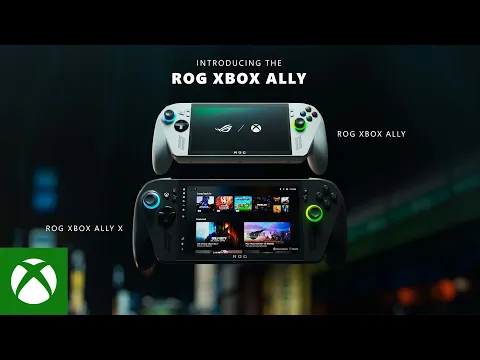
Check Asus ROG Ally X Availability on Amazon→
As detailed in the official Build 26220.9739 release notes, a persistent navigation bar now sits at the bottom of the Gaming Task View switcher:
- Exit to Desktop Shortcut: A dedicated controller-friendly button lets players drop out of full-screen Xbox mode back to the standard Windows 11 desktop in a single click without touching the screen or connecting a mouse.
- Direct Power Options: A built-in power icon groups sleep, restart, and full system shutdown controls right inside the task switcher.
- Next-Gen Silicon Support: The October 16 Insider wave also introduces Build 28120.3272 for the first wave of Windows 11 machines powered by NVIDIA's new RTX Spark chip with DLSS 5 support.
My Hardware Take: Microsoft Is Finally Fixing Two of Windows 11's Biggest Annoyances
Anyone who has ever had to dig through four layers of Windows 95-style dialog boxes just to tweak an audio sample rate or disable mouse acceleration knows how frustrating Windows 11's split personality can be. Turning Settings into a modular Microsoft Store app is a smart architectural move, provided Microsoft builds a rock-solid offline fallback.
Back in January, a server-side Store license glitch briefly prevented Notepad, Paint, and Snipping Tool from launching across thousands of PCs. Losing Notepad for an afternoon is a minor nuisance, but getting locked out of your display and system settings before a match would be a disaster, even if the new Xbox mode navigation bar proves that Redmond is finally listening to handheld PC players.

PC hardware enthusiast and competitive gamer, Arthur 'Heimdall' splits his time between France and the UK working in enterprise B2B software solutions. A business school graduate passionate about component benchmarking, he has been building, modding, and tuning PCs since childhood, optimizing every thermal degree and millisecond of display latency. An avid gamer across Assassin's Creed and sandbox titles, he forged his alliance with Grimtag and Chaya during late-night World of Warcraft raids before joining Pro-Gamer.