Zelda: Ocarina of Time (Switch 2) Hits 60 FPS on a MacBook Air M5 as MetalFX and kid-with-sword-remake Bring Hyrule to macOS and iPhone
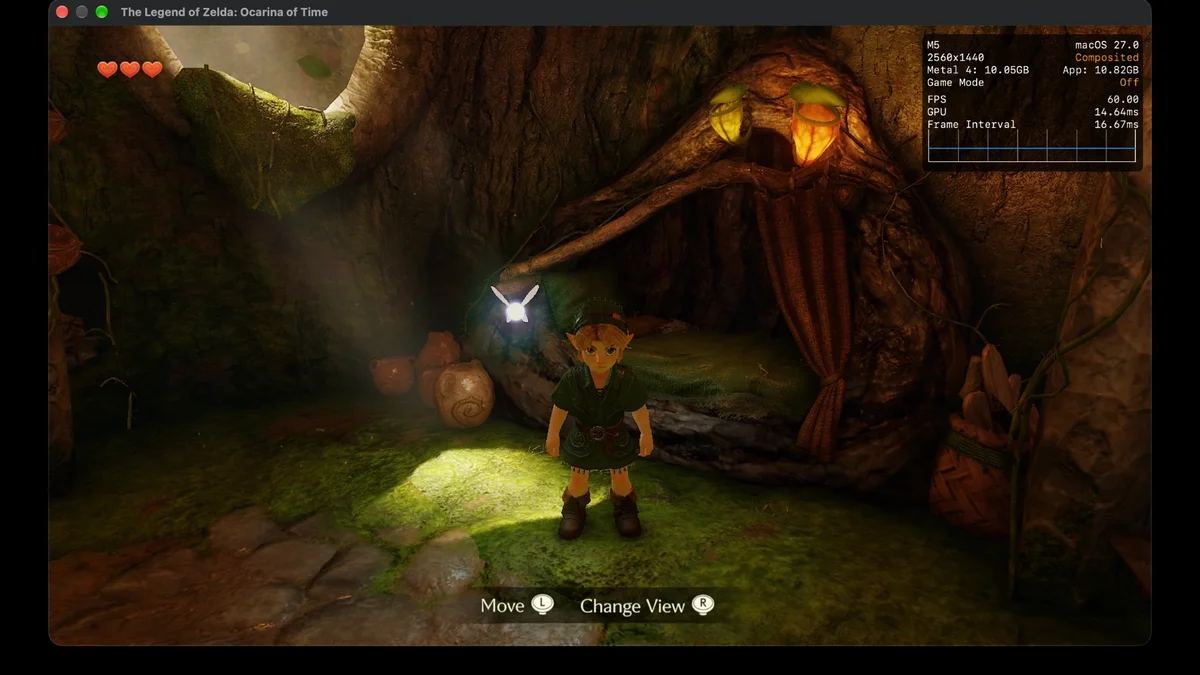
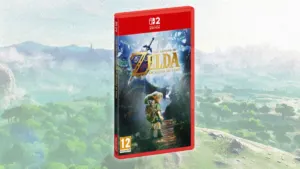
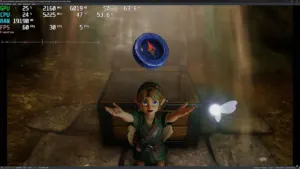
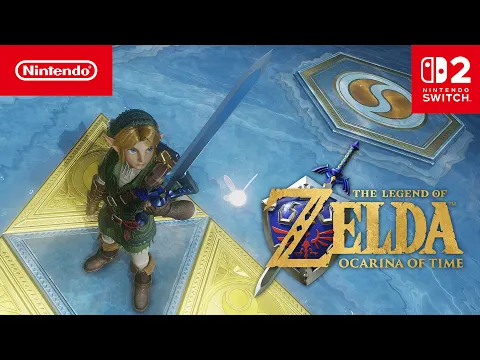
Barely forty-eight hours after its official November 5, 2026 launch on the Nintendo Switch 2, the ground-up remake of The Legend of Zelda: Ocarina of Time (Title ID 0400486024DEC000, update v131072) has already broken free from its original hardware. While early PC emulation tests on Lichii required a flagship GeForce RTX 5080 to brute-force CPU translation overhead, Apple Silicon developers took a fundamentally different route: running the game as a 100% native macOS and iOS application, achieving a locked 60 FPS even on a fanless M5 MacBook Air.
Zero CPU Emulation: How ARM64 Unites Nintendo Switch 2 and Apple Silicon
The breakthrough comes courtesy of the open-source nxnative project on GitHub and a dedicated community fork titled kid-with-sword-remake maintained by developer cheemu21 (building on rapid upstream contributions from ChiefSZ13, nanotchec, rastapasta, and Aznracer). Unlike traditional PC emulators that must dynamically translate guest processor instructions to x86 architectures in real time, both the Nintendo Switch 2 and Apple's M-series and A-series chips share the exact same ARM64 instruction set.
Instead of emulating the processor, the tool unpacks the game's executables (main, subsdk0, and sdk, built on Nintendo SDK 22.2.8 Ounce and compressed using Nintendo's new ZBIC format) and rewrites them once so they execute directly on Apple's native CPU cores. A lightweight high-level host layer handles Horizon OS system calls, while graphics commands from Nintendo's proprietary NVN2 API are translated directly into Metal 4, swapping the game's internal resolution scaler for Apple's hardware-accelerated MetalFX upscaler.
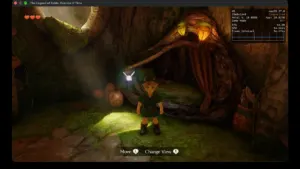
42,854 Shaders and Locked 60 FPS in Kokiri Forest on Mac
Getting Nintendo's flagship remake into a playable state in under two days required solving complex next-generation rendering hurdles. As uncovered in our deep dive into the remake's internal Owl codename and Tears of the Kingdom ModuleSystem engine, Nintendo EPD built the Switch 2 version around modern NVN2 graphics features. The game's shader map contains a massive 42,854 shaders (including 22,356 pixel shaders, 15,852 vertex shaders, 4,123 compute shaders, 500 mesh shaders, and 20 task shaders, alongside AV1 movie decoding kernels).
Across sixteen rapid-fire builds released between November 5 and November 7 (spanning V1 through V16), contributors systematically eliminated the main bottlenecks:
- Offline gRPC Wakeup Descriptors (EventFd): At boot, Nintendo's NPLN online library uses
gRPC, which immediately aborted when offline socket calls rejected local wakeup descriptors. Implementing offline BSD event counters (PR#1283) got the game past its initial boot wall. - NVN2 Task and Mesh Shader Translation: Early runs into Kokiri Forest suffered from missing doors and foliage because the shader splitter only read the six legacy NVN slots, ignoring slots 7 and 8 where Switch 2 task and mesh shaders reside (fixed in PRs
#1299and#1312). - Cutting Render Passes in Half: By preventing depth-writing pool draws from prematurely ending Metal render passes (PR
#1430), full load-and-store passes dropped from 132 down to 66 per frame, slashing median GPU frame times from19 msto13.6 ms. - Fixing the Runaway Streaming Thread and RAM Footprint: Expanding the virtual alias memory region from
2.38 GBto8 GB(within a17.6 GBreservation) allowed the game'sOptimizeChangeBancstreaming allocator thread to properly sleep instead of spinning a full core, dropping Mac CPU utilization from 308% down to 168%. Meanwhile, a level-2 texture release system freed CPU-side copies once uploaded to the GPU, cutting Kokiri Forest peak memory usage from9.45 GBto roughly 5.2 GB.
| Hardware & Preset | Internal Resolution / Upscaler | Median Frame Time (p50) | Measured Framerate |
|---|---|---|---|
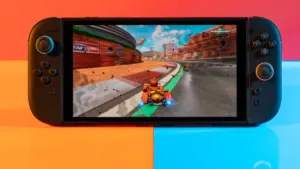
| MacBook Air M5 (16 GB, Fanless) | 1280 × 720 (Handheld) + MetalFX | 16.6 to 16.7 ms (GPU: 14.0 ms) | Stable 60 FPS |
| MacBook Air M5 (V16 Potato Preset) | 960 × 540 scaled to 1280 × 720 via MetalFX | 16.7 ms (p95: 17.4 ms) | Locked 60 FPS |
| Apple M5 / M6 Mac (Docked / High-Res Profile) | 1536 × 864 up to 1951 × 1098 | 16.67 ms (GPU: 15.8 ms) | 59 to 60 FPS |
| iPhone 18 Pro (iOS 26, LiveContainer) | 1280 × 720 + Metal 4 Hybrid Pipelines | 16.5 ms cold / 33.3 ms throttled | 60 FPS (then 30 FPS thermal cap) |
On macOS, the build script packages a self-contained, double-clickable application (Ocarina of Time.app) that uses APFS file cloning so the 26.2 GB RomFS image takes zero extra disk space on the same drive. A built-in launcher lets players toggle between Handheld (1280 × 720), Docked (1951 × 1098), and the lightweight Potato preset (960 × 540 upscaled to 720p via MetalFX), alongside a 30 or 60 FPS frame-step lock.
A Custom "Liquid Glass" Touch Interface Running on iPhone 18 Pro
Remarkably, cheemu21's fork also targets iOS 26. The repository builds a split 2.7 GB .ipa package (paired with the external RomFS image copied once to the app's Documents folder) tested directly on an iPhone 18 Pro. Utilizing Metal 4 hybrid pipeline prebuilding to compile roughly 30,500 pipeline bases on first boot, the phone hits a full 60 FPS for the first forty-five seconds of Kokiri Forest exploration before iOS thermal management downclocks the performance cores, at which point the launcher's 30 FPS mode (33.3 ms frame time) maintains rock-solid pacing.
To make mobile play feel like a native port rather than an emulator wrapper, build V12 introduced a custom "liquid glass" touch overlay drawn with zero GPU blur overhead. It features a floating left thumbstick, right-half touch camera dragging, distinct shape-coded chips (round badges for sword B, action A, and jump X; square badges for shield R and target ZL), and an optional Forest color theme modeled after the classic blue, green, and yellow buttons of the Nintendo 64 controller.
My Perspective
Watching a flagship Nintendo Switch 2 exclusive run at a locked 60 FPS on a fanless MacBook Air less than forty-eight hours after hitting retail shelves is nothing short of astonishing. Where traditional PC emulators have to throw massive GPU wattage at real-time processor translation, the shared ARM64 foundation between the Switch 2 and Apple Silicon turns macOS and iOS into natural execution hosts. While area transitions into Hyrule Field and the Great Deku Tree still require stability fixes and users must supply their own legally dumped game files to compile the app locally, the speed at which open-source contributors untangled 42,854 NVN2 shaders proves that native execution layers are changing console preservation forever.
Zelda Ocarina of Time
Explore official trailers, technical specs and all latest coverage for Zelda Ocarina of Time.
Based on the outskirts of New York City, Chaya 'Chayane' spent five years studying software engineering in Montreal before returning to her home state. A Full-Stack developer and Deep Learning AI architecture researcher, she explores neural networks and algorithmic optimization while engineering data pipelines for Retrocharting and Gamescharting alongside Grimtag. A gamer for over 20 years and an avid collector of Nintendo history and The Legend of Zelda, she explored World of Warcraft's Azeroth before bringing her deep technical background to video game analysis.