“A Parking Meter for Gaming”: Xbox Now Wants Players to Pay by the Hour to Play Their Own Games, Is Paying Just to Play Becoming a Reality?
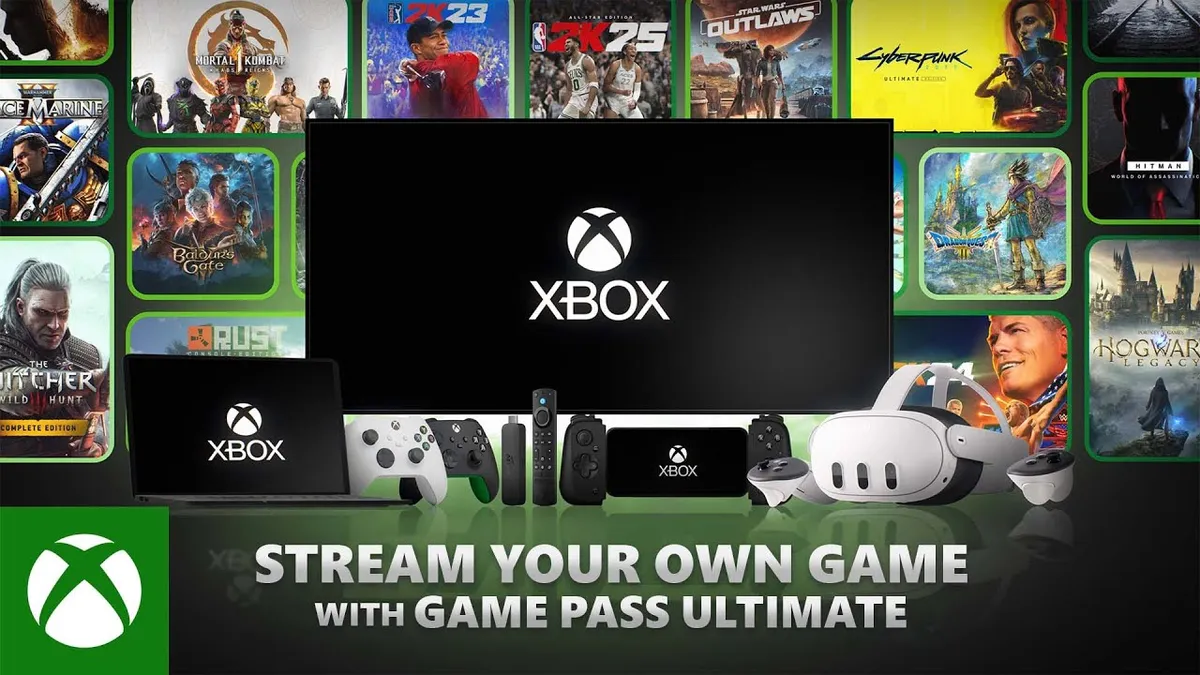
Paying by the hour to stream a digital video game you already bought at full retail price is the new economic reality of Microsoft's cloud ecosystem. Starting Wednesday, October 21, 2026, the Redmond company has begun testing prepaid Cloud Playtime packs with Xbox Insiders, charging between $0.24 and $0.40 per hour to stream owned titles without an active Game Pass membership.
Detailed in an official announcement on Xbox Wire, this pay-as-you-go preview lays the groundwork for a broader public rollout scheduled for November 2026. The system targets both standalone players who want to stream eligible games from their digital library without a recurring subscription, and existing subscribers looking to top up their monthly cloud allotment.
$3.99 for 10 Hours, $7.99 for 25 Hours, and $11.99 for 50 Hours: Full Pricing Breakdown
During the Xbox Insider preview, Microsoft is offering three prepaid bundles at what it describes as introductory launch pricing:
- 10-Hour Pack for $3.99: breaking down to roughly $0.40 per hour.
- 25-Hour Pack for $7.99: working out to approximately $0.32 per hour.
- 50-Hour Pack for $11.99: offering the lowest bulk rate at roughly $0.24 per hour.
One crucial technical detail highlighted by Team Xbox is that purchased hours do not expire at the end of the month. Unlike a conventional monthly pass where unused time vanishes every thirty days, Cloud Playtime hours remain banked on your Microsoft account until every minute is actually spent in a streaming session.
Purchasing any of these three packs unlocks high-quality video streaming, shorter server queue wait times, and a completely ad-free experience, setting it apart from the ad-supported free cloud gaming tier Microsoft began testing in July.
Streaming Games You Already Own vs. Topping Up November's Monthly Caps
Players should keep a critical distinction in mind before buying a pack: purchasing 10, 25, or 50 hours of Cloud Playtime does not grant access to the Xbox Game Pass catalog. Instead, you are strictly paying for remote server time to stream eligible titles from the Stream Your Own Game list that you already own digitally on the Xbox Store, alongside select free-to-play games.
This à la carte model plugs directly into the structural overhaul taking effect next month. As we covered when Microsoft announced the 15-hour monthly cap ending unlimited Xbox Cloud Gaming in November 2026, active subscribers will soon face strict monthly streaming limits: 5 hours per month on Game Pass Essential, 10 hours on Premium, and 15 hours on Ultimate.
Once subscribers burn through their monthly hours testing the latest Xbox Game Pass October 2026 Wave 2 additions in the cloud, these exact $3.99 to $11.99 packs will serve as paid top-up add-ons. Downloading and running games locally on an Xbox console or Windows PC (just like on Steam) remains completely unlimited.
Check Availability Xbox Game Pass Ultimate Availability on Amazon→
How Xbox Cloud Playtime Stacks Up Against GeForce NOW's 100-Hour Cap
Following the pricing reveal, pushback quickly mounted across the Xbox Insider community on Reddit and r/Games. Many players expressed frustration over being asked to pay up to 40 cents an hour just to stream digital games they already bought for $70.
The math looks even steeper when compared against Nvidia's competing Bring Your Own Games cloud platform, which streams titles you already own on Steam, Epic Games, and the Microsoft Store. Nvidia's GeForce NOW Performance ($9.99/month for 1440p) and Ultimate ($19.99/month for 4K at 120 FPS) memberships both include 100 hours of cloud streaming per month, working out to $0.10 to $0.20 per hour.
Matching 100 hours of streaming through Microsoft's prepaid packs requires buying two 50-hour bundles for $23.98, while still being limited to xCloud's 1080p 60 FPS video stream. The one genuine advantage in Microsoft's favor is the lack of a monthly expiration date: a casual traveler who buys a 50-hour pack for $11.99 can stretch those hours across an entire year without losing unused time at the end of each billing cycle.
My Take: The Cloud Gaming Parking Meter Shows Its True Price
For years, Microsoft's marketing pitched the idea that every screen you own is already an Xbox. Now that the customer-acquisition phase is winding down, we are seeing the actual price tag attached to that slogan: a digital parking meter charging 24 to 40 cents an hour to boot up games you already paid full price to own.
After full-price games and monthly subscriptions capped on cloud hours, Microsoft has officially invented the cloud streaming parking meter: just remember to feed another quarter into the meter before starting a remote boss fight, or the tow truck might cut your video stream right in the middle of the ending cutscene.

SEO consultant for over 20 years and digital entrepreneur, Charles 'Grimtag' Ronchain is the founder of Pro-Gamer.gg, Retrocharting.com, and Gamescharting.com. A competitive gamer, streamer, and retro game collector, he has worked in the video game industry for over 15 years, notably as a consultant for leading game price comparison platforms. Passionate about real-time performance data and gaming technology, he analyzes competitive esports, gaming hardware benchmarks, and creator workflows on Pro-Gamer.gg with an authentic player perspective.