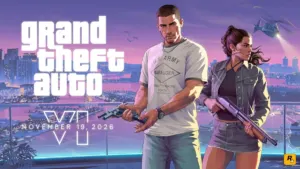
How to Get a Bank Account in GTA 6: Buck Me Mission, Fleeca Bank Location, and ATM Guide
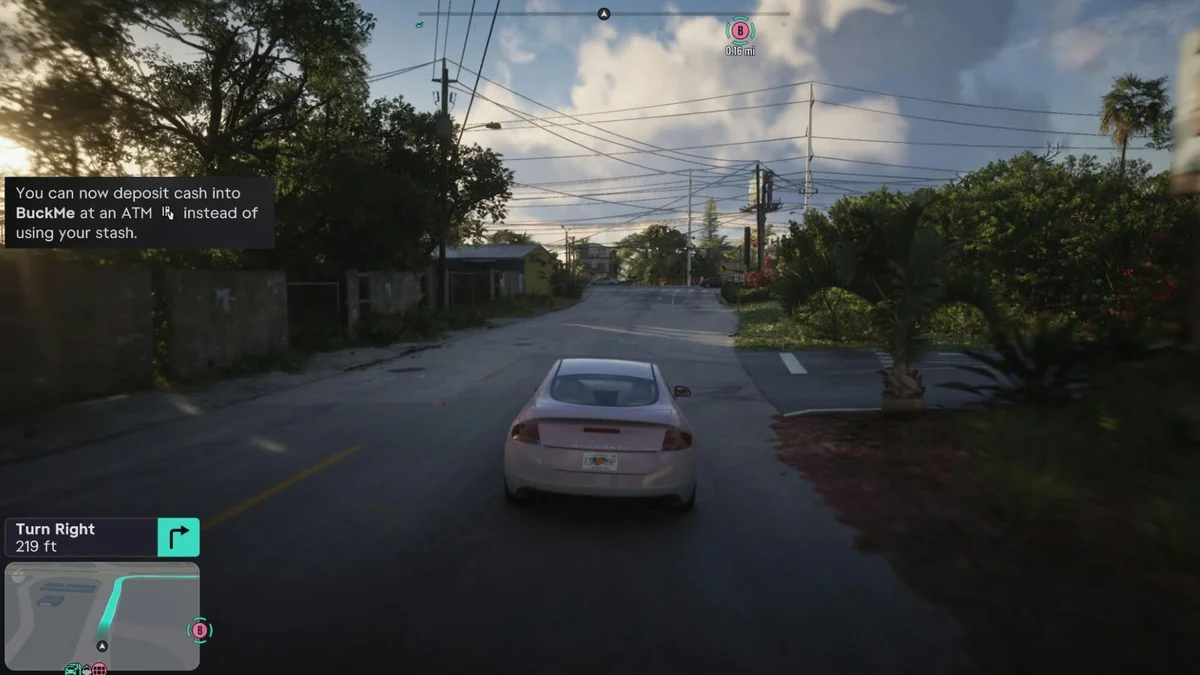
Walking up to an ATM during the opening hours of Grand Theft Auto VI triggers an immediate obstacle: a prompt informs you that you need a bank account before you can interact with cash machines. Until you set up digital banking in the Leonida Keys, you are barred from using ATMs and locked out of purchasing higher-tier weapons and gear that exceed local cash limits. Here is the exact step-by-step walkthrough to open your bank account, unlock the BuckMe phone app, and protect your hard-earned cash.
Why ATMs Are Locked at the Start of Chapter 1
When you begin the story in Key Lento (Mariana County), neither Jason Duval nor Lucia Caminos has access to a traditional bank account. Their criminal records and lack of verifiable income force them to operate strictly with physical pocket cash during the opening missions.
To keep you from carrying every dollar on your person, the game initially gives you a makeshift stash hidden beneath the loose floorboards inside Jason's bedroom at his Key Lento house. However, relying on the floorboards stash has three major drawbacks:
- The $999 Pocket Cash Cap: local vendors and gun shops only accept physical pocket cash for items priced up to $999. Anything costing $1,000 or more requires an active digital checking balance.
- Heavy Losses When Wasted or Busted: carrying thousands of dollars in pocket cash leaves your wallet exposed every time you die or get arrested by Leonida law enforcement.
- Constant Backtracking: driving back to Jason's house in Key Lento to lift a wooden floorboard after every robbery quickly becomes impractical, especially once you start farming cash using our GTA 6 unlimited money glitch and instant store reset guide.
When and How to Unlock a Bank Account in GTA 6 (Buck Me Mission)
You cannot manually open an account by walking into a bank branch in free roam during the opening hours. Digital banking is tied directly to main story progression in Chapter 1, specifically during the 13th main mission titled "Buck Me."
Follow this progression path to trigger the mission:
- Complete "Coming Home" (Lucia's Release): play through Chapter 1 until Lucia is released from prison on probation. Jason brings her back to Key Lento, the pair spend an evening at a local bar with friends, and a fistfight breaks out outside before they head home.
- Wait for Lucia's Phone Call: roughly half a day of in-game time after reuniting, Lucia calls Jason on his cell phone. She mentions that she needs a valid bank account to receive her community service payments and asks Jason to meet her so they can open one together.
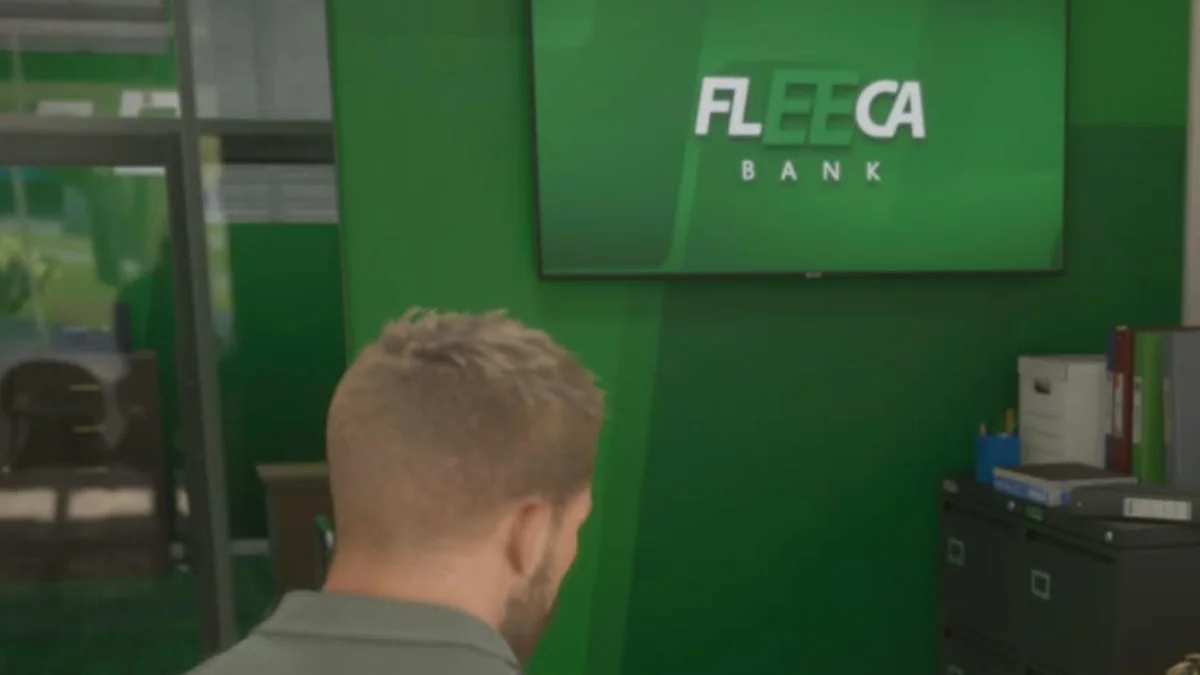
- Head to the Fleeca Bank in Key Lento: a new objective marker (Set Up Bank Account) appears on your map in Key Lento. Drive over to the local Fleeca Bank branch where Lucia is waiting outside.
Inside Fleeca Bank and the Saved Cash Dialogue Choice
Step inside the Fleeca Bank lobby and speak with the teller at the front counter. She will point you toward the branch manager sitting at a corner desk, who then leads both Jason and Lucia into his back office.
During the meeting, the manager asks whether you have any initial funds to deposit. You will be presented with two dialogue choices:
- "Saved Cash": Jason mentions the money he has been stashing away at home while waiting for Lucia. Choose this option to earn an immediate affinity boost with Lucia.
- "Say Nothing": Jason stays quiet, resulting in no relationship bonus.
Regardless of which line you pick, the formal credit check fails. Because of Jason and Lucia's poor credit history, Fleeca Bank rejects their application for a conventional bank account. Instead, the manager sets them up with Leonida's mobile fintech alternative right on their smartphones: the BuckMe app.
How the BuckMe App, ATMs, and Family Savings Work
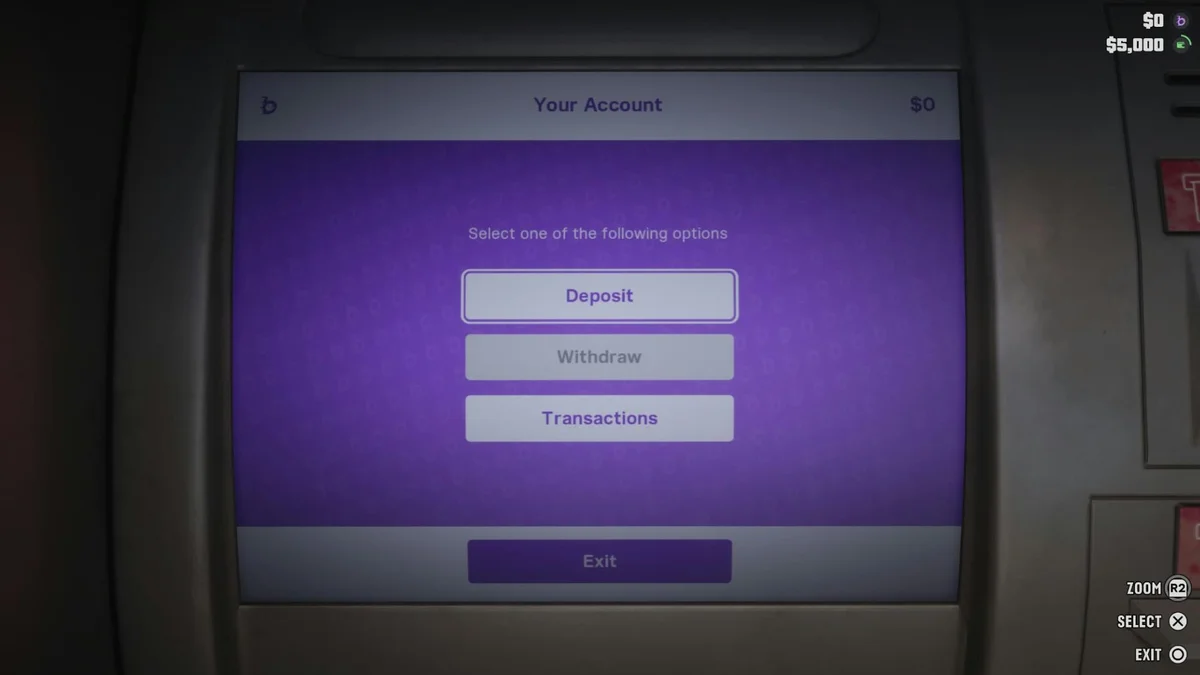
Once the cutscene concludes and you are back home, pull up your in-game phone and tap the new purple "B" icon to launch BuckMe. Your account starts with a complimentary $100 welcome bonus in your checking balance.
Understanding how BuckMe separates your funds is essential before you cash in big payouts from early story decisions, such as the fence dilemma covered in our guide on whether to sell to Donnie or Brian after Clean Up After Donnie:
- Checking Account: this is your primary digital spending balance displayed on your HUD. Any purchase of $1,000 or more automatically pulls funds from your Checking Account. You can deposit physical pocket cash or withdraw bills at any working ATM across Leonida.
- ATM Finder Feature: rather than hunting for cash machines manually, open the BuckMe app and select "ATM Finder - Set Destination" to mark the nearest ATM on your GPS radar, including the convenient machine right next to Chuck's Tackle & Shot in Key Lento.
- Family Savings ("Buck Yourself"): selecting the "Buck Yourself" option inside the app transfers money into a shared Family Savings pot required for story progression. Keep in mind that transfers into Family Savings are permanent and can never be withdrawn as spending cash. However, funds inside Family Savings are 100% protected from being lost when Wasted or Busted, survive Chapter 1's point of no return (the mission Tourist Trap, which wipes your Key Lento floorboard stash and regular checking balance), and unlock higher checking caps alongside permanent store discounts.
GTA 6 Money Storage & Banking Comparison Table
| Storage Method | How to Unlock | Purchase Cap & ATM Access | Safety (Wasted / Busted & Chapter 1 Ending) |
|---|---|---|---|
| Pocket Cash | Available from the start | Accepted by local vendors up to $999 max | Heavy losses when Wasted or Busted; lost after Tourist Trap |
| Floorboards Stash | Jason's bedroom in Key Lento (Chapter 1) | Manual cash deposit and withdrawal at the house | Safe from police, but 100% lost after Chapter 1's point of no return |
| BuckMe Checking Account | Chapter 1 Mission 13 "Buck Me" at Fleeca Bank (+$100 bonus) | Handles purchases of $1,000+ and unlocks all Leonida ATMs | Protected in free roam, but wiped at the end of Chapter 1 |
| Family Savings ("Buck Yourself") | Inside the BuckMe smartphone app | Permanent transfer (cannot be withdrawn as cash) | 100% protected across all chapters + unlocks higher caps and store discounts |
GTA 6 Money Storage & Banking Comparison Table
| Storage Method | How to Unlock | Purchase Cap & ATM Access | Safety (Wasted / Busted & Chapter 1 Ending) |
|---|---|---|---|
| Pocket Cash | Available from the start | Accepted by local vendors up to $999 max | Heavy losses when Wasted or Busted; lost after Tourist Trap |
| Floorboards Stash | Jason's bedroom in Key Lento (Chapter 1) | Manual cash deposit and withdrawal at the house | Safe from police, but 100% lost after Chapter 1's point of no return |
| BuckMe Checking Account | Chapter 1 Mission 13 "Buck Me" at Fleeca Bank (+$100 bonus) | Handles purchases of $1,000+ and unlocks all Leonida ATMs | Protected in free roam, but wiped at the end of Chapter 1 |
| Family Savings ("Buck Yourself") | Inside the BuckMe smartphone app | Permanent transfer (cannot be withdrawn as cash) | 100% protected across all chapters + unlocks higher caps and store discounts |

My Perspective
Playing through the opening hours in Key Lento, I really appreciate how Rockstar Games wove Jason and Lucia's financial struggles directly into the core banking mechanics. Turning a simple ATM visit into a narrative milestone where the duo gets rejected by Fleeca Bank for bad credit and pushed onto a slightly shady fintech app feels completely authentic to modern Leonida satire. My biggest tip as soon as the purple BuckMe icon appears on your phone: immediately grab every dollar hidden under Jason's bedroom floorboards, deposit it at the ATM outside Chuck's Tackle & Shot, and funnel your extra cash into Family Savings before tackling the final missions of Chapter 1 so you do not lose your early nest egg when leaving the Keys.

Grand Theft Auto 6 (GTA 6)
Explore official trailers, technical specs and all latest coverage for Grand Theft Auto 6 (GTA 6).
Based on the outskirts of New York City, Chaya 'Chayane' spent five years studying software engineering in Montreal before returning to her home state. A Full-Stack developer and Deep Learning AI architecture researcher, she explores neural networks and algorithmic optimization while engineering data pipelines for Retrocharting and Gamescharting alongside Grimtag. A gamer for over 20 years and an avid collector of Nintendo history and The Legend of Zelda, she explored World of Warcraft's Azeroth before bringing her deep technical background to video game analysis.