Winhanced 1.0 Launches November 30: The Free Windows 11 Shell Built for PC Gaming Handhelds
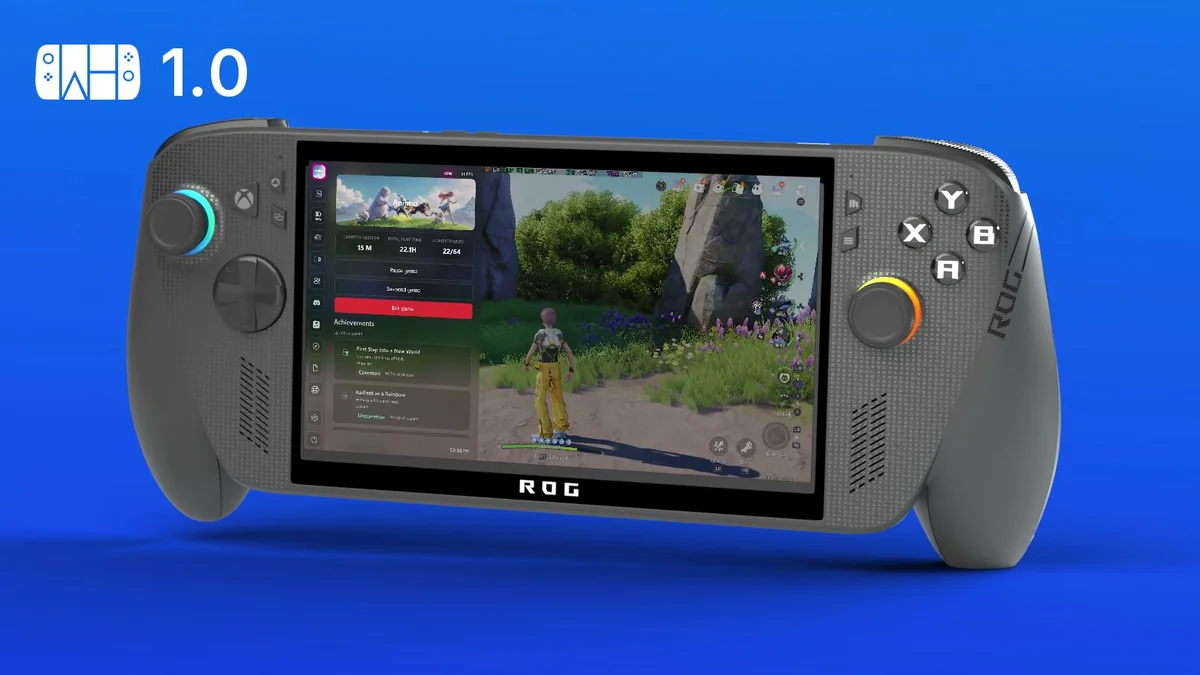
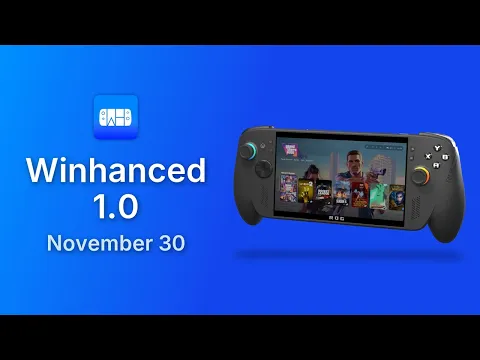
PC gaming handheld owners stuck wrestling with desktop prompts on small screens finally have a release date to circle. One month after kicking off its public beta on October 28, the independent team behind Winhanced announced on Friday, November 27, 2026 that Winhanced 1.0 will officially launch out of beta on Monday, November 30, 2026 as a free download for Windows 11. Built as a controller-first gaming shell for both handheld PCs and living-room rigs hooked up to a TV, it pulls every storefront, cloud service, and hardware toggle into a single cohesive home.
Crucially, Winhanced plugs straight into modern Windows 11 builds instead of fighting them. On Windows 11 24H2 and newer handhelds, users can assign Winhanced directly as the home app for Microsoft's Xbox Full Screen Experience inside Windows Settings. While Microsoft has recently started trimming background memory usage in Windows 11, Winhanced tackles the daily usability headaches that still hold back devices like the ASUS ROG Ally, Lenovo Legion Go, and MSI Claw, from juggling half a dozen launchers to dealing with unpredictable sleep behavior.
The Winhanced Overlay and Core 1.0 Upgrades Go Free for Everyone
The developers emphasize that nothing inside Winhanced is permanently paywalled, with every Early Access feature rolling out to the free version after a one-to-two-month window. With the 1.0 release on November 30, the three flagship features from the beta cycle unlock for every user at zero cost:
- The Winhanced In-Game Overlay: Triggered with a single Guide button press or an edge swipe, it opens directly over any running title so you never need to alt-tab. Players can tune power limits, frame caps, fan curves, and movable performance readouts, control Spotify, Apple Music, or YouTube Music on separate volume sliders, browse context-aware game guides, record and trim clips, or hop into Discord voice chat, friends lists, a web browser, and a built-in journal.
- Colour Themes and Discord Server Browser: Every visual theme, including dual-tone color schemes, and the integrated Discord Server Browser move out of Early Access into the standard free tier.
- Expanded Library and Cloud Management: Alongside Steam, Xbox and Game Pass, Epic Games, GOG, PlayStation, EA, Ubisoft, and Battle.net, version 1.0 adds native Amazon Games installs, updates, repairs, and uninstalls without requiring the Amazon Games app. Epic, GOG, and Amazon installs can also be moved between drives using a controller, while xCloud (now surfacing roughly 80 previously missing Game Pass cloud titles) and GeForce NOW appear as full grid libraries with cover art.
Version 1.0 also carries forward the heavyweight technical toolkit refined during the beta: built-in OptiScaler management (which automatically avoids anti-cheat titles), one-toggle AMD FSR 4.1 support on handheld Radeon chips alongside Intel Arc FSR 4 XMX support, automated game compression to reclaim SSD space, reliable suspend and resume, Dynamic TDP per game, and Theatre mode for controller-friendly access to Plex, YouTube, Pluto TV, and Tubi.
Acer Predator Atlas 8 and GPD Handhelds Join Native Hardware Control
All software-level features, including unified libraries, sleep management, the overlay, recording, and local PC-to-handheld streaming via Winhanced Streaming Companion, work on any Windows 11 PC. On supported handhelds, Winhanced goes much further by taking over hardware controls directly so players no longer need vendor companion apps.
Winhanced 1.0 expands native hardware support to the Acer Predator Atlas 8 and the broader GPD lineup (including the Win 5, Win 4, Win Mini, Win Max 2 and 3, Pocket 4, and Duo). They join existing support for the ASUS ROG Ally series (ROG Ally, Ally X, ROG Xbox Ally, Xbox Ally X, and Xbox Ally X20), Lenovo Legion Go family (Legion Go, Legion Go 2, and Legion Go S), MSI Claw models (A1M, A8, 7 AI+, 8 AI+, 8 EX, and 8 G3), and OneXPlayer handhelds. As hardware makers experiment with alternative operating systems, exemplified by the rumored Android-based Lenovo Legion Go Beam, having one unified Windows control layer for TDP, fans, battery charge limits, RGB lighting, gyro aiming, and driver updates is a serious argument for keeping Windows 11 on handheld hardware.
New One-Time Early Access Model and Next-Wave Features
Alongside the 1.0 rollout on November 30, Winhanced is dropping the subscription requirement for Early Access in favor of a one-time purchase model while keeping the entire core app free:
- Free ($0): The full application, all standard updates and bug fixes, and every Early Access feature 1 to 2 months after debut.
- Early Access ($39 USD one-time): Immediate access to new features on up to 3 personal devices, a Discord supporter role, and a 30-day full refund window.
- Supporter ($99 USD one-time): Early Access across unlimited personal devices plus a listing in the Winhanced Producers credits.
- Experimental ($7.99 USD/month on Patreon): Unfinished test builds for early testers, including Early Access perks while subscribed.
Three brand-new capabilities launch into Early Access alongside 1.0: full remapping for external controllers (DualSense, Switch 2 Pro, 8BitDo, GameSir, and Xbox controllers, including back paddles and Xbox Elite Series 2 profiles), device-specific Community Profiles sorted by Performance, Balanced, and Quality with one-press rollback, and three new Home layouts named Blades (an homage to the classic Xbox 360 dashboard), Shards, and JoyStation.
Players can grab the Windows 11 installer starting Monday directly from the official Winhanced download page or review the full device compatibility chart in the Winhanced 1.0 launch announcement. Anyone already running the 1.0 Beta will receive the release update automatically while keeping all libraries and settings intact.
My Field Notes
Using a Windows handheld late at night quickly reveals that raw silicon is rarely the bottleneck; interface friction is. Between overlapping OEM utilities, stubborn storefront pop-ups, and hit-or-miss sleep states, Windows 11 still asks too much manual babysitting on a seven-inch screen. Winhanced 1.0 stands out because it treats handheld ergonomics as a single coherent system rather than a pile of workarounds. Making the full in-game overlay free for everyone and moving Early Access to a clean $39 one-time option is a smart call that respects the community. The real test over the coming months will be maintenance discipline: supporting ASUS, Lenovo, MSI, OneXPlayer, Acer, and GPD hardware simultaneously is ambitious for a small independent team, and reliable sleep plus Dynamic TDP leave very little room for regressions.

Originally from Lyon, France, gaming journalist Bastien "Orion" relocated nearly a decade ago to Quebec City's Saint-Roch district, right in the heart of eastern Canada's development studio hub. Before crossing the Atlantic, he honed his versatile reporting style across classic French gaming web portals and specialist television outlets in the 2000s and 2010s, notably with JeuxVideo.fr and JeuxNews. Equally passionate about AAA blockbusters, North American studio culture, retro preservation, and community modding projects, he anchors Pro-Gamer's transatlantic desk and real-time coverage of US and Japanese industry announcements.