274W Wall Draw and Sudden Shutdowns: Why GTA 6 Is Overheating Older PS5 Consoles and 4 Fixes That Work
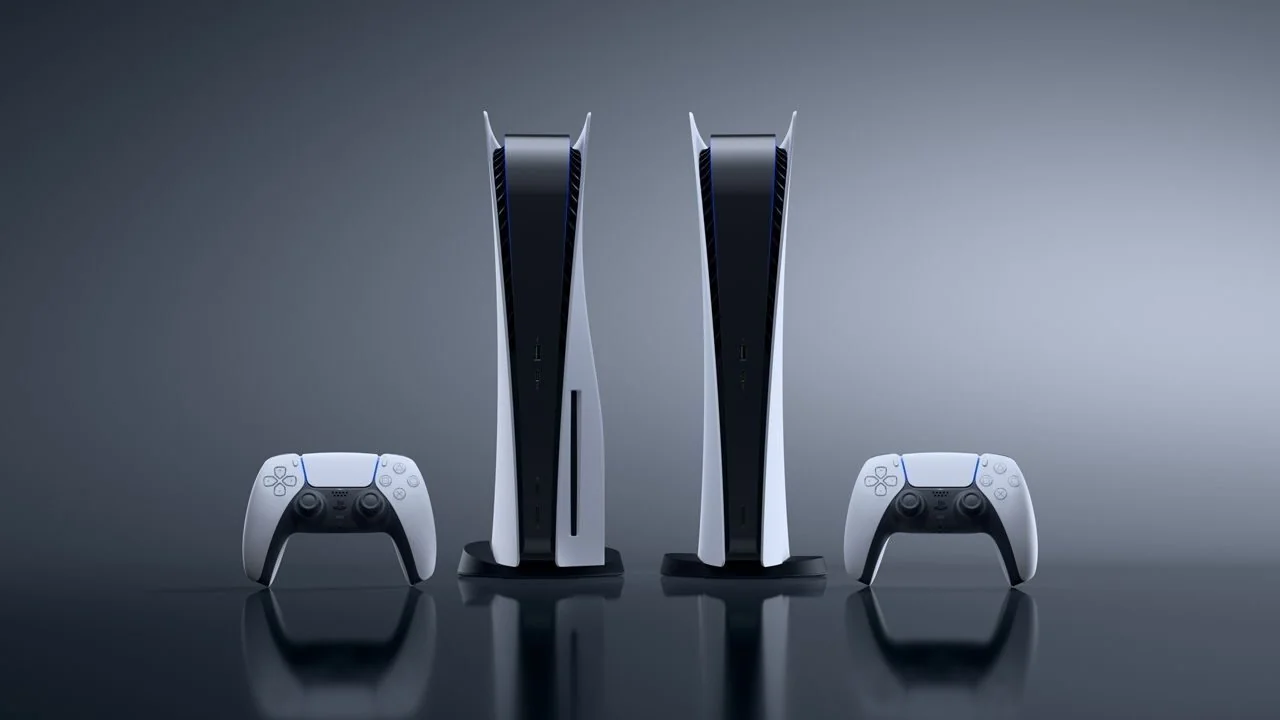
Since Grand Theft Auto VI launched on November 19, 2026, the PlayStation 5 install base has been facing the toughest thermal endurance test of the entire console generation. Across technical communities like r/PS5HelpSupport and r/zocken, player reports have surged over the past few days: screaming cooling fans, repeated dashboard crashes, and sudden complete power blackouts with zero on-screen overheating warning after one to two hours in Leonida.
Two live-streamed hardware failures on Twitch poured fuel on the conversation across X. On November 21, streamer JoJoJosiah paused the game for a quick break and walked back into a room filled with smoke pouring out of the back of his standard PS5, setting off his fire alarm and leaving the system dead. Around November 24, Australian streamer shivjam suffered a mid-stream freeze covered in green pixel artifacts typical of a dying GPU, after which her PS5 refused to boot again despite sitting in a clean, open setup.
Up to 274.2W at the Wall: Why GTA 6 Acts as a Real-World Stress Test
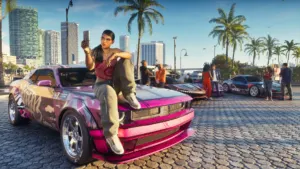
To figure out why GTA 6 is pushing so many units over the edge, independent repair technician Modyfikator89 (also known online as modyfikatorcasper) hooked a PlayStation 5 up to a wall power meter. His readings explain the sudden spike in thermal complaints: even during a relatively static in-game moment standing next to a vehicle, the console draws around 220 watts from the wall, before dropping back to roughly 67 watts on the home screen once the game closes.
Under heavy open-world load, peak wall draw climbed as high as 274.2 watts. By comparison, most demanding PS5 releases typically peak between 180W and 220W. While 274W still sits safely inside Sony's rated power supply ceiling of 340W to 350W depending on the hardware revision, sustaining that level of heat output for hours leaves zero margin for clogged airflow or degraded thermal paste.
Dust, PSU Vents, and Liquid Metal: What Actually Breaks First
Neither Sony Interactive Entertainment nor Rockstar Games has blamed game code for permanently damaging consoles, though Rockstar has already shipped early stability fixes. In practice, GTA 6 is exposing latent maintenance and aging issues inside older hardware, especially 2020 to 2023 launch-era fat PS5 models (CFI-1000 through CFI-1200 series) that have accumulated years of dust.
Two distinct hardware bottlenecks account for almost all of the thermal shutdowns reported this week:
- Clogged heatsinks and power supply (PSU) vents: When lint and dust choke the internal heatsink fins and the lower power supply intake holes at the bottom of the chassis, the console triggers an instant electrical cutoff to prevent component failure. That is why many players experience a total blackout with no warning message, often requiring them to unplug and replug the AC cord before the console responds.
- Liquid metal displacement on the APU: On launch-era consoles kept standing vertically for years, the liquid metal thermal interface can gradually pool and leave a dry spot on the silicon die. We already broke down that exact failure mode in our guide to PS5 error CE-108255-1 and CPU/GPU liquid metal cooling.
4 Practical Fixes to Stop Your PS5 From Overheating in GTA 6
Before diving into another multi-hour session in Vice City, four straightforward checks backed by official PlayStation Support guidelines can dramatically cut internal temperatures and prevent sudden shutdowns.
1. Give the Console Sony's Official 10 cm (4 Inches) of Clearance
PlayStation Support is explicit on placement: keep at least 10 cm (4 inches) of open space around every side and especially behind the rear exhaust vents. Pull your PS5 out of tight or enclosed TV cabinets where hot exhaust air gets recycled straight back into the intake, and never rest the console on carpets or rugs with long fibers.
2. Vacuum the Built-In Dust Catchers Behind the Faceplates
Sony built dedicated dust catcher ports right beneath the white side covers to trap debris before it reaches the heatsink. Fully power down the PS5, unplug the AC power cable, let it cool, and slide off the faceplates by gently lifting the rear corner. Use a low-powered vacuum cleaner nozzle to clear both triangular dust catcher holes and the exterior intake vents.
3. Clean the 120mm Cooling Fan and Check Intake Airflow
With the panels removed, inspect the fan grille and blades. If thick gray dust coats the fan ring or blades, gently clean them using a soft brush or short bursts of compressed air while holding the blades stationary so the fan motor does not overspin. If a three-to-five-year-old PS5 still shuts off without warning after cleaning the upper fan, dust packed around the lower PSU vents deep inside the chassis is the prime suspect.
4. Lay Older Fat PS5 Models Horizontal if Warnings Persist
If you own a 2020 to 2023 fat PS5 that is already clean yet still screams or shuts down during GTA 6, switch it to a horizontal orientation using its stand. Lying flat reduces gravitational strain on aging liquid metal and helps stabilize hotspots across the APU. If blackouts continue anyway, stop forcing reboots: the console needs professional liquid metal servicing, or you can temporarily play through GTA 6 Cloud Streaming on PS Plus to take the thermal load off your local GPU.
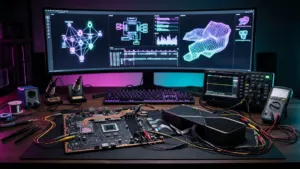
My Test Bench
Pulling 274 watts at the wall on a 2020 console is not broken engineering on paper, since Sony's internal PSU is built to handle up to 350 watts. What catches players off guard is how relentlessly GTA 6 holds that sustained draw hour after hour, giving the silicon almost no thermal breathing room. If your launch PS5 has been sitting inside a cramped media shelf for four or five years without ever having its side plates popped off, do not wait for a patch to fix basic physics. Clearing those dust catchers takes two minutes and costs nothing, and it is easily the smartest move you can make before heading back into Leonida tonight.

Grand Theft Auto 6 (GTA 6)
Explore official trailers, technical specs and all latest coverage for Grand Theft Auto 6 (GTA 6).

PC hardware enthusiast and competitive gamer, Arthur 'Heimdall' splits his time between France and the UK working in enterprise B2B software solutions. A business school graduate passionate about component benchmarking, he has been building, modding, and tuning PCs since childhood, optimizing every thermal degree and millisecond of display latency. An avid gamer across Assassin's Creed and sandbox titles, he forged his alliance with Grimtag and Chaya during late-night World of Warcraft raids before joining Pro-Gamer.