No 212 GB Install and Cooler PS5 Hardware: GTA 6 Launches Cloud Streaming on PS5 and PlayStation Portal

Six days after its November 19 launch, Grand Theft Auto VI has unlocked a major technical upgrade across Sony's ecosystem. Rockstar Games' flagship open world now supports PS5 Cloud Streaming via PlayStation Plus Premium, working directly on PS5 consoles as well as the PlayStation Portal.
On the surface, it looks like a quiet store addition. In practice, it solves three immediate headaches for players: reclaiming over 200 GB of SSD space, playing on PlayStation Portal without keeping a console switched on, and giving heavily taxed PS5 hardware a genuine thermal break.
Access Requirements: Digital License and PS Plus Premium
One essential point deserves to be clear up front: GTA 6 has not joined the PlayStation Plus Game Catalog. A subscription alone does not unlock the game for free. Streaming from Sony's servers requires two things:
- A digital license for Grand Theft Auto VI tied to your PlayStation Network account, purchased on the official PlayStation page for Grand Theft Auto VI or redeemed through the digital code included in retail code-in-box editions. As with every PS5 cloud title, traditional physical discs are not eligible for cloud streaming.
- An active PlayStation Plus Premium membership, priced in the US at $19.99 per month, $54.99 for three months, or $159.99 per year at standard rates (currently discounted by 33% to $107.19 for the first 12 months through November 30, 2026).
Once both boxes are checked, the cloud streaming button appears right beside the download prompt. PS Plus cloud saves keep progress synced automatically between local installs and streamed sessions.
Saving 212 GB and Easing PS5 Overheating
Taking up roughly 210 GB to 212 GB depending on region and patches, GTA 6 eats through a massive share of a standard PS5 SSD. Cloud streaming eliminates that storage squeeze altogether and drops you into Leonida within seconds.
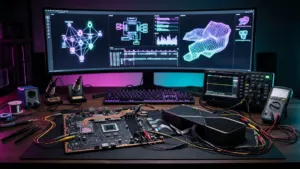
The second payoff is thermal relief. Since launch, dense city rendering in Vice City has pushed older launch-era PS5 units hard, exposing cooling issues tied to PS5 Error CE-108255-1 crashes and liquid metal degradation. In the cloud, Sony's remote servers shoulder the heavy CPU and GPU workload. Your living room console simply decodes a video feed, keeping fans quiet and eliminating local overheating crashes.
Standalone PlayStation Portal Support Changes Portable Play
The biggest day-to-day shift lands on the PlayStation Portal. At launch, taking Vice City portable required local Remote Play, as detailed in our guide to playing GTA 6 on PlayStation Portal, which meant leaving a PS5 powered on or in Rest Mode at home.
Direct cloud streaming cuts that cord completely. PlayStation Portal owners with a digital copy and PS Plus Premium can now stream GTA 6 directly over Wi-Fi without powering on a PS5, or even owning one. Output caps at 1080p on the Portal's 8-inch display, while streaming on PS5, PS5 Slim, or PS5 Pro scales up to 4K at 60 FPS. Note that child accounts remain excluded from PS5 cloud streaming on the Portal.
Practical Limits to Keep in Mind
Cloud streaming still depends heavily on network quality. Sony's official floor calls for at least 5 Mbps to start a session, 7 Mbps for 720p, 13 Mbps for 1080p, and 38 Mbps or higher for stable 4K streaming on PS5. Low latency and a clean 5 GHz Wi-Fi or wired connection remain vital during high-speed chases across Vice City.
Cost is the other caveat. Pairing a full-price digital purchase with Sony's top subscription tier adds up quickly, making this update most compelling for existing Premium members and frequent Portal travelers.
My Field Notes
I have been watching for this switch to flip ever since launch night, because a 212 GB open world is the exact stress test Sony's PS5 cloud infrastructure needed. Beyond the newfound freedom on PlayStation Portal, the sleeper benefit is hardware longevity: if your 2020 PS5 roars like a jet engine in Leonida, moving your sessions to the cloud buys you instant peace of mind until you clean or service the cooling assembly.

Grand Theft Auto 6 (GTA 6)
Explore official trailers, technical specs and all latest coverage for Grand Theft Auto 6 (GTA 6).

Originally from Lyon, France, gaming journalist Bastien "Orion" relocated nearly a decade ago to Quebec City's Saint-Roch district, right in the heart of eastern Canada's development studio hub. Before crossing the Atlantic, he honed his versatile reporting style across classic French gaming web portals and specialist television outlets in the 2000s and 2010s, notably with JeuxVideo.fr and JeuxNews. Equally passionate about AAA blockbusters, North American studio culture, retro preservation, and community modding projects, he anchors Pro-Gamer's transatlantic desk and real-time coverage of US and Japanese industry announcements.