GTA 6 Beginner's Guide: 25 Essential Spoiler-Free Tips and Hidden Mechanics You Need to Know

Dropping into Leonida for the first time in Grand Theft Auto 6 can feel overwhelming simply because Rockstar Games packed so many interconnected systems beneath the surface without explicitly tutorializing all of them. From hidden D-pad shortcuts and smartphone apps on Jason and Lucia's phones to defusing a one-star police encounter without firing a single bullet, mastering these mechanics early transforms how the open world plays. Here is our complete, 100% spoiler-free beginner's guide to getting the upper hand in Vice City.
Food Buffs, Zombix, Good Behavior Points, and Couple Shopping
Before heading into a story mission or robbing a convenience store, always grab a snack and a drink. Consuming food and beverages temporarily buffs your Health, Stamina, and Focus meters, letting you absorb more damage, sprint longer, and slow down time during gunfights. Even better, you never have to stand still while eating or drinking: Jason and Lucia can walk, sprint, drive, and even fire a rifle while holding a soda or a hot dog.
When you need instant healing during heavy combat, you will rely on Zombix medicine. While you can loot Zombix for free across the world, you cannot grab it off standard store shelves: walk right up to the convenience store clerk at the counter and talk to them directly to purchase it.
| Everyday Action in Leonida | Controller Input / Method | In-Game Reward & Buff |
|---|---|---|
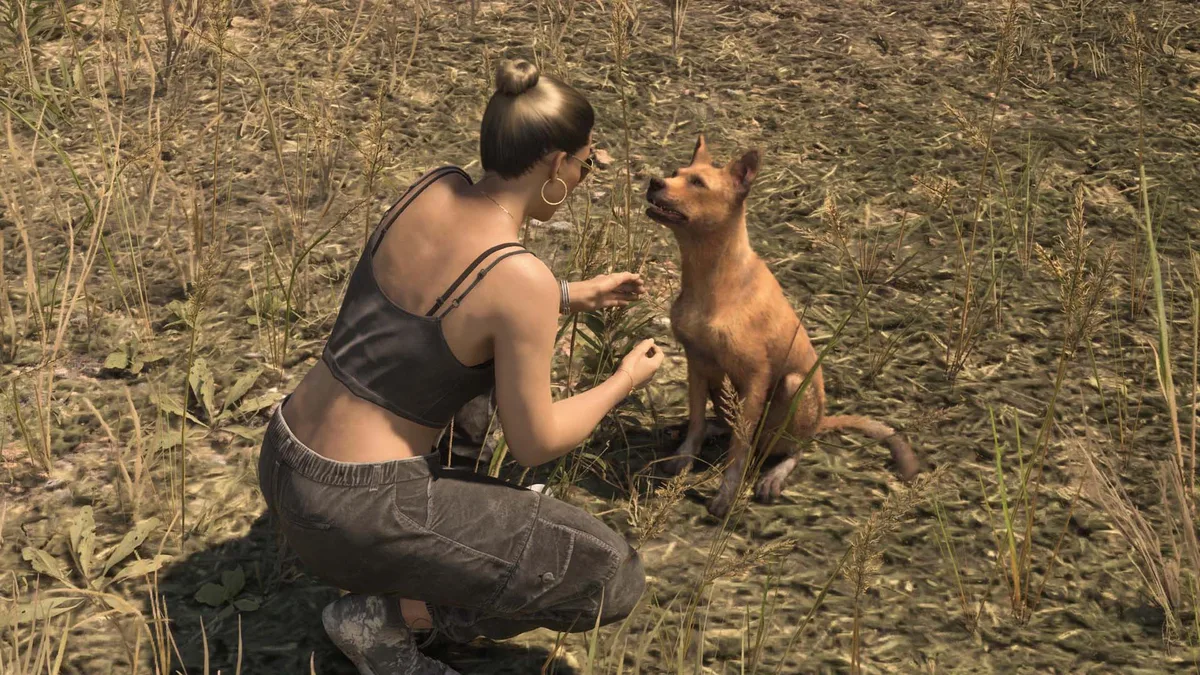
| Petting Dogs and Cats | Hold L2 / LT (unarmed) to zoom in, praise, and pet | Buffs your Focus meter + Good Behavior points (criminal profile) |
| Throwing Away Garbage | Use a trash can after finishing food or a drink | Boosts Focus + Good Behavior points |
| Shopping as a Couple | Bring both Jason and Lucia to any clothing store | Try on/buy clothes for both + Romance points when gifting an item |
| Shaving & Trimming Hair | Interact with the bathroom mirror in your safehouse | Free hair trim or shave (regrowing or restyling requires a barber) |
Make a habit of storing two or three spare outfits in your personal vehicle's trunk right alongside your arsenal, as detailed in our complete GTA 6 weapons and trunk storage guide. Swapping clothes out of sight is one of the fastest ways to shake police attention. You also never need to drive all the way back to a safehouse just to organize your wardrobe: any clothing store with a fitting room lets you build custom outfits, rename them using preset tags (clubbing, hunting, everyday), and transfer outfits straight into your car's trunk. Take time to visit different shops and hair salons across Leonida, as most locations stock exclusive clothing items and hairstyles only sold at that specific storefront.
Smartphone Apps (Scooter Bros, RydeMe, Waink) & Easy Early Money
Cash is tight during the opening hours of GTA 6. If you want an easy, low-risk payout early on, prioritize underwater shipwreck treasure hunts. Very early in the campaign, you unlock the ability to dive into sunken wrecks packed with high-value loot. Just stay alert whenever you step into any body of water in Leonida: always assume an alligator is lurking nearby.
- Repair Vehicles at Gas Stations Instead of Scooter Bros Early On: The Scooter Bros app lets you manage owned vehicles, spawn them nearby, repair damage, or bail them out of police impound lots, but every tap costs cash. In the early game, repair your car or motorcycle directly at any gas station pump while refueling for a fraction of the price.
- Upgrade to Scooter Bros Premium ($12,500) & Buy Garages: Once you have spare cash, the $12,500 Scooter Bros Premium upgrade pays for itself by granting three free app uses every in-game day. Buying garages around the map also expands your total vehicle storage slots.
- Use RydeMe for $100 Fast Travel: Need to cross the state quickly? Open the RydeMe app to hail a driver, hop into the car, and hold L2 / LT to focus on the driver and trigger an instant fast travel to your destination for $100.
- Scan Controller Vibrations & Car Trackers With Waink (Hold D-Pad Up): Holding Up on the D-pad opens the Waink scanner app. If you feel a sudden, intense vibration pulsing through your controller while exploring on foot, pull out Waink to scan nearby street art or hidden collectibles.
- Check Your Phone Reminders Regularly: Keep an eye on the Reminders section of Jason and Lucia's phones; it prompts you to call specific contacts or reply to text messages that unlock bonus story dialogue and character moments.

Before stealing a high-end car off the street, always scan it with Waink or check the bottom-left corner of the HUD next to the engine and fuel icons. If you spot a red tracking icon, ditch the car immediately: it is equipped with an advanced GPS tracker that alerts police to your coordinates whenever you drive slowly, a mechanic we break down further in our guide on registering personal vehicles and removing trackers in GTA 6.

Hidden D-Pad Shortcuts, Focus Mode Stealth, and Defusing the Police
Rockstar built several quality-of-life shortcuts into the controller that save you from constantly pausing the game or getting into unwanted shootouts with law enforcement:
- Defuse a 1-Star Wanted Level by Talking (Hold L2 / LT): Police officers in GTA 6 do not always open fire immediately at a single star. Holster your weapon, hold L2 / LT to focus on the officer, and select Defuse to talk your way out of trouble and clear the wanted level peacefully (this also works on agitated NPCs).
- Slow Time and Mark Nearby Locations on the Fly (Hold D-Pad Down): Holding Down on the D-pad slows down time and highlights nearby points of interest, missions, and gas stations. You can place a GPS waypoint right from this view without opening the pause map.
- Car Features, Headlights, Turn Signals, and Auto-Closing Trunks (D-Pad Left / Right): You never need to manually shut your trunk after grabbing a gun; it closes automatically as soon as you drive away. While driving, hold Left on the D-pad to open vehicle controls (letting you kill your headlights for stealth approaches), or tap left and right to use turn signals that NPC traffic actually reacts to.
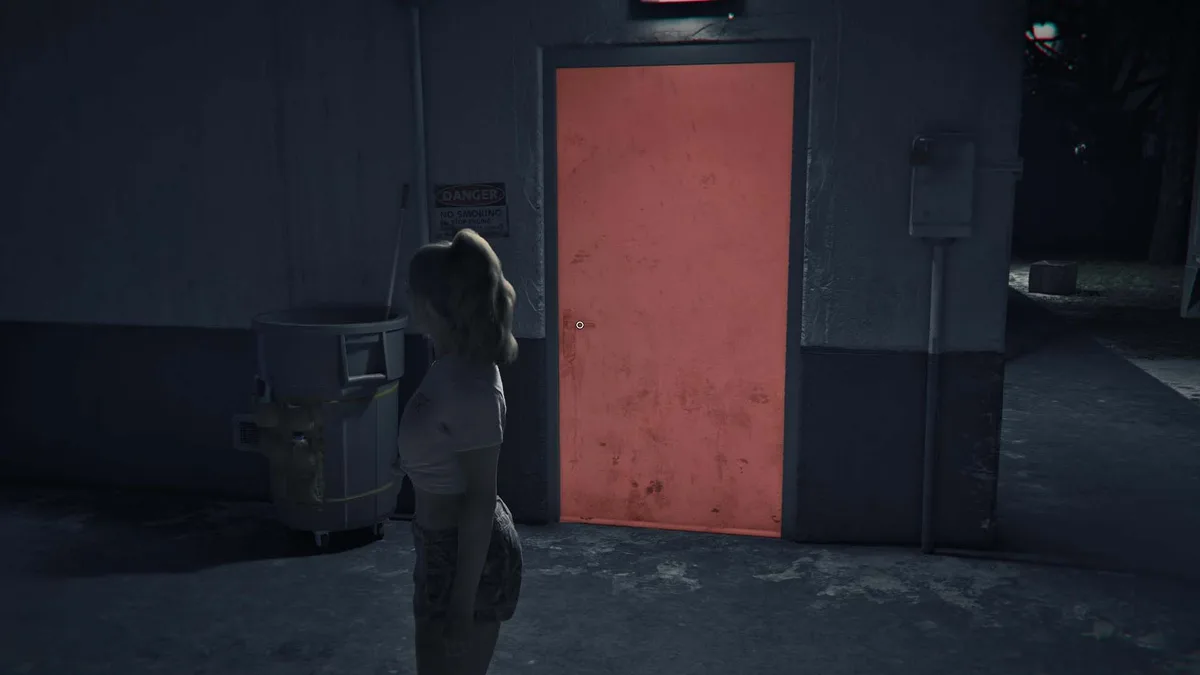
- Spot Red Alarmed Doors and Random Events With Focus (L3 + R3): Clicking L3 + R3 activates Focus mode. During robberies, doors wired to an alarm system glow bright red in Focus mode so you know to bypass or lockpick them rather than kicking them open. While walking around Leonida, activating Focus when you hear shouting or sirens points you directly toward dynamic world events.
- Tag Enemies and Study Wildlife With Binoculars: Aiming a weapon or looking through binoculars lets Jason and Lucia tag guards to track their patrol routes through compounds, while binoculars also let you study Leonida's wildlife from a safe distance.
My Perspective
What stands out immediately in Leonida is how effortlessly Rockstar merged the tactile, deliberate world interaction of Red Dead Redemption 2 with the pace of a modern crime sandbox. Being able to talk a cop down from a one-star wanted level, manage your car trunk straight from a boutique changing room, or hold Down on the D-pad to tag a nearby gas station in slow motion strips away years of clunky open-world menu friction. My best advice for your opening ten hours: resist the urge to rush the main campaign, dive a few sunken shipwrecks early to build a comfortable cash cushion, and check your phone's Reminders tab after every mission so you do not miss some of the best character interactions between Jason and Lucia.

Based on the outskirts of New York City, Chaya 'Chayane' spent five years studying software engineering in Montreal before returning to her home state. A Full-Stack developer and Deep Learning AI architecture researcher, she explores neural networks and algorithmic optimization while engineering data pipelines for Retrocharting and Gamescharting alongside Grimtag. A gamer for over 20 years and an avid collector of Nintendo history and The Legend of Zelda, she explored World of Warcraft's Azeroth before bringing her deep technical background to video game analysis.