Can You Switch to First-Person in GTA 6? Why Rockstar Locked Launch to Third-Person and How Camera Options Work
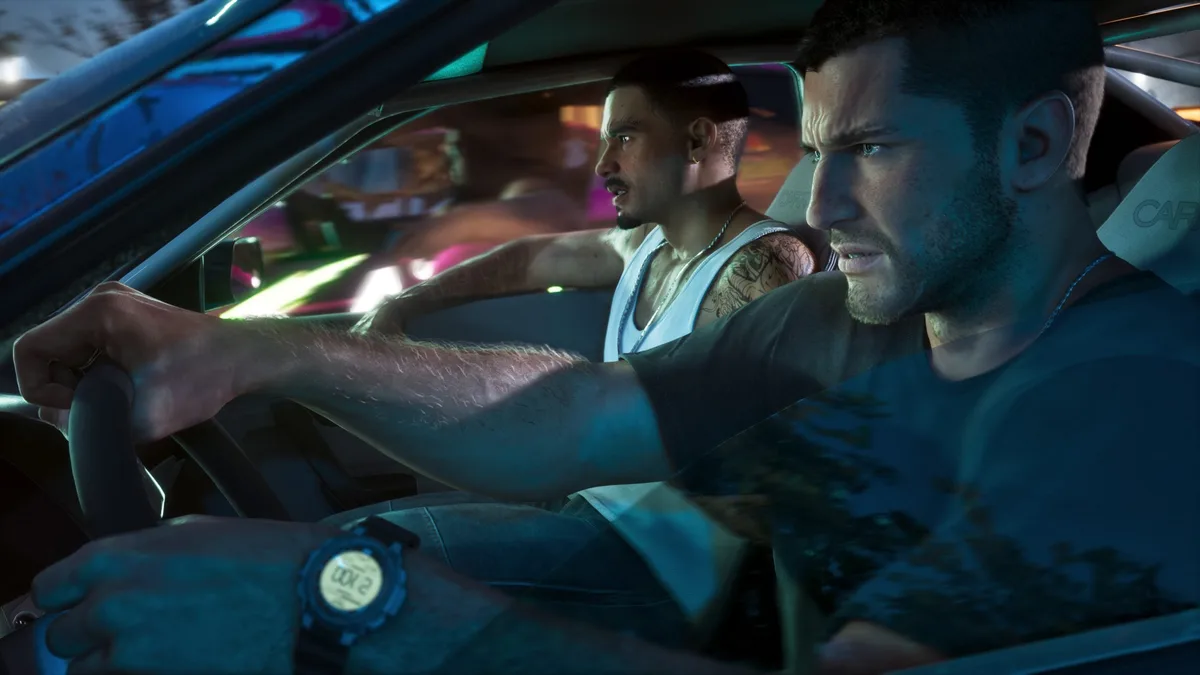
Jumping into Vice City and the state of Leonida for the historic launch of Grand Theft Auto VI on PlayStation 5 and Xbox Series X|S, plenty of returning fans immediately reached for the controller button that usually toggles an eye-level camera. While Grand Theft Auto V famously introduced a full first-person overhaul when it arrived on PS4 and Xbox One in November 2014, and Red Dead Redemption 2 shipped with one on day one in 2018, the launch build of GTA 6 takes a different route: you cannot freely switch to a full first-person gameplay perspective on foot or behind the wheel at launch.
Why Rockstar Games Built GTA 6 Around a Third-Person Camera First
Tapping the DualSense touchpad or the View button on an Xbox controller will not drop you into the eyes of Jason Duval or Lucia Caminos. Speaking during preview sessions at Rockstar North in Edinburgh ahead of release, studio co-head Rob Nelson explained that the development team engineered the entire campaign fundamentally around a third-person perspective, noting that a dedicated first-person mode had not been implemented for launch.
The decision comes down to the sheer scale of character animation running on the RAGE 9 engine. With over 600,000 bespoke animations, independent dual-hand item handling, physical close-quarters grappling, and seamless cinematic transitions into and out of cutscenes between both protagonists, Rockstar prioritized an over-the-shoulder framing that keeps character body language and environmental interactions front and center.
How to Change the 3 Camera Heights and Where First-Person Still Exists
While a full first-person toggle is off the table at launch, Rockstar Games still gives players direct control over how closely the camera tracks Jason and Lucia. Alongside GTA 6's modernized control scheme that finally moves default sprint to L3 and LS, you can adjust your camera distance in two ways:
- On the fly during gameplay: hold Down on the D-Pad and press Cross (PS5) or A (Xbox) to cycle through three preset distances (displayed in the bottom-right corner as CAMERA 1 / 2 / 3, alongside L1 / R1 or LB / RB marker controls).
- Through the pause menu: open the pause screen, navigate to Settings > Camera, and set your preferred default Third-Person Camera Height.
First-person view is not completely absent from Grand Theft Auto VI, however. The camera shifts to a first-person viewpoint during three specific activities:
- Using your in-game smartphone: pulling up your cellphone (Up on the D-Pad) displays the device from a first-person perspective by default, a behavior that can also be customized in the settings menu. Using the phone camera also lets you frame street-level shots through the screen.
- Aiming scoped weapons: looking down the sights of sniper rifles and other optics-equipped firearms automatically switches to a first-person scope view before returning to third-person as soon as you lower your weapon.
- Looking through binoculars: whether scouting ahead or cataloging Leonida's wildlife across the Grassrivers wetlands, binoculars operate in full first-person view.

How to Use GTA 6's Built-In Photo Studio Mode at Launch
For players who wanted a first-person mode primarily to inspect Rockstar's obsessive interior detailing, working dashboard gauges, and character gear up close, Grand Theft Auto VI makes up for it right out of the box with a full-featured photomode suite called Photo Studio.
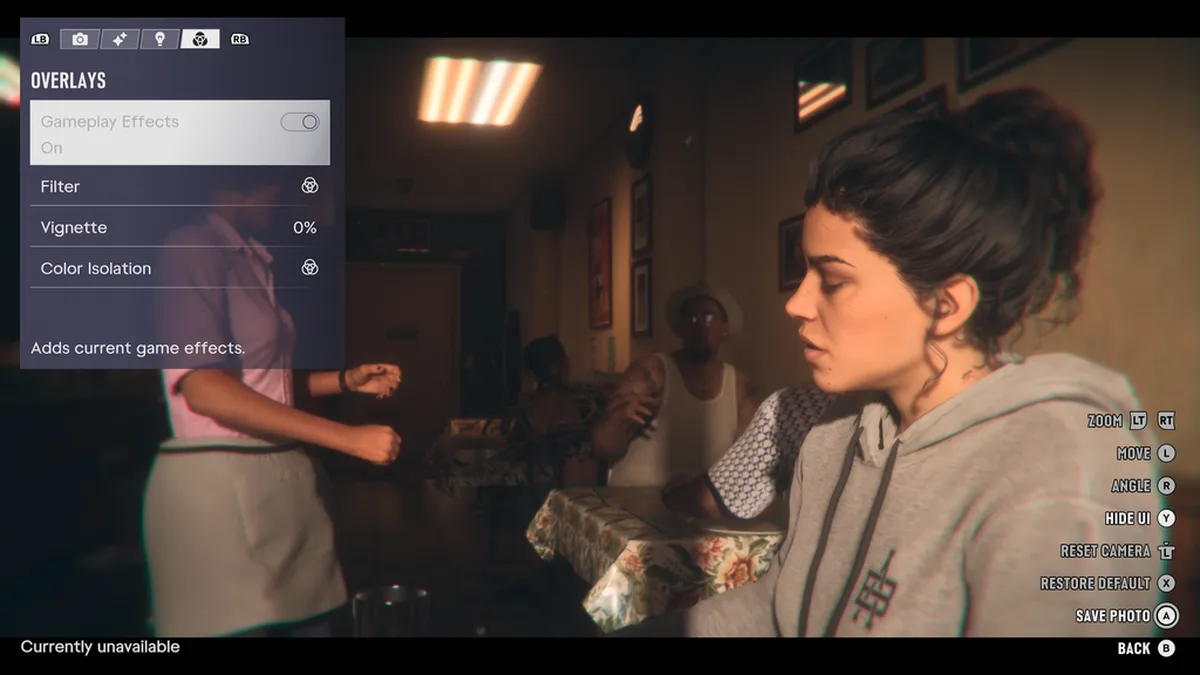
Unlike the original launch of GTA V, which forced players to pull out their phone and snap pictures in real time through Snapmatic, Photo Studio freezes the action instantly when you pause the game and press Square on PS5 or X on Xbox Series X|S (it even works during cutscenes, albeit with slightly restricted effect sliders). Divided across four top tabs controlled with L1 / R1 (LB / RB), the toolset includes:
| Camera & Photo Studio Action | PS5 (DualSense) | Xbox Series X|S |
|---|---|---|
| Cycle Third-Person Camera Height (1 / 2 / 3) | Hold D-Pad Down + Cross | Hold D-Pad Down + A |
| Launch Photo Studio (from Pause Menu) | Square | X |
| Move Camera / Adjust Camera Angle | Left Stick (L) / Right Stick (R) | Left Stick (L) / Right Stick (R) |
| Zoom In & Out | L2 / R2 | LT / RT |
| Hide UI / Reset Camera Position | Triangle / Click L3 | Y / Click LS |
Beyond depth of field, focal length, lighting placement, and character manipulation, the Overlays tab allows virtual photographers to toggle active Gameplay Effects on or off, apply post-processing filters, dial in a custom Vignette percentage, and trigger Color Isolation. As for a full free-roam first-person mode, Rockstar's track record leaves the door wide open: given how meticulously every car cockpit and digital wristwatch is already modeled inside the engine, a dedicated first-person update down the line or alongside a future PC release remains a very realistic prospect.
My Perspective
While it makes complete sense that Rockstar North wants players to experience its 600,000 third-person animations and the visual chemistry between Jason and Lucia on their first playthrough, not being able to hop into a cockpit view while cruising down Vice Beach still stings a little on day one. Then again, one look through the detached Photo Studio camera at the working dashboard dials, seat stitching, and legible digital watches makes it obvious that Rockstar didn't model those interiors by accident. Just like when GTA 5 jumped from PS3 to PS4 a year after release, dropping a full first-person mode in a post-launch update will be the ultimate excuse for a second hundred-hour run through Leonida.

Grand Theft Auto 6 (GTA 6)
Explore official trailers, technical specs and all latest coverage for Grand Theft Auto 6 (GTA 6).
Based on the outskirts of New York City, Chaya 'Chayane' spent five years studying software engineering in Montreal before returning to her home state. A Full-Stack developer and Deep Learning AI architecture researcher, she explores neural networks and algorithmic optimization while engineering data pipelines for Retrocharting and Gamescharting alongside Grimtag. A gamer for over 20 years and an avid collector of Nintendo history and The Legend of Zelda, she explored World of Warcraft's Azeroth before bringing her deep technical background to video game analysis.