Two Weeks on Valorant, Marvel Rivals, and WoW: Our Corsair Skiff 100 Plus Keyboard and MM700 RGB Review
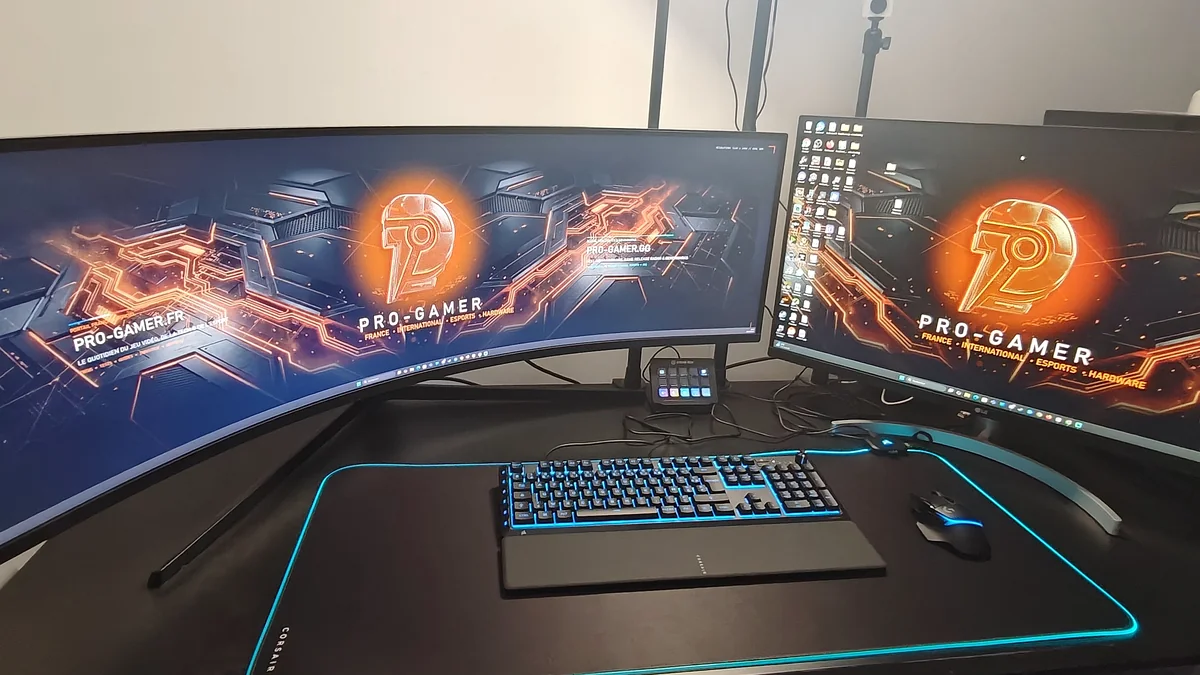
Corsair sent their new full-size Corsair Skiff 100 Plus gaming keyboard ($69.99 MSRP) along with the massive Corsair MM700 RGB Extended cloth mouse pad directly to our test lab. For the past two weeks, I have used both peripherals daily at the center of our main workstation, right in front of our 49-inch Dual QHD (5120x1440, 32:9 aspect ratio) curved monitor and secondary LG display.
To evaluate real-world responsiveness beyond the spec sheet, I tested both peripherals daily across four demanding games: Valorant, Marvel Rivals, WARDOGS, and WoW Forever (World of Warcraft).
Corsair Skiff 100 Plus and MM700 RGB Extended Technical Specifications
Here is the complete breakdown of verified specifications for both peripherals tested on our desk.
| Feature / Specification | Corsair Skiff 100 Plus Keyboard | Corsair MM700 RGB Extended Mat |
|---|---|---|
| Model Reference Tested | CH-9226B65-FR / CH-9226I65 Series | CH-9417070-WW (Extended XL Format) |
| Form Factor & Dimensions | 100% Full-Size (Full numpad + 6 dedicated G-keys) | 930 mm x 400 mm x 4 mm (36.6" x 15.8" x 0.16") |
| Switch & Surface Tech | Quiet 3-layer flexible membrane with rubber dome switches | Glide-enhanced woven textile over anti-slip textured rubber base |
| Polling Rate & Connectivity | 1,000 Hz (1 ms), 12-Key Selective Rollover (12KRO), USB 2.0 Type-A | Detachable USB Type-C to USB-A cable + Built-in 2-port USB 2.0 Hub |
| Dedicated Controls | 6 side macro keys (G1-G6), notched volume dial, Win lock, brightness | Onboard hardware button (cycles through 12 built-in RGB profiles) |
| RGB Lighting & Software | 10-Zone dynamic RGB (Corsair iCUE & browser-based Corsair Web Hub) | 360-degree 3-zone dynamic RGB border (Corsair iCUE sync) |
| Durability & Ergonomics | IP53 spill and dust resistance, clip-on soft-touch wrist rest, 715 g | 360-degree stitched anti-fray edges, 1.46 kg (3.22 lbs) desk weight |
| Official MSRP | $69.99 / €69.99 | $69.99 to $79.99 |
Build Quality, Rotary Volume Dial, and Quiet Membrane Acoustics Under $70
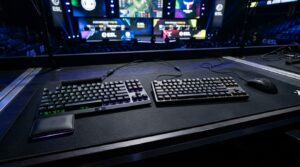
At $69.99, the Corsair Skiff 100 Plus delivers a complete 100% layout without sacrificing the number pad or media controls.
Its matte black polymer top plate feels reassuringly rigid with zero deck flex during heated matches. A subtle // SKIFF callout sits along the bottom-right chamfer, and the entire housing carries an IP53 rating to guard against dust buildup and accidental liquid splashes at your desk.
Up in the top-right corner above the numeric keypad, Corsair integrated a tactile, notched multi-function rotary dial that quickly became one of my favorite physical details on this board. Each notch gives crisp feedback under your index finger for dialing in master audio volume between rounds, while pressing down on the wheel mutes all system sound immediately.
Two dedicated buttons sit beside the status LEDs for instant Windows key lock and backlighting brightness control.
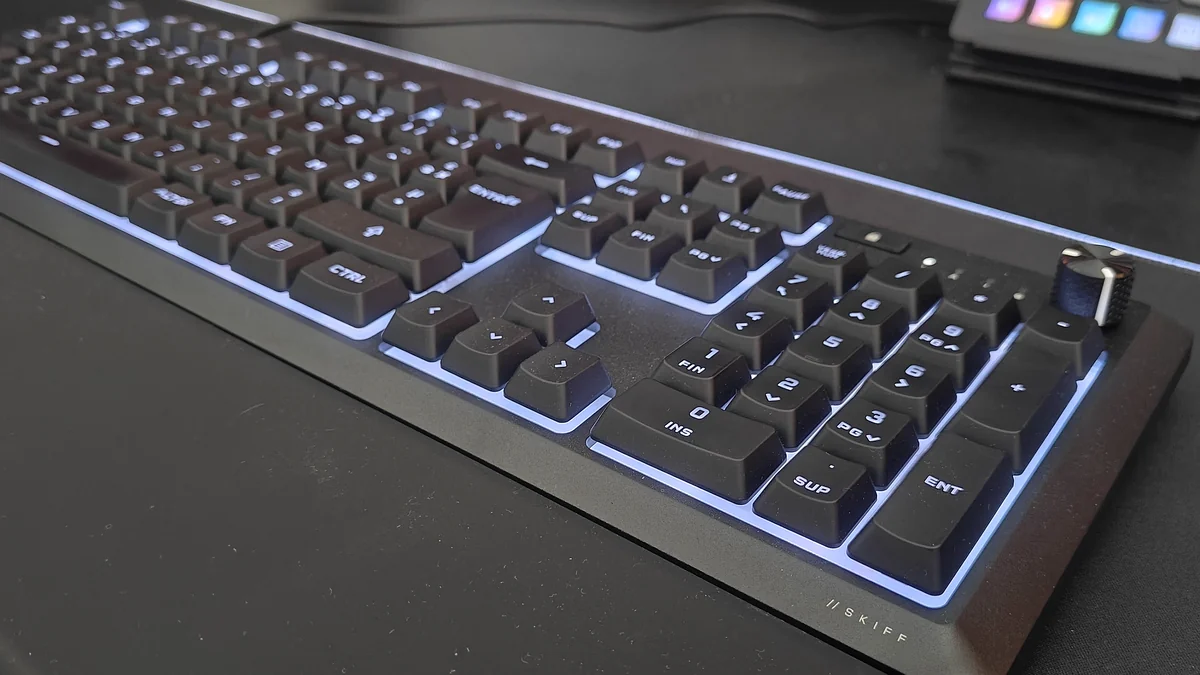
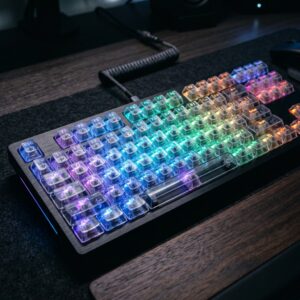
Underneath the shine-through keycaps, the Skiff 100 Plus uses three-layer flexible membrane technology paired with responsive rubber domes. While hardcore mechanical switch purists will notice a softer bottom-out feel compared to linear mechanical stems, the acoustic payoff in a shared room or streaming environment is undeniable.
Unlike loud budget mechanical boards, the Skiff 100 Plus delivers a muted keystroke on top of the 4 mm MM700 RGB mat, producing zero microphone bleed on Discord.
Corsair pairs these switches with a 1,000 Hz polling rate (1 ms) and 12KRO anti-ghosting. Its 10-zone RGB lighting can be tuned via Corsair iCUE or in a browser through Corsair Web Hub, saving system RAM on a high-refresh RTX 5070 Ti and DDR5 gaming system.
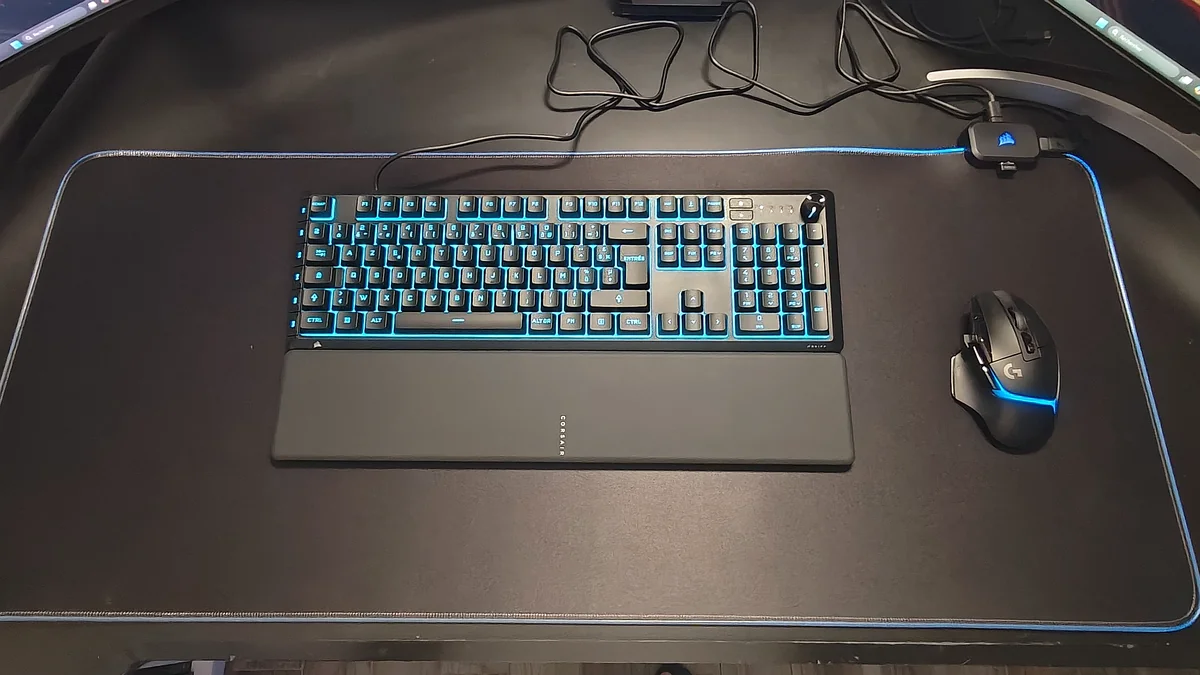
The 6 Side-Mounted G1 to G6 Macro Keys: A Real Muscle-Memory Test
The defining hardware upgrade on the "Plus" edition is its column of 6 dedicated programmable macro keys (G1 through G6). Getting six dedicated macro inputs on a $69.99 keyboard is great for MMO players and streamers, though their physical layout on the left flank sparked mixed feelings during our test.
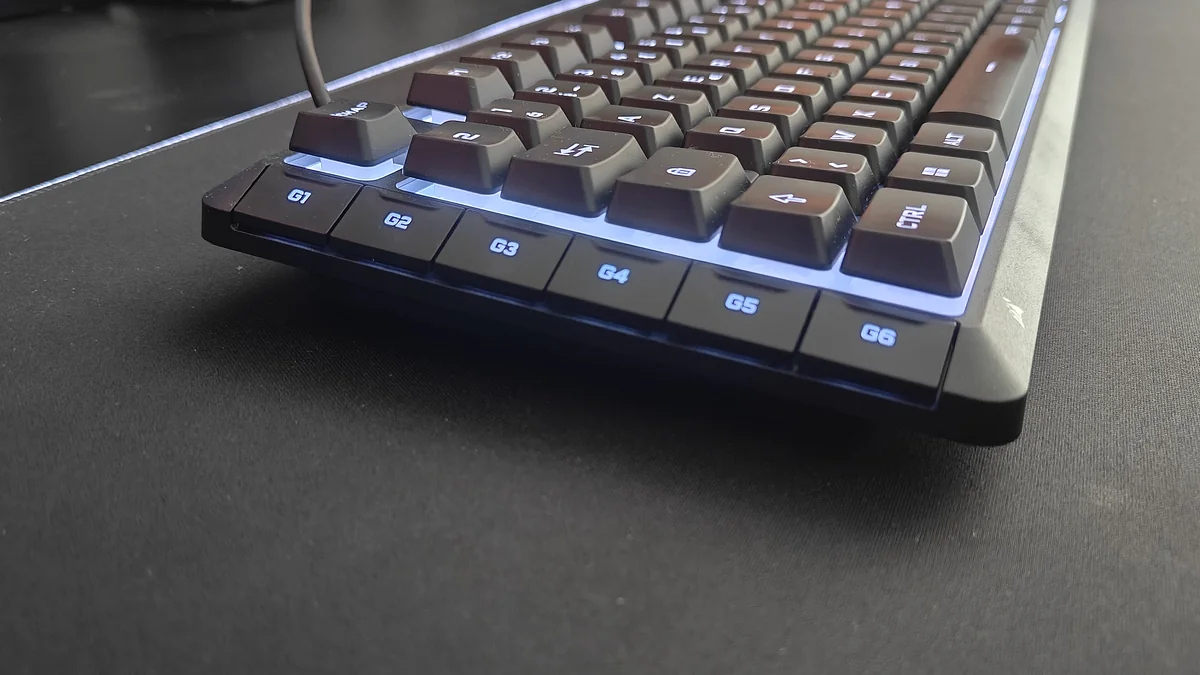
Coming from a SteelSeries board where macro keys are split between the left side and top row, Corsair's single vertical G1 to G6 column flush against Esc, Tab, Shift, and Ctrl initially threw off my hand positioning.
Because most PC gamers use the outer left edge of the frame to locate Shift and Ctrl by feel, this extra outer column shifts your hand reference during the first few days.
In-Game Performance Across Valorant, Marvel Rivals, WARDOGS, and WoW Forever
In tactical shooters like Valorant and WARDOGS, that left-edge offset caused several frustrating misclicks during my first 72 hours. When peeking a tight corner and reaching down to slow-walk with Shift or crouch-spray with Ctrl, my pinky repeatedly pressed G5 or G6 until my brain recalibrated to the wider footprint.
Once I got past that three-to-four-day learning curve, rapid strafing and counter-strafing felt clean and predictable. The tactile return of the rubber domes rebounds briskly, and the 1,000 Hz polling rate ensures zero noticeable input delay when holding angles.
In chaotic Marvel Rivals matches, where you constantly hold multiple movement keys while chaining hero mobility skills, jumps, and team-up ultimates at the exact same time, the 12-key selective rollover (12KRO) matrix never dropped a single command.
Where the G1 to G6 strip truly shines is in a macro-heavy MMORPG like WoW Forever (World of Warcraft). By binding healing potions, mounts, focus-target interrupts, and burst cooldown sequences to G1 through G6 inside Corsair iCUE, my left pinky could trigger six critical actions effortlessly while my main fingers never left the movement cluster.
Detachable Soft-Touch Wrist Rest and Clip Mounting
During three-hour raid nights or long writing sessions, wrist support makes all the difference. Corsair includes a full-length detachable wrist rest in the box, coated in a smooth soft-touch rubberized finish that stays comfortable without feeling sticky after hours of use.
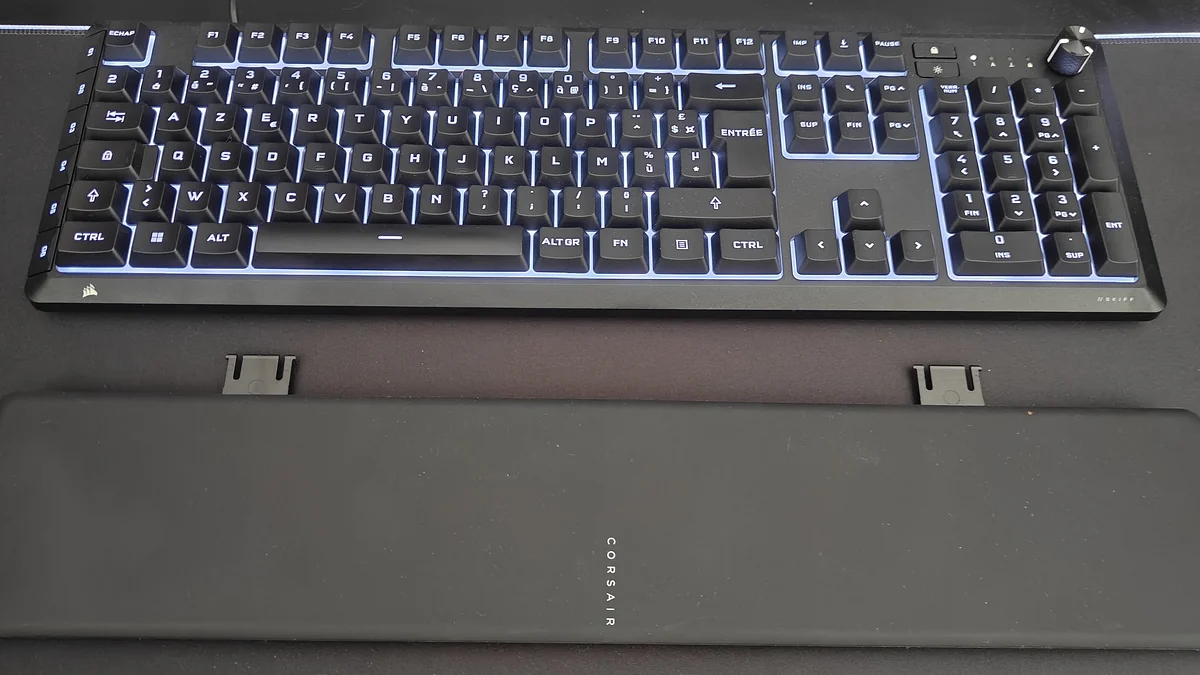
Rather than the magnetic latches found on boards twice its price, the wrist rest attaches to the underside of the front bezel via two dual-pronged plastic clips. Once snapped into place alongside the single-stage flip-out tilt feet underneath the chassis, the wrist rest stays firmly anchored even when repositioning the keyboard across the desk mat.
Check Availability Corsair Skiff 100 Plus Availability on Amazon→
Corsair MM700 RGB Extended Mouse Pad: An Instant Desk Favorite With Two Practical Flaws
Tested alongside the keyboard, the Corsair MM700 RGB Extended mouse pad (930 x 400 mm, 1.46 kg) earned an immediate spot on our desk, easily fitting both the keyboard and mouse.
Its 4 mm rubber base cushions the wrists, the woven surface glides smoothly, and configuring the 360-degree three-zone RGB border in Corsair iCUE is effortless.
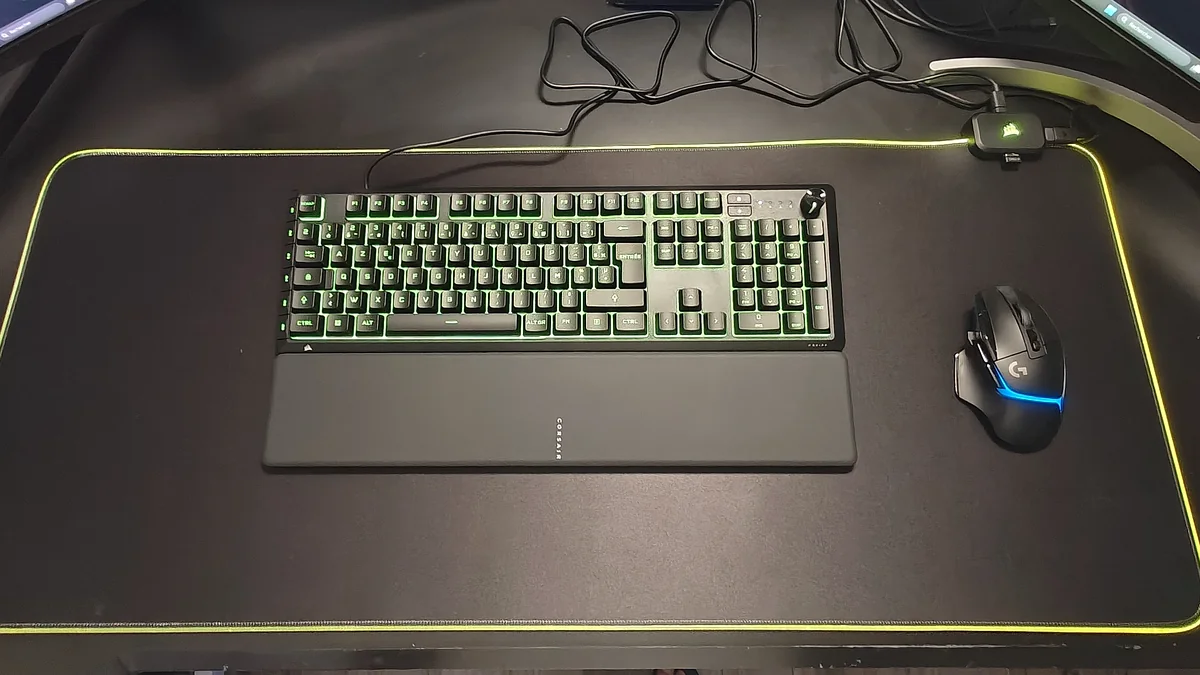
Living with the MM700 RGB Extended on a dual-monitor desk did expose two practical flaws. First, the top-mounted control box (housing a handy two-port USB 2.0 hub) sits right where wide monitor legs rest, clashing with our secondary display stand and our 49-inch ultrawide base.
Second, the bundled cables use an overly stiff material that retains factory bends, making it difficult to route and flatten them cleanly behind the mat.
Check Availability Corsair MM700 RGB Extended Availability on Amazon→
Verdict Summary: Pros and Cons
Pros (+)
- Strong value at $69.99 for the Skiff 100 Plus (100% layout, detachable wrist rest, 10-zone RGB, IP53 protection).
- Whisper-quiet 3-layer membrane switches with zero metallic ping or microphone bleed on Discord.
- Tactile notched rotary volume dial and lightweight browser-based configuration via Corsair Web Hub.
- Effortless mouse glide, plush 4 mm cushioning, and instant iCUE RGB sync on the MM700 RGB Extended mat.
- Built-in 2-port USB 2.0 hub on the mouse pad keeps wireless dongles right next to your mouse.
Cons (-)
- Single vertical column of
G1toG6keys along the far-left edge takes several days of muscle-memory adjustment in shooters. - Top-mounted USB hub box on the MM700 RGB gets in the way of wide curved or dual-monitor stands.
- Included cables are overly stiff, retaining factory bends that make clean desk routing difficult.
My Test Bench
Switching from a SteelSeries board with split top-and-side macro keys to the Corsair Skiff 100 Plus took me three solid days of muscle-memory recalibration in Valorant and Marvel Rivals. Until your left hand stops using the outer left bezel as a physical guide for Shift and Ctrl, that single vertical column of G1 to G6 keys will trigger a few accidental presses mid-fight.
Once past that learning curve, the Skiff 100 Plus proves to be a very solid entry-level keyboard for $69.99: quiet at night, well-equipped with its volume roller, and comfortable in WoW Forever. As for the Corsair MM700 RGB Extended, despite its stiff cables and a USB hub that clashes with monitor stands, its smooth glide and iCUE lighting earned it a permanent spot on my desk.
Next on the Pro-Gamer Test Bench: The SCUF Omega Controller on PS5 and PC
Our hardware testing with Corsair is only getting started. The company also sent over their brand-new SCUF Omega pro controller, featuring drift-resistant TMR magnetic thumbsticks, four remappable back paddles, two side-action buttons, and a 1,000 Hz PC polling rate.
The controller is currently going through its first phase of testing on our PS5, right as console input latency takes center stage following Sony's predictive DualSense AI frame-generation patent, before moving to our PC rig for a full dedicated review coming soon on Pro-Gamer.

PC hardware enthusiast and competitive gamer, Arthur 'Heimdall' splits his time between France and the UK working in enterprise B2B software solutions. A business school graduate passionate about component benchmarking, he has been building, modding, and tuning PCs since childhood, optimizing every thermal degree and millisecond of display latency. An avid gamer across Assassin's Creed and sandbox titles, he forged his alliance with Grimtag and Chaya during late-night World of Warcraft raids before joining Pro-Gamer.