Phantom Blade Zero Patch 1.0304629 Arrives November 28: 7 GB Update Cuts RAM, VRAM Use, and Stuttering
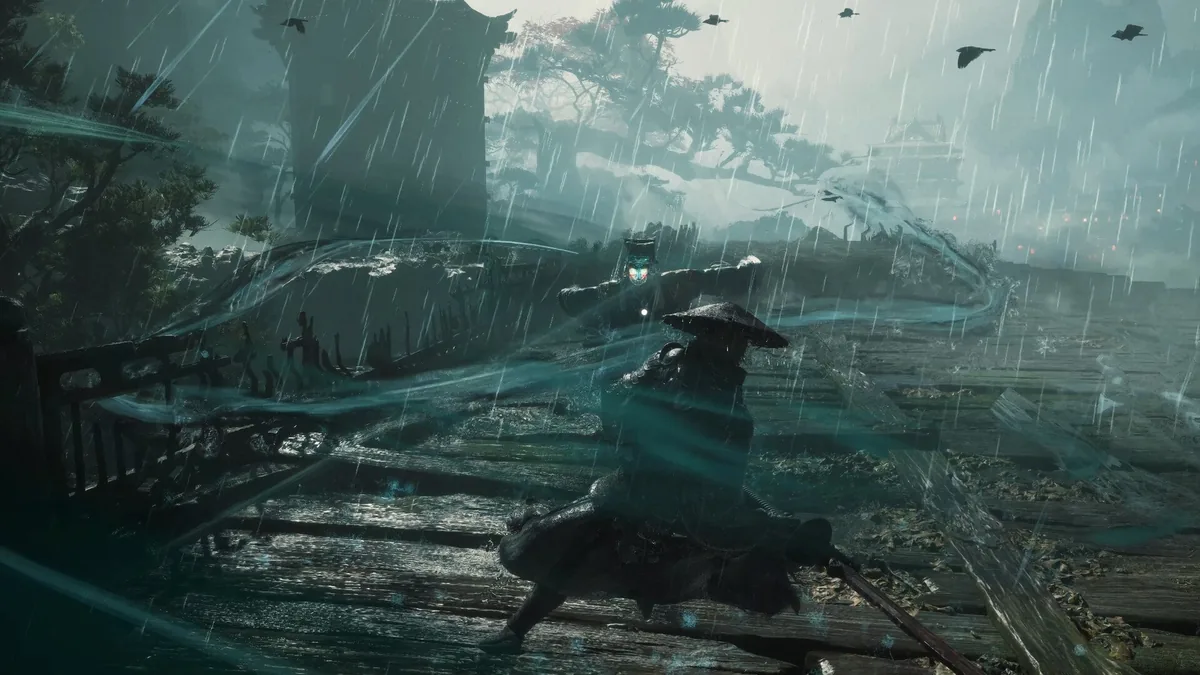
Memory spikes during cutscenes and uneven frame pacing in snow-covered zones have been among the most persistent technical complaints since the release of Phantom Blade Zero. S-GAME is addressing them directly with Update Version 1.0304629, scheduled to roll out on November 28, 2026 across PC and PlayStation 5 with an approximate download size of 7 GB.
In the official Version 1.0304629 patch notes published by S-GAME, the studio lays out a focused round of memory optimizations, visual-effect stutter reductions, an AMD Radeon RX 9000 graphical fix, and a sweeping pass over combat exploits and progression bugs.
Lower RAM and VRAM Usage Where Frame Times Struggle Most
At the top of the changelog, S-GAME confirms lower video memory (VRAM) and system memory (RAM) consumption across the board. The studio specifically highlights that the biggest gains land during cutscenes and in snowy environments, where dense particle layers and lighting transitions have been pushing mid-range GPUs close to their memory ceiling.
The update also improves general performance in demanding locations and select boss encounters while trimming stuttering triggered by specific visual effects. If you are still dialing in your baseline graphics preset before the patch lands, our Phantom Blade Zero PS5 and PC settings guide covers the options that carry the heaviest frametime cost.
AMD Radeon RX 9000 Cloud Fix and Audio-Visual Cleanup
PC players running AMD Radeon RX 9000 Series graphics cards receive a dedicated fix for bright square artifacts that could appear inside volumetric clouds on specific driver builds. Across both PC and PS5, S-GAME is also resolving several presentation glitches:
- Fixed cutscene playback problems, along with flickering and light leaks in affected scenes.
- Corrected level-of-detail geometry glitches that caused character sleeves and fingers to look stretched at longer viewing distances.
- Fixed missing or misbehaving voice lines, sound effects, and background music tracks, paired with volume balancing for dialogue and ambient audio.
New Combat Assist Controls, Mouse Lock-On Slider, and Balance Fixes
S-GAME is adding a new Combat Assist section inside the Settings menu, anchored by an Automatic Strong Camera Assist toggle. Turning it off restricts heavy camera correction strictly to moments when you are actively attacking an enemy, leaving only subtle adjustments at all other times. PC users also gain a Mouse Lock-On Target Switching Sensitivity slider, which completely disables mouse-driven target swaps when set to 0.
Traversal feels smoother as well, with reduced hitching and snagging over small rocks, low steps, and gentle slopes. On the weapon side, the Soft Snake Sword receives updated controls and effects: holding Execute now triggers Sword Blossom Shield, and sidesteps performed in Guard Stance benefit from a longer invulnerability window.
The patch simultaneously closes several high-profile combat exploits and progression blockers:
- War Wagon Phantom Edge's Earthshaking Slam can no longer stack damage across repeated hits to delete enemies in a single cast.
- The Dance Fan accessory no longer keeps its damage bonus active across all skills, applying once per use only to eligible single-movement skills.
- The Nuo Mask accessory now reduces Remnant Spark costs strictly for Summon-type Phantom Edges rather than letting Artifice-type skills fire for free.
- Fixed invisible enemies continuing to attack after bell resets, bosses stalling mid-fight, broken Chill resistance, and Bastion level 25 failing to restore full Sha-Chi.
- Restored missing story items automatically on load for 100% item collection, fixed multiple New Game+ quest blockers, and resolved the PC Defy Destiny achievement failing to pop once all other achievements are unlocked.
PC Upgrade Checklist: Remove Mods and Clear the Shader Cache
Before letting Steam pull the 7 GB update on November 28, S-GAME advises PC players to uninstall any third-party mods. Incompatible mod files can cause post-patch crashes or trick Steam into queuing a far larger download than expected, a painful surprise given Phantom Blade Zero's already steep Steam SSD footprint.
If stuttering or crashes still show up after updating, S-GAME recommends wiping the local shader cache manually. Right-click Phantom Blade Zero in your Steam Library, select Manage, then Browse Local Files, open PBZProjectPBZSavedCache, and delete the files inside so the engine can recompile clean shaders on the next launch.
My Tech Take
This is the exact kind of targeted maintenance pass an Unreal-powered action game needs a month after launch. Cutting VRAM and system RAM peaks inside cutscenes and snowy maps tackles the root cause of traversal and effect hitching on 8 GB and 12 GB GPUs, where memory spills tank 1% lows much faster than raw shader load. Giving PC players a clear path to wipe SavedCache right in the patch notes is also a welcome touch, as stale shader pipelines remain the number one culprit behind post-update stutter.
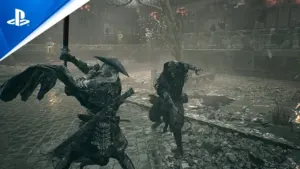
Phantom Blade Zero
Explore official trailers, technical specs and all latest coverage for Phantom Blade Zero.
PC hardware enthusiast and competitive gamer, Arthur 'Heimdall' splits his time between France and the UK working in enterprise B2B software solutions. A business school graduate passionate about component benchmarking, he has been building, modding, and tuning PCs since childhood, optimizing every thermal degree and millisecond of display latency. An avid gamer across Assassin's Creed and sandbox titles, he forged his alliance with Grimtag and Chaya during late-night World of Warcraft raids before joining Pro-Gamer.