Is GTA 6 Crossplay or Cross-Save Between PS5 and Xbox? What Actually Works and How to Transfer Saves

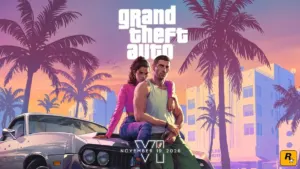
No, GTA 6 does not support crossplay or cross-save between PlayStation 5 and Xbox Series X|S. Released on November 19, 2026 by Rockstar Games strictly as a single-player experience, the game has no multiplayer mode at launch, and story saves remain locked inside the console ecosystem where you create them.
Upgrading hardware within the same console family is a different story. If you move from a standard PS5 to a PS5 Pro, or from an Xbox Series S to an Xbox Series X, you can carry your Jason and Lucia campaign progress forward without starting over. Here is the complete breakdown of what works right now and how to move your save safely.
Quick Overview: GTA 6 Crossplay, Cross-Save, and Save Transfers
| Scenario | Supported? | How It Works or Key Limitation |
|---|---|---|
| Crossplay (PS5 to Xbox Series X|S) | No | No multiplayer mode available at launch in November 2026 |
| Cross-Save (PS5 to Xbox Series X|S) | No | Save files stay locked to PlayStation or Xbox ecosystems |
| PS5 / PS5 Slim to PS5 Pro Transfer | Yes | PlayStation Plus cloud, direct LAN/Wi-Fi transfer, or USB system backup |
| Xbox Series S to Xbox Series X Transfer | Yes | Automatic and free synchronization via Xbox Cloud Saves |
| Rockstar Games Account Linking | Partial | Links profile and edition bonuses, but never syncs single-player saves |
| Console to Future PC Transfer | Unconfirmed | No PC release date or cross-progression announced by Rockstar Games |
Why GTA 6 Does Not Have Crossplay at Launch
The main reason is straightforward: Grand Theft Auto VI launched on November 19, 2026 exclusively with its single-player Story Mode. Both the PlayStation Store and Xbox Store list the base release as a one-player title, and Rockstar Games has not announced an official launch date or feature set for the next-generation GTA Online experience.
Even once multiplayer arrives, crossplay between PS5 and Xbox is far from guaranteed. Throughout the entire lifespan of GTA V, Rockstar Games kept PlayStation, Xbox, and PC online lobbies completely separate. Until the studio confirms otherwise, the safest move is to buy the game on the same console family your friends use. If you are still deciding between platforms, check our GTA 6 PS5, PS5 Pro, and Xbox Series X performance comparison before locking in your platform.
PS5 to Xbox Cross-Save: What Your Rockstar Games Account Actually Does
A common misconception is that linking both your PlayStation Network ID and Xbox profile to the same Rockstar Games account unlocks cross-progression. It does not. Linking accounts handles profile verification, stats tracking, and promotional or edition bonuses, nothing more.
If you start playing on PlayStation 5 and later buy a copy on Xbox Series X|S, you must purchase a second license and begin the campaign from scratch. There is no built-in cloud slot or export utility that bridges save files between Sony and Microsoft hardware.
How to Transfer Your GTA 6 Save Between PS5 and PS5 Pro
Staying inside the PlayStation ecosystem makes moving your save straightforward, whether you are upgrading to a PS5 Pro or replacing an older console. Keep one critical Sony limitation in mind: unlike PS4 titles, individual PS5 game saves cannot be copied directly to a USB stick. You have three official options instead.
1. PlayStation Plus Cloud Storage (Fastest Method)
If you have an active PlayStation Plus membership, cloud sync takes less than a minute:
- On your original PS5, open Settings > Saved Data and Game/App Settings > Saved Data (PS5).
- Select Upload or Delete from Console Storage, pick Grand Theft Auto VI, and upload the latest save file.
- Sign into the same PSN account on your PS5 Pro, open the same menu, and select Download or Delete from Cloud Storage.
This same cloud pipeline also keeps your progress aligned if you switch between local play and GTA 6 PS Plus Premium cloud streaming on PS5 and PlayStation Portal.
2. Direct Console-to-Console Data Transfer (Wi-Fi or Ethernet)
No PS Plus subscription? If both consoles are still in your home, place them on the same network (connecting an Ethernet cable speeds things up dramatically). On the new PS5, head to Settings > System > System Software > Data Transfer and select only your saved data to move your GTA 6 progress quickly.
3. Full System USB Backup (No PS Plus and No Second Console)
If you are trading in your old PS5 before picking up a PS5 Pro without PS Plus, plug in an exFAT or FAT32 USB drive and go to Settings > System > System Software > Back Up and Restore > Back Up Your PS5. Uncheck games and media captures so the backup only stores saved data, then restore that archive on your new console.
How to Transfer Your GTA 6 Save Between Xbox Series S and Xbox Series X
Microsoft handles same-family transfers automatically. Xbox Cloud Saves are completely free for every Xbox account, with no Game Pass subscription required.
- Leave your source Xbox connected to the internet after closing GTA 6 so your latest save finishes uploading.
- Log into the same Microsoft account on your second Xbox Series S or Xbox Series X.
- Install and launch GTA 6: the console automatically pulls your latest cloud save on startup.
What About the Future PC Version of GTA 6?
Rockstar Games has not announced an official PC release date for Grand Theft Auto VI, so there is no confirmation of console-to-PC cross-save either. Historically, Rockstar has never offered ongoing single-player cross-progression between consoles and PC, limiting past migrations to one-time online character transfers during generational jumps. Plan your playthrough assuming your console campaign save will stay on console.
The Strategist's Take
Do not buy GTA 6 expecting cross-save to bail you out later if you switch console brands. Pick the ecosystem where your regular squad already plays ahead of the future online mode, and double-check your cloud backup habits before sinking dozens of hours into Leonida. Xbox handles it silently for free, while PlayStation players without PS Plus should plan a LAN transfer or USB system backup before ever parting with an older PS5.

Grand Theft Auto 6 (GTA 6)
Explore official trailers, technical specs and all latest coverage for Grand Theft Auto 6 (GTA 6).

Born and based in Montreal's Mile End district, Maëlle "Kaelen" became close friends with Chaya during their university software engineering years, bonding over late-night coding labs, campus LANs, and World of Warcraft raids alongside Grimtag and Heimdall. A game systems balancing consultant and lifelong theorycrafter, she cut her teeth in the early 2010s writing boss walkthroughs, frame-data breakdowns, and competitive meta guides for specialized French-language MMORPG and esports portals, including Mondes Persistants, as well as North American strategy collections. On Pro-Gamer, she leads in-depth walkthroughs, build optimization, and tactical esports coverage.