How to Flip an Overturned Car and Push a Beached Boat in GTA 6: On-Foot Controls for PS5 and Xbox
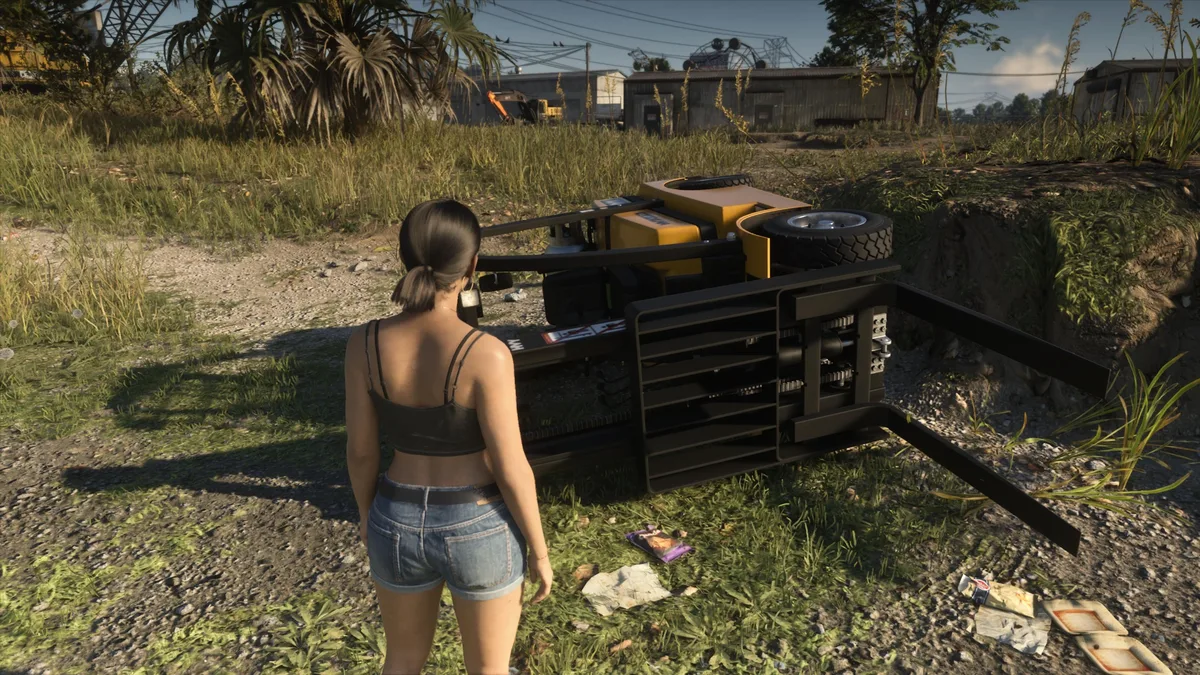
One bad roll off a Vice City highway ramp or a high-speed clip into a Port Gellhorn ditch is all it takes to leave your ride stranded upside down in Grand Theft Auto VI. If your muscle memory from GTA 5 kicked in and you spent ten seconds rocking the left thumbstick from the driver's seat, you have already realized that your car will not budge an inch.
Rockstar Games completely removed the magic in-cabin gyroscopic flip in favor of an on-foot physical interaction. Here is the exact step-by-step method on PlayStation 5 and Xbox Series X|S to flip an overturned car back onto its wheels, shove a beached boat back into the water, and check whether your engine survived the crash.
Prerequisites and Why the GTA 5 Left Stick Trick No Longer Works
In GTA 6, vehicle weight distribution and chassis physics prevent any artificial rotation while Jason or Lucia remains buckled behind the steering wheel. To roll a flipped car off its roof or side, you must exit the cabin on foot and use your character's upper-body leverage.
Fortunately, this ability is available right from the opening hours of Chapter 1 in Key Lento with zero stat thresholds required. You do not need to grind Strength workouts on the weight bench or kettlebells behind Jason's house to flip standard sedans, muscle cars, or sports coupes, provided your stamina bar is not completely depleted.
How to Flip an Overturned Car on Foot in GTA 6 (Step-by-Step)
As soon as your vehicle settles upside down, do not sit inside waiting for Leonida sheriff patrols to box you in. Follow this four-step sequence to roll the vehicle back onto its tires in under five seconds:
- Exit the overturned vehicle immediately: Press Triangle (PS5 controller) or Y (Xbox Series X|S controller) so Jason or Lucia crawls out through the side window and stands clear of the frame.
- Walk into the side panels of the car: Approach the long side of the bodywork near the doors (avoid standing at the front bumper or trunk) and keep pushing the left stick into the vehicle or click L3 to brace against it.
- Wait for the physical bracing animation: After a brief moment of walking directly against the hull, Jason or Lucia will automatically shift into a pushing stance with both hands planted against the chassis.
- Trigger the manual flip prompt: Press and hold Square on PlayStation 5 or X on Xbox Series X|S to heave the vehicle over and drop it back onto all four wheels.
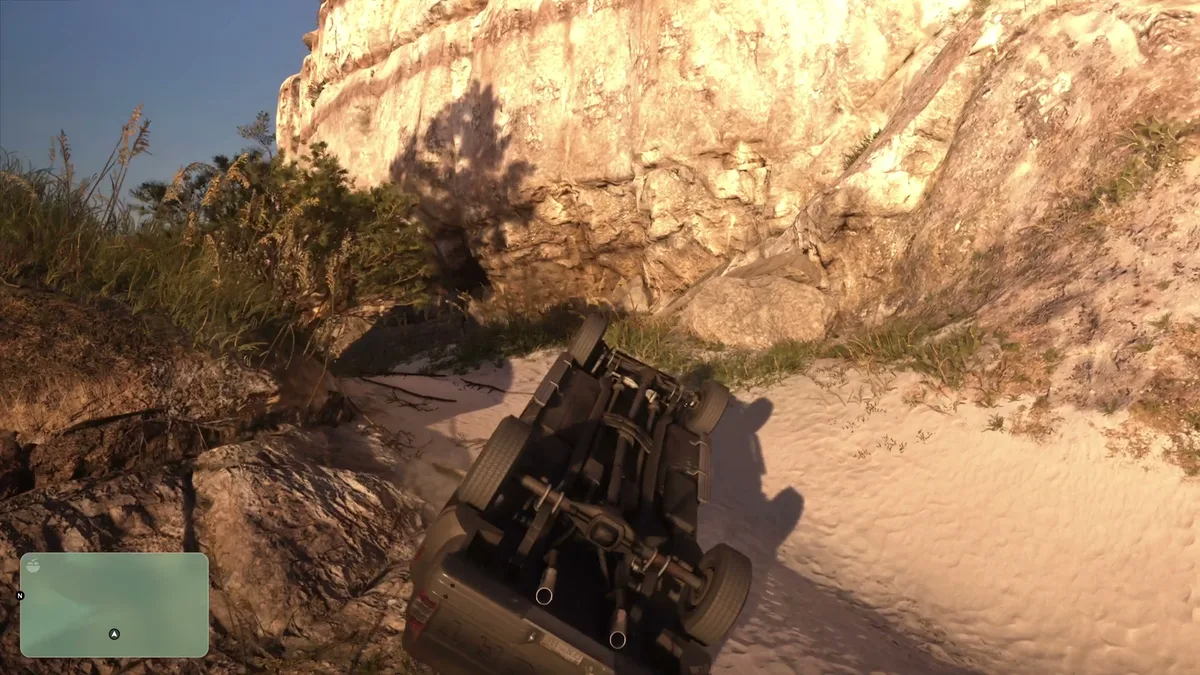
If your car rolled over on a sloped shoulder or hillside, always position your character on the uphill side before pressing Square or X. Pushing downhill works with gravity instead of against it and saves more than half of your stamina gauge.
How to Push Beached Boats and Out-of-Gas Cars
The on-foot pushing mechanic in GTA 6 does more than rescue flipped cars after a street race. The exact same button sequence solves two common headaches across the Leonida Keys and the Grassrivers wetlands.
If you accidentally ground a speedboat, fanboat, or personal watercraft onto a sandbar or muddy shoreline, hop out into the shallows and walk straight into the bow or side of the hull. As soon as your character enters the bracing animation, press Square (PS5) or X (Xbox) to shove the boat back into deep water where the propeller can engage.
You can also use this pushing stance when a vehicle runs out of fuel just down the block from a gas station. Bracing against the rear trunk lets you roll a stalled car in neutral straight to the nearest pump without abandoning your ride in traffic.

What to Do If Your Car Is Too Heavy or Stuck (3 Alternative Methods)
Manual flipping has three strict physical limits in GTA 6: it will fail if your stamina bar in the top-left corner runs dry, if you try to roll a car uphill against a steep embankment, or if the vehicle is an oversized commercial rig (armored vans, semi-trucks, city buses, or heavy pickups wedged between boulders).
When holding Square or X cannot budge the frame, use one of these three backup recovery methods:
- Ramming with a second vehicle: Commandeer a passing SUV or heavy pickup truck, back up thirty feet, and ram the upper side panel of your overturned car at moderate speed (around 30 to 40 mph) to tip it over without rupturing the fuel tank.
- Pulling with a mounted Winch: If you have a utility truck equipped with a towing cable like the setup covered in our GTA 6 ATM robbery and winch installation guide, hook the cable to the flipped chassis and reverse in a straight line to pull it upright.
- Using the Scooter Bros smartphone app: From Chapter 2 onward, if your registered personal car is trapped at the bottom of a ravine, open the Scooter Bros app on your phone to request remote recovery, or follow our GTA 6 Impound Lot and Scooter Bros recovery guide to retrieve your vehicle safely.
How to Check Engine Damage and Repair Your Car After a Rollover
Keep one crucial mechanic in mind during a police pursuit: flipping an overturned car back onto its wheels does not repair any mechanical damage sustained during the crash. A heavy rollover frequently bends axles, pops tires, or cracks the engine block, leaving your car ready to stall or catch fire a few blocks later.
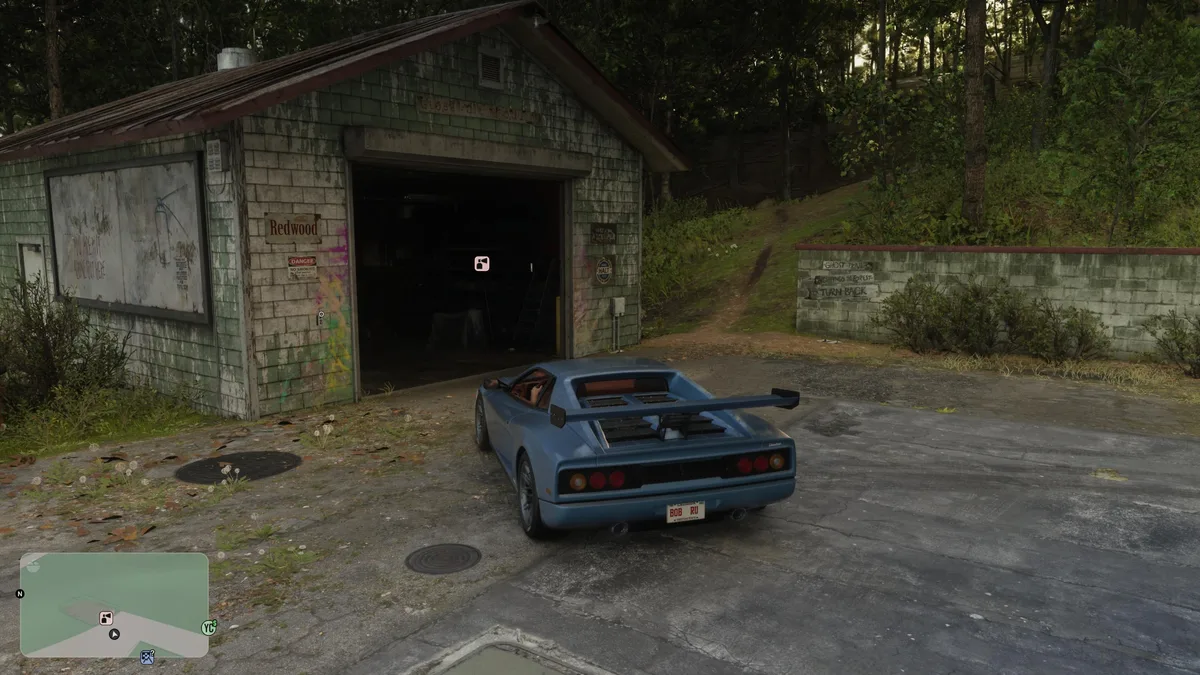
As soon as you climb back into the driver's seat, press Down on the D-pad. A color-coded engine status icon encased in a circle will appear right above your minimap so you can diagnose the damage on the spot.
GTA 6 Vehicle Flipping Controls and Engine Damage Chart
| Action or Engine Status | PS5 Input | Xbox Series X|S Input | In-Game Requirement and Effect |
|---|---|---|---|
| Exit Overturned Vehicle | Triangle | Y | Mandatory first step (in-cabin left stick flip is disabled) |
| Enter Pushing Stance | Walk into side / L3 | Walk into side / LS | Character braces both hands against the side panel or hull |
| Flip Car / Shove Beached Boat | Hold Square | Hold X | Rolls the chassis upright or pushes watercraft into deep water |
| Check Engine Health HUD | D-Pad Down | D-Pad Down | Displays color-coded engine icon above the minimap |
| Green Icon & Circle | D-Pad Down HUD | D-Pad Down HUD | Engine in good condition; cosmetic body scratches only |
| Orange Icon & Circle | Gas Station / Shop | Gas Station / Shop | Moderate damage; reduced top speed and bent steering alignment |
| Red Icon & Circle (or Red Cross) | Pay 'n' Spray / Mod Shop | Pay 'n' Spray / Mod Shop | Critical damage or destroyed engine; cannot be fixed at gas stations |
If your engine indicator shows an orange circle, any local gas station can perform minor mechanical repairs while you refuel, though they charge a steep convenience markup compared to dedicated garages. Once the icon turns critical red, gas stations cannot fix the block at all: open the GTA 6 Index in your pause menu, switch to the Vehicles tab, and select the nearest discovered Pay 'n' Spray or Mod Shop (automatically sorted by shortest drive) for a full overhaul.
My Perspective
After more than a decade of playing GTA 5, every one of us built the lazy habit of holding the left stick sideways after a fifty-foot barrel roll and driving away without a scratch. Stripping out that arcade safety net and forcing Jason and Lucia to step outside and heave the bodywork with Square or X turns every reckless corner into a genuine tactical risk.
My rule of thumb during a 3-star or 4-star police chase is simple: if your getaway car lands on its roof while patrol cruisers have line of sight, never lock yourself into the three-second pushing animation under gunfire. Hijack the nearest civilian car to break police sightlines first, then recover your custom ride later through the Scooter Bros app once the heat dies down.

Grand Theft Auto 6 (GTA 6)
Explore official trailers, technical specs and all latest coverage for Grand Theft Auto 6 (GTA 6).

Based on the outskirts of New York City, Chaya 'Chayane' spent five years studying software engineering in Montreal before returning to her home state. A Full-Stack developer and Deep Learning AI architecture researcher, she explores neural networks and algorithmic optimization while engineering data pipelines for Retrocharting and Gamescharting alongside Grimtag. A gamer for over 20 years and an avid collector of Nintendo history and The Legend of Zelda, she explored World of Warcraft's Azeroth before bringing her deep technical background to video game analysis.